
#SurfSmart безпека в інтернеті, ШІ, боротьба з фейками і маніпуляцією


'Радіостанціям знадобилося 38 років, щоб охопити аудиторію
в 50 мільйонів осіб,
телебаченню — 13 років,
а Інтернету — всього 4.'
Ця навчальна програма стала можливою частково завдяки гранту від компанії Norton — світового лідера у сфері кібербезпеки для споживачів. Компанія прагне забезпечити захист пристроїв, особистих даних, конфіденційності в Інтернеті, а також задоволення побутових і сімейних потреб майже 50 мільйонів споживачів, стаючи для них надійним партнером у складному цифровому світі.

Автор: Іоанна Цампіра
Текст, створений за допомогою штучного інтелекту:
Кабве Ямбайамба
(Оригінальний текст: Анді Верховен; технічна підтримка:
Маріан Меррітт) Дизайн: Домінік Озтурк
Керівник проєкту: Прерана Шакя
Всесвітня асоціація дівчат-скаутів
Всесвітнє бюро
12c Lyndhurst Road
London NW3 5PQ England
Telephone: +44 (0)2077941181
Facsimile: +44 (0) 2074313764
Email: wagggs@wagggs.org / Email: SurfSmart@wagggs.org
www.wagggs.org
4th edition
©WAGGGS, 2025
Registered Charity No. 1159255 in England and Wales
 ЗМІСТ
ЗМІСТ
Surf Smart 2.0 ....................................................................4
Цифрове покоління.............................................................. 4
Інтернет після глобальної пандемії COVID-19 ........ 5 Як ефективно використовувати Surf Smart
2.0................................................................................................. 6 Керівництво дівчат-скаутів та дівчат-гайдів ............................7
Отримання значка.............................................................................7
Практичні поради..............................................................................8
Формат заходу.....................................................10
Довідник заходу........................................................11
Попередні дослідження«DIGITAL EXPLORER».18
Починаючи ативності ..........................................33
Вітаємо у Surf Smart 2.0 .................................................................. 33
#bravespace ......................................................................................... 34
Чи є тут хтось, хто............................................................................. 36
Введення у ШІ.................................................................................... 38
Коротка хронологія розвитку ШІ ................................................. 39
Знайдіть ШІ......................................................................................... 40
Press Enter .......................................................................43
 Відкрийте для себе… чудеса Інтернету ..............43
Що це означає для мене ......................................................... 43
Найкраще в Інтернеті............................................................... 44
Онлайн-пригода......................................................................... 45
Пошук скарбів............................................................................. 47
Коротке чи довге? ....................................................................... 49
Громадська наука...................................................................... 51
Ходімо на онлайн-шоппінг ...................................................... 53
Розуміння ШІ: основи................................................................ 55
Змагання AI League .................................................................... 55
 Будуй позитивні зв'язки онлайн............................58
У чому суть повідомлення?..................................................... 58
Супер-розповсюдження........................................................... 59
Підключіть відео...... ................................................................... 61
Виходь в етер.............................................................................. 63
Як отримати максимум користі від соціальних мереж.. 66
Міжгалактична битва................................................................ 69
Час онлайн................................................................................... 71
Лабораторія лайф-хаків з ШІ ................................................ 77
Чат-бот AI Buddy ........................................................................ 81
 Захистіть себе від ризиків в Інтернеті.................84
Ідеальний пароль...................................................................... 84
Хтось, хто б мене наставляв .................................................. 86
Спамкаст........................................................................................ 87 Поділитися чи залишити собі?................................................. 90
Хто це?............................................................................................. 93
Кібербулінг..................................................................................... 97
Протистояти сексуальним домаганням .............................. 99
Знайди рекламу.........................................................................102
Факт чи фейк?..............................................................................107
Кібердетективи...........................................................................110
Щит ШІ...........................................................................................113
 Поважайте свої цифрові права та слід......... 114
Цифровий розрив....................................................................114
Факт чи думка? ..........................................................................118
Реальність чи фейк? ...............................................................120
Створіть теорію.........................................................................124
Що ви бачите? ............................................................................126
Ідеальне селфі........................................................................129
Ось вамcookies........................................................................131
Упередженість — у очах того, хто дивиться .................133
Завдання на створення запиту для ШІ ..........................136

Уявіть кращий інтернет............................................. 138
Допомога....................................................................................138
Менеджер соціальних мереж ...............................................140
Позитивна онлайн-спільнота ..............................................141
Разом краще.............................................................................143
Створювати...............................................................................144
Інтернет речей .........................................................................145
Позитивні стосунки.................................................................148
Дзеркало, дзеркало: моє справжнє відображення...... 154
За межами фільтра................................................................155
Впевненість у своєму тілі .....................................................156
#Дійте........................................................................158
DIGITAL EXPLORER: Аналіз результатів .......161
«Surf Smart» — це лише початок ............177
Форма згоди на участь
у програмі «Surf Smart 2.0»............................179
Ресурси.......................................
рекомендації щодо безпеки в
Інтернеті
Станом на червень 2020 року майже 4,8 мільярда людей були активними користувачами Інтернету, що становить понад 60 % світового населення[1]. В середньому вони проводили в мережі дві з половиною години щодня[2]. Сьогодні світ без Інтернету неможливо уявити. Ми використовуємо його, щоб спілкуватися з друзями, дізнаватися про нове та проводити дозвілля. Об’єднуючи мільярди людей по всьому світу, Інтернет є основною опорою сучасного інформаційного суспільства. У період пандемії COVID-19 використання Інтернету та онлайнспілкування стрімко зросло, надавши людям безцінну можливість залишатися на зв’язку та продовжувати навчатися й працювати під час карантину. Можливо, ви також є одним із мільйонів людей, які відчули на собі наслідки збільшення часу, проведеного в Інтернеті, і
Surf Smart 2.0 запрошує вас у цифрову подорож, під час якої ви:
• Дізнайтеся про інструменти, які допоможуть вам забезпечити власну безпеку та приймати зважені й виважені рішення під час перебування в мережі.
• Дізнайтеся, як ефективніше використовувати час, проведений в Інтернеті, та налагоджувати конструктивні зв’язки з місцевими та світовими спільнотами.
• Пошукайте способи активної участі в цифрових спільнотах і навчіться бути відповідальним цифровим .громадянином

До кінця подорожі ви отримаєте значок «Surf
Smart 2.0»
задавали собі питання: Чи ефективно я використовую цей час? Чи використовую я його з користю?
Цифрове покоління
 Організація «Дівчата-гайди та дівчата-скаути» дає тобі змогу повністю розкрити свій потенціал як відповідальної громадянки світу. Але коли така значна частина нашого сучасного життя відбувається в Інтернеті, що ж означає бути відповідальною громадянкою в онлайн-просторі? Як ми можемо безпечно та відповідально орієнтуватися в онлайн-світі, максимально використовуючи можливості, які він пропонує для навчання та творчості? І як ми можемо використовувати онлайнпростір, щоб висловити свою думку та долучитися до соціальних змін, щоб зробити світ, як онлайн, так і офлайн, кращим місцем? Завдяки програмі «Surf Smart 2.0» ти дізнаєшся, як використовувати Інтернет як представник «цифрового покоління» не лише для спілкування, навчання та розваг, а й для участі в житті суспільства.
Активні та відповідальні цифрові громадяни:
• КОРИСТУВАТИСЯ цифровими технологіями компетентно та безпечно
• ІНФОРМУВАТИ інших про переваги та ризики які можна спіткати онлайн
• АКТИВНО брати участь у цифрових спільнотах з відповідними навичками та знаннями.
• ПОВОДИТИСЯ позитивно у онлайн середовищі та поважати почуття й думки інших.
• БОРОТИСЯ з домаганнями та знущаннями в Інтернеті шляхом сповіщення та блокування
• ВИСЛОВЛЮВАТИСЯ щодо рівних прав і онлайн доступу для всіх
• УНИКАТИ не публікувати в Інтернеті нічого, що може завдати шкоди їм самим або іншим, та захищати особисті дані
• ОБМІРКОВУЙТЕ ретельно свої дії, коли до вас звертаються незнайомці в Інтернеті
Інтернет після глобальної пандемії COVID-19
Пандемія призвела до більш активного використання наших пристроїв для навчання, роботи, розваг та спілкування. Дотримуючись соціальної дистанції, люди шукають нові способи спілкування, переважно через відеочати, соціальні мережі та відеоігри.
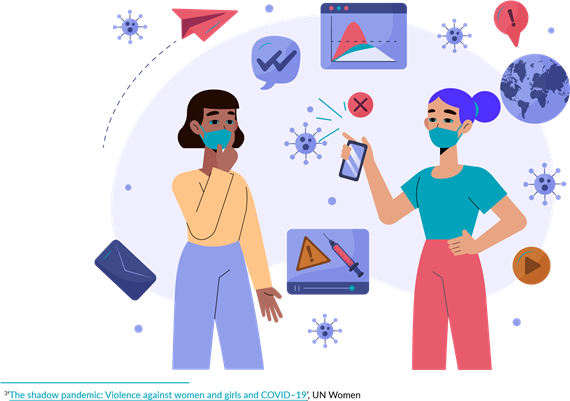
Це викликало занепокоєння щодо безпеки в Інтернеті та поглиблення цифрового розриву3:
• У той час як людство намагається дізнатися більше про вірус, фейкові новини та теорії змови знайшли сприятливе підґрунтя, через що важко розібратися, що є правдою, а що ні.
• Зросла кількість випадків домашнього та інтернетнасильства щодо жінок і дітей.
• 
У деяких регіонах, де дівчата та жінки завжди мали менший доступ до Інтернету, ні чоловіки, пандемія стала ще більш
• Найбідніші та найбільш незахищені діти та молодь традиційно мали обмежений доступ до можливостей в Інтернеті .
• Діти та підлітки, які не мають відповідних пристроїв, не володіють цифровими навичками, мають обмежений доступ до Інтернету або розмовляють мовами меншин, можуть отримати лише неповноцінний досвід користування Інтернетом.
• Збільшення часу, проведеного в Інтернеті без належного контролю, призвело до того, що діти стали вразливими до потенційно шкідливого та насильницького контенту, а також до зростання випадків кібербулінгу.
‘Online and ICT–facilitated violence against women and girls during COVID–19’, UN Women
‘Child Sex Abuse Livestreams Increase During Coronavirus Lockdowns’, April 8, 2020, Michael Sullivan, NPR
‘CHR condemns rising online sexual harassment vs. women amid COVID–19 pandemic’, April 21, 2020, LLANESCA T. PANTI GMA News
‘Op–ed: We cannot allow COVID–19 to reinforce the digital gender divide’, May 6, 2020, UN Women Executive Director Phumzile Mlambo– Ngcuka and Plan international CEO Anne–Birgitte Albrectsen, UN Women
‘Women face internet access challenge during the COVID–19 pandemic in Uganda’, June 23, 2020, Peace Oliver Amuge and Sandra Aceng, Association for Progressive Communication
‘Digital Divide in the Time of COVID–19’, April 15, 2020, Don Rodney Junio, United Nations University, Instirute in Macau
‘L1ght Releases Groundbreaking Report On Corona–Related Hate Speech And Online Toxicity’, April 14, 2020, L1ght
Як ефективно використовувати Surf Smart 2.0
Керівництво дівчат-скаутів та дівчат-гайдів
Surf Smart 2.0 Generation Digital has been developed for worldwide use for girl–only or co–educational groups from the ages of 5 to 25 years. It provides a wide variety of activities that can be selected to respond to different contexts, learning needs and objectives.
The Girl Guide and Girl Scout educational method encourages members of all ages to take the lead and make choices about what they do. That is why Surf Smart 2.0 invites you to select the most relevant and suitable activities for you and/or your group.
Here’s how you can facilitate in this process:
1. Think about these key factors:
• The size of the group – how many members do you have? Are you working in groups or individually?
• The age of the group
• The experience of the group – has your group worked on other packs and badges before?
2. Support participants in creating their own path:
• Set the context: Make sure that the group understands what Surf Smart 2.0 is all about. Once you do that, support them in figuring out their needs regarding internet safety. The Getting Started activities can help you with this step.
• Set up the space: Will the program be delivered indoors or outdoors? Is the space large enough for your group? How can you make it more inviting and functional to deliver the activities?
•
Facilitate choice: Find ways to involve members in the decisions according to their age. For example, if the participants are still learning to read or write, you could use pictures or sounds to help them select subjects, while older members could select the activities themselves.
• Support planning: Older participants can plan when to do the activities and how often, for example one activity each week, several sessions or a one off event.
• Encourage delivery: Older and/or more experienced participants could deliver some or all of the activities to the group.
• If you are a leader, we invite you to support a Girl Guide/Girl Scout–led approach by using the above steps. For practical or age–related reasons, a leader– led or a combined approach might be necessary. Visit the Prepared to Learn, Prepared to Lead resource to learn more!
3. Use the Activity Guide on pages 11-17 of this pack. It provides a quick glance to the activities, showing the type, the suggested age, the suggested space, use of the internet, the leadership mindset. You can use it to create the best path for you and your group.
TIP!
 Once you have chosen the activities that you will do, then you can proceed to print those only, instead of the whole pack!
|
Участь в опитуванні є повністю добровільною. Якщо ваші учасники вирішать взяти в ньому участь, переконайтеся, що вони заповнять анкету двічі: один раз перед початком занять за програмою «Surf Smart 2.0» (попереднє опитування) та |
Цей розділ набору містить вступні завдання до програми «Surf Smart 2.0 Generation Digital». Вони допоможуть вам створити безпечне середовище для участі. Також вони дадуть змогу поміркувати над тим, як ви користуєтеся Інтернетом і в яких темах ви хотіли б поглибити свої знання та розуміння. Хоча виконання цих завдань не є обов’язковим для отримання значка, ми рекомендуємо приділити час їх виконанню перед тим, як розпочинати роботу з набором.
Скористайтеся опитувальником для оцінювання
(див. стор. 18 та 161),щоб краще зрозуміти, наскільки
 НАТИСНИENTER
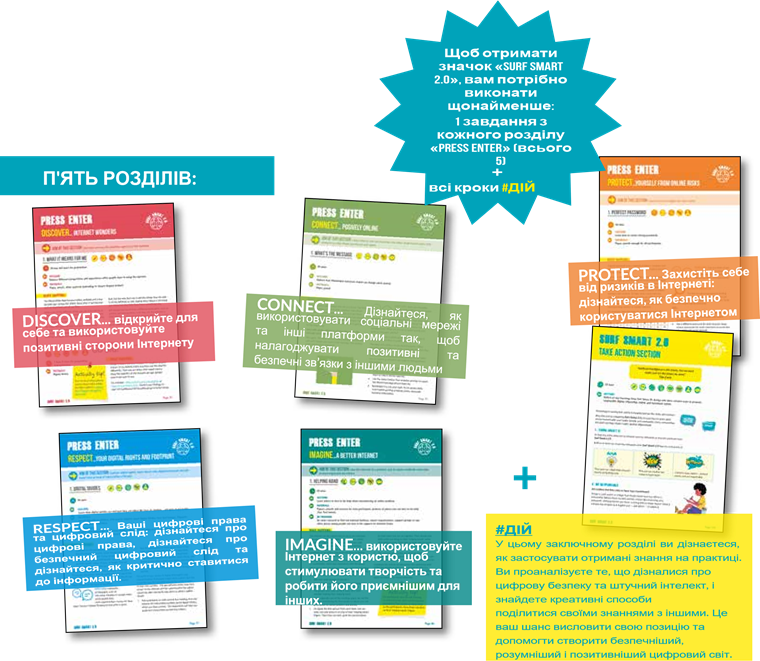
Цей розділ запрошує вас розвинути нові цифрові навички та поглибити свої знання. Він складається з п’яти розділів із завданнями. У кожному з п’яти розділів є низка додаткових завдань, які ви можете виконати разом зі своєю групою. Щоб отримати значок, вам слід виконати одне завдання з кожного розділу.
успішними були заходи, пов’язані з отриманням значка. Цей опитувальник дозволяє оцінити рівень знань, ставлення та поведінку членів вашого підрозділу щодо безпеки в Інтернеті.
Практична порада
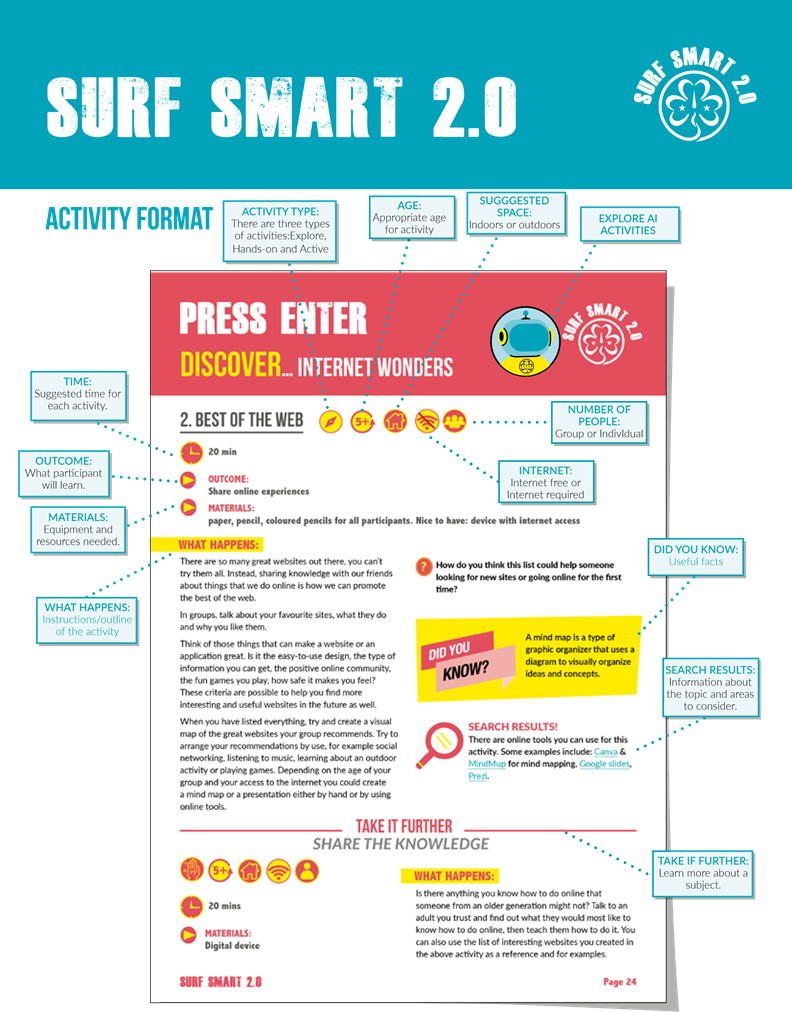
Під кожним завданням ви знайдете опис навчальних результатів, а також інформацію про те, що потрібно підготувати та які матеріали знадобляться перед початком роботи. Далі, залежно від завдання, ви знайдете наступне:
ТИП ЗАХОДУ:
У цьому наборі ми підготували різні види завдань. Рекомендуємо спробувати поєднувати їх, щоб забезпечити учасникам всебічний та якісний досвід. Існує три види завдань:
 ДОСЛІДЖЕННЯ: учасники розмірковують
, обговорюють, спілкуються та обмінюються
думками й ідеями
ПРАКТИЧНІ ЗАВДАННЯ: практичне завдання, яке пропонує учасникам створити або виготовити щось
АКТИВНІ : заняття, що передбачають використання цікавих, веселих і змістовних ігор для навчання
 Запропоновані часові рамки для кожного завдання є TIME: орієнтовними і покликані допомогти вам у плануванні. Вони залежать від чисельності вашої групи та того, наскільки ви адаптуєте завдання. За бажанням або за необхідності ви можете приділити більше чи менше часу кожному завданню.
Не забувайте, що ви можете самостійно вирішити, чи проводити ці заходи послідовно в рамках одного заходу. Або ж ви можете розтягнути їх на сім тижнів чи більше, чергуючи їх з іншими заходами організації «Дівчатаскаути». Ви також можете проводити їх під час табору або іншого заходу організації «Дівчата-скаути».
ЯКЩО ВИ Є КЕРІВНИКОМ:
 Будь ласка, скористайтеся рекомендаціями щодо безпеки в Інтернеті для дорослих, які ви знайдете в кінці цього посібника. Ми також рекомендуємо вам поінформувати батьків та опікунів перед початком роботи з посібником, скориставшись формою згоди батьків на сторінці 130.

Якщо учасники користуються Інтернетом під час заходу GG/GS, керівники повинні перевірити, чи налаштовано на пристроях батьківський контроль.
ВІКОВІ РЕКОМЕНДАЦІЇ::
Завдання в цьому наборі позначені як
 5+ більш підходящі для старших або молодших учасників, але, будь ласка, покладайтеся на власний розсуд при виборі завдань для вашої групи.
Вибрані нами посилання в Інтернеті вважаються придатними для молодіжної аудиторії, але ми радимо вам заздалегідь перевірити їх, щоб переконатися, що ви готові поділитися ними зі своєю групою.
Ми рекомендуємо, щоб заняття, пов’язані із соціальними мережами, були обмежені учасниками віком від 13 років, особливо ті, що вимагають використання соціальних платформ. Це пов’язано з тим, що деякі поширені онлайнсервіси, такі як Facebook, Instagram та YouTube, не призначені для дітей віком до 13 років. Однак ви можете вважати деякі заняття придатними для вашої групи, наприклад ті, що стосуються вивчення соціальних мереж, або якщо ви знаєте, що учасники вже мають онлайн-профілі.
Запропоноване місце:
В приміщені На вулиці

Ці піктограми слугують підказкою щодо місця, яке можна використовувати для виконання завдання. Зверніть увагу, що майже всі завдання можна виконувати як у приміщенні, так і на свіжому повітрі, зробивши відповідні корективи.
Інтернет:
 Без інтернету Інтернет необхідний
Хоча для наших учасників важливо знати, як забезпечити свою безпеку в будь-якій ситуації в Інтернеті, програма «Surf Smart» заохочує, але не змушує учасників виходити в Інтернеті здебільшого може використовуватися в умовах, де немає доступу до Інтернету.
 У деяких завданнях може бути запропоновано переглянути відео, щоб дізнатися більше про певну тему, але якщо завдання позначено як «без інтернету», ви
можете пропустити відео та поділитися інформацією, яку знайдете в цьому матеріалі або під час власного дослідження.
Хоча деякі види діяльності можуть здаватися більш придатними для груп, слід пам’ятати, що, внесши деякі 'ПРОДОВЖУЙТЕ':
корективи, будь-яку діяльність можна виконувати як у У ряді завдань передбачена опція «Поглиблення знань», групі, так і індивідуально. яка дає вам можливість дізнатися більше про ту чи іншу
 тему, якщо вона вас зацікавила. Деякі завдання з опцією
РЕЗУЛЬТАТИ ПОШУКУ: «Поглиблення знань» призначені для старших учасників.
Розділ, що містить додаткову інформацію про Інші можуть пропонувати поєднати основне завдання з тему та аспекти, на які слід звернути увагу. Це може бути завданням із цього ж або іншого розділу. У будь-якому разі, корисним для учасників під час виконання завдання. Цю хоча це й не є обов’язковим, ми рекомендуємо вам інформацію також можуть використовувати виконувати їх, оскільки це допоможе вам отримати ширше фасилітатори під час підготовки до завдання або під час уявлення про кожну тему.  обговорення.

|
|
Getting Started Activities |
|
|
|||||
|
ACTIVITY |
OUTCOME |
ACTIVITY TYPE |
TIME |
AGE |
LEADERSHIP MINSDSET |
SUGGESTED SPACE |
INTERNET ACCESS REQUIRED |
NUMBER OF PEOPLE |
|
Welcome to Surf Smart 2.0 |
Introduction to the curriculum |
Explorative |
10 mins |
5+ |
Reflective |
Outdoors |
No |
Group |
|
#bravespace |
Create a safe space to share online experiences |
Explorative |
10 mins |
5+ |
Collaborative, Wordly |
Outdoors |
No |
Group |
|
Is there someone who… |
Reflect on your internet use and focus areas for Surf Smart 2.0 |
Active |
10 mins |
5+ |
Reflective, Collaborative |
Outdoors |
No |
Group |
|
Spot the AI |
Recognize how AI is integrated into everyday tools and online environments and identify AI features and uses in common platforms. |
Active |
30 mins |
11+ |
Reflective, Creative & Critical Thinking |
Indoors |
No |
Group |

|
PRESS Enter Discover… internet wonders |
|
|
|
|||||
|
ACTIVITY |
OUTCOME |
ACTIVITY TYPE |
TIME |
AGE |
LEADERSHIP MINSDSET |
SUGGESTED SPACE |
INTERNET ACCESS REQUIRED |
NUMBER OF PEOPLE |
|
What it means for me |
Understand others’ perspectives and experiences online |
Explorative |
30 mins & more for preparation |
5+ |
Wordly |
Outdoors |
No |
Individual |
|
TAKE IT FURTHER: Go big! |
Hands–on |
1 hour & more for preparation |
11+ |
Wordly, Creative & critical thinking, Gender equality |
Indoors |
Yes |
Individual |
|
|
Best of the web |
Share online experiences |
Explorative |
20 mins |
5+ |
Collaborative, Wordly |
Indoors |
No |
Group |
|
TAKE IT FURTHER: Pass the knowldge |
Hands–on |
20 mins |
5+ |
Collaborative, Wordly |
Indoors |
Yes |
Individual |
|
|
Online adventure |
Learn to browse the internet safely |
Explorative |
20 mins |
7+ |
Reflective, Creative & critical thinking |
Indoors |
No |
Group |
|
TAKE IT FURTHER: Research and plan |
Hands–on |
20 mins |
13+ |
Creative & critical thinking |
Indoors |
Yes |
Individual |
|
|
Treasure hunt |
Create fun Girl Guiding and Scouting games |
Active |
1 hour & time for preparation |
7+ |
Creative & critical thinking |
Outdoors |
Yes |
Group |
|
Short or long? |
Practice expressing ideas in a tweet |
Hands–on |
15 mins |
13+ |
Creative & critical thinking |
Outdoors |
No |
Individual |
|
TAKE IT FURTHER: Share it! |
Hands–on |
10 mins |
13+ |
Creative & critical thinking |
Indoors |
Yes |
Individual |
|
|
Citizen science |
Use technology to contribute to science |
Active |
20 mins flexible |
5+ |
Wordly, Creative & critical thinking |
Outdoors |
Yes |
Individual |
|
Let’s go e– shopping |
Learn to shop online safely and ethically |
Hands–on |
20 mins |
15+ |
Reflective, Collaborative |
Indoors |
No |
Group |
|
TAKE IT FURTHER: Ethical shopping |
Explorative |
20 mins |
15+ |
Wordly |
Indoors |
Yes |
Individual |
|
|
AI League Challenge |
Understand how AI works and distinguish between weak vs. strong AI through a fun, interactive game. |
Active |
30 mins |
7+ |
Reflective, Creative & Critical Thinking |
Indoors/ Outdoors |
Optional |
Group |

|
PRESS Enter |
|
|
|
|||||
|
connect… positively online |
|
|
|
|||||
|
ACTIVITY |
OUTCOME |
ACTIVITY TYPE |
TIME |
AGE |
LEADERSHIP MINSDSET |
SUGGESTED SPACE |
INTERNET ACCESS REQUIRED |
NUMBER OF PEOPLE |
|
What’s the message |
Explore how online information changes when shared |
Active |
20 mins |
7+ |
Creative & critical thinking, Responsible action |
Outdoors |
No |
Group |
|
Super spread |
Explore how fast information spreads online |
Active |
30 mins |
7+ |
Reflective, Creative & critical thinking, Worldly, Responsible action |
Outdoors |
No |
Group |
|
Get video connected |
Experience connection and learn to stay safe during video calls |
Hands–on |
20 mins & time for preparation |
7+ |
Wordly, Creative & critical thinking |
Indoors |
Yes |
Individual |
|
Go live! |
Learn to live stream safely |
Hands–on |
40 mins |
13+ |
Wordly, Creative & critical thinking |
Outdoors |
No |
Group |
|
Getting the best out of social media |
Explore social media’s impact on our lives and well–being |
Reflective |
30 mins |
13+ |
Reflective, Creative & critical thinking |
Outdoors |
No |
Group |
|
Intergalactic battle |
Explore the pros and cons of online video games |
Active |
45 mins |
5+ |
Collaborative, Reflective, Creative & critical thinking |
Outdoors |
No |
Group |
|
Time online |
Learn about screens and managing screen time |
Reflective |
30 mins flexible |
5+ |
Reflective, Collaborative, Creative & critical thinking |
Outdoors |
Yes |
Group |
|
TAKE IT FURTHER: A challenge |
Hands–on |
30 mins & 1 week logging |
11+ |
Reflective, Creative & critical thinking |
Indoors |
Yes |
Individual |
|
|
AI Life Hacks Lab |
Explore how AI affects online communication and create ideas for using AI for good. |
Explorative |
40 mins |
7+ |
Creative & Critical Thinking, Responsible Action |
Indoors |
Yes |
Group |
|
AI Buddy Chatbot |
Design an AI chatbot that promotes safe, positive online interactions while exploring AI empathy |
Hands–on |
40 mins |
7+ |
Collaborative, Responsible Action |
Indoors |
No |
Group |

|
PRESS Enter protect… yourself from online risks |
|
|
||||||
|
ACTIVITY |
OUTCOME |
ACTIVITY TYPE |
TIME |
AGE |
LEADERSHIP MINSDSET |
SUGGESTED SPACE |
INTERNET ACCESS REQUIRED |
NUMBER OF PEOPLE |
|
Perfect password |
Learn how to create strong passwords |
Hands–on |
20 mins |
7+ |
Reflective, Collaborative, Creative & critical thinking |
Outdoors |
No |
Individual |
|
TAKE IT FURTHER: Build the strongest |
Active |
20 mins |
7+ |
Reflective, Collaborative, Creative & critical thinking |
Indoors |
Yes |
Group |
|
|
Someone to guide me |
Understand how security software protects users |
Active |
15 mins |
11+ |
Reflective, Collaborative, Creative & critical thinking |
Outdoors |
No |
Individual |
|
Spamcast |
Learn to recognize scams targeting private information |
Hands–on |
2 hours (flexible) |
13+ |
Reflective, Creative & critical thinking, Responsible action |
Indoors |
No |
Individual |
|
Share it or keep it? |
Know what information is safe to share online |
Reflective |
30 mins |
5+ |
Reflective, Collaborative, Creative & critical thinking |
Outdoors |
No |
Group |
|
Who is it? |
Understand anyone online might not be who they seem |
Active |
20 mins |
5+ |
Reflective, Collaborative, Creative & critical thinking |
Outdoors |
No |
Group |
|
TAKE IT FURTHER: Would you text back? |
Reflective |
30 mins |
11+ |
Reflective, Collaborative, Creative & critical thinking |
Outdoors |
No |
Group |
|
|
Cyberbully |
Learn what cyberbullying is and how to tackle it |
Hands–on |
1 hour & time for preparation |
7+ |
Reflective, Creative & critical thinking, Gender equality, Responsible action |
Indoors |
No |
Group |
|
Stand up to sexual harassment |
Learn what online sexual harassment is and how to stay safe |
Reflective |
40 mins |
11+ |
Reflective, Gender equality, Wordly |
Indoors |
No |
Individual |
|
Spot the ad |
Understand how ads try to sell us products |
Active |
20 mins |
7+ |
Reflective, Collaborative, Creative & critical thinking |
Outdoors |
No |
Group |
|
TAKE IT FURTHER: Influencers |
Hands–on |
20 mins |
7+ |
Reflective, Collaborative, Creative & critical thinking |
Indoors |
Yes |
Individual |
|
|
Fact or Fake? |
Learn to spot AI-made or fake content and practice checking what’s real online |
Active |
20 mins |
11+ |
Reflective, Responsible Action |
Indoors |
No |
Pairs/Group |
|
Cyber Detectives |
Learn how AI is used in scams and how to spot, avoid, and report them . |
Active |
30 mins |
11+ |
Reflective, Responsible Action |
Indoors |
No |
Group |
|
AI Shied |
Create safety pledges and tips for safe, responsible online use. |
Hands–on |
15-20 mins |
7+ |
Responsible Action, Collaborative |
Indoors/ Outdoors |
No |
Group |
|
PRESS Enter respect… your digital rights and footprint |
|
|
||||||
|
ACTIVITY |
OUTCOME |
ACTIVITY TYPE |
TIME |
AGE |
LEADERSHIP MINSDSET |
SUGGESTED SPACE |
INTERNET ACCESS REQUIRED |
NUMBER OF PEOPLE |
|
Digital divides |
Understand gender–based digital divides and rights restrictions |
Reflective |
40 mins |
5+ |
Reflective, Creative & critical thinking, Gender equality, Worldly |
Outdoors |
No |
Individual |
|
Fact or opinion? |
Learn to tell facts from opinions as a way to fight misinformation |
Active |
20 mins |
5+ |
Reflective, Creative & critical thinking, Worldly |
Outdoors |
No |
Group |
|
Real or fake? |
Learn to spot misleading content and fake information |
Hands–on |
30 mins |
11+ |
Reflective, Creative & critical thinking |
outdoors |
No |
Group |
|
Build a theory |
Learn to identify conspiracy theories |
Reflective |
40 mins |
13+ |
Reflective, Collaborative, Creative & critical thinking |
Outdoors |
No |
Group |
|
What do you see? |
Learn what online sexual harassment is and how to stay safe |
Hands–on |
1 hour |
13+ |
Reflective, Creative & critical thinking |
Indoors |
Yes |
Individual |
|
The perfect selfie |
Learn that online images aren’t always real |
Reflective |
40 mins |
7+ |
Reflective, Collaborative, Creative & critical thinking, Gender equality, Worldly, Responsible action |
Indoors |
Yes |
Group |
|
Have some cookies |
Learn how cookies work to show us ads and sponsored posts |
Hands–on |
1 week |
11+ |
Reflective, Creative & critical thinking |
Indoors |
Yes |
Individual |
|
Bias is in the eyes of the beholder |
Understand how bias appears in AI-generated images and reflect on stereotypes in technology. |
Explorative |
40 mins |
11+ |
Reflective, Gender Equality |
Indoors |
Yes |
Individual/ Group |
|
Fair AI prompt challenge |
Practice writing inclusive, bias-free AI prompts; observe how prompts influence outcomes and fairness. |
Reflective |
40 mins |
11+ |
Reflective, Responsible Action |
Indoors |
Yes |
Individual/ Group |

|
PRESS Enter imagine… a better internet |
|
|
|
|||||
|
ACTIVITY |
OUTCOME |
ACTIVITY TYPE |
TIME |
AGE |
LEADERSHIP MINSDSET |
SUGGESTED SPACE |
INTERNET ACCESS REQUIRED |
NUMBER OF PEOPLE |
|
Helping hand |
Learn where to get help with online problems |
Active |
20 mins |
5+ |
Reflective, Creative & critical thinking |
Outdoors |
No |
Group |
|
Social media manager |
Learn how to use social media for positive promotion |
Hands–on |
20 mins |
13+ |
Reflective, Creative & critical thinking, Worldly, Responsible action |
Indoors |
Yes |
Individual |
|
A positive online community |
Make oneself a source of positivity on social media |
Hands–on |
20 mins |
13+ |
Reflective, Creative & critical thinking, Worldly, Responsible action, Gender equality |
Indoors |
Yes |
Individual |
|
Better together |
Work together to create a safer internet experience |
Active |
Flexible |
5+ |
Reflective, Collaborative minsdset, Creative & critical thinking, Worldly, Responsible action |
Outdoors |
No |
Group |
|
Create |
Imagine a useful application |
Hands–on |
1 hour |
5+ |
Reflective, Creative & critical thinking, Worldly, Responsible action |
Outdoors |
No |
Group |
|
Internet of Things (IoT) |
Learn what the internet of things is and how it affects our lives |
Active |
30 mins |
13+ |
Reflective, Creative & critical thinking, Worldly, Responsible action, Gender equality |
Outdoors |
No |
Group |
|
Positive relationships |
Learn about the impact of pornography on relationships |
Explorative |
1 hour |
13+ |
Reflective, Collaborative minsdset, Creative & critical thinking, Worldly, Gender equality |
Indoors |
No |
Group |
|
Mirror, Mirror: My Real Reflection |
Explore how AI beauty filters affect self-image and confidence, and reflect on being authentic online |
Reflective |
15-20 mins |
7+ |
Reflective, Responsible Action |
Indoors |
Yes |
Individual |
|
Beyond the filter |
Create campaigns that celebrate real beauty, boost body confidence, and promote digital wellbeing |
Hands |
15-20 mins |
7+ |
Responsible Action, Creative & Critical Thinking |
Indoors/ Outdoors |
Optional |
Group |

|
|
|
Take Action |
|
|
|
|||
|
ACTIVITY |
OUTCOME |
ACTIVITY TYPE |
TIME |
AGE |
LEADERSHIP MINSDSET |
SUGGESTED SPACE |
INTERNET ACCESS REQUIRED |
NUMBER OF PEOPLE |
|
TAKE ACTION |
Reflect on key learnings from Surf Smart AI; design and share creative ways to promote responsible digital citizenship, safety, and awareness online. |
Reflective |
20 mins |
7+ |
Reflective, Responsible Action |
Indoors/ Outdoors |
Optional |
Individual/ Group |

Surf Smart Digital Explorer
https://www.surveymonkey.com/r/26YDZV7
Місія: Log-In дослідника
 Ласкаво просимо до місії «Surf Smart 2.0 Digital Explorer»!
Перш ніж розпочати свою пригоду, будь ласка, пройдіть реєстрацію в журналі місії та повідомте про свої початкові здібності в штаб-квартиру управління місією.
 Частина 1 - Вхід в Explorer
Q1. Як звати тебе, Explorer?
[Обери смішне ім'я, як CyberCat7 або SmartStar5 (не використовувй своє реальне ім'я).]
...........................................................................................................................................................................................................................
Q2. Країна (вашої організації):
...........................................................................................................................................................................................................................
Q3. Вік (в роках)
...........................................................................................................................................................................................................................
Q4. Стать m чоловіча m жіноча m не хочу зазначати
Surf Smart 2.0 Digital Explorer Pre-Survey (Age 5–10) - (continued)
 Частина 2 - Контрольні точки місії
Чек-поінт 1: Твої онлайн-звички
Q5. Чи використовуєте ви інтернет? m так m ні

Q6. Що ти найбільше любиш робити онлайн? (Вибері всі
|
відповідні варіанти) m Грати в ігри m Спілкуюсь з друзями та сім'єю m Пошук новин та інформації m Онлайн-навчання |
m Шопінг m Створення онлайн-контенту m ШІ для створення / розмова з роботом-помічником m Я не використовую інтернет m Інше:.............................................................. |
m Знаходити друзів m Дивитися відео та кіно
 Чек-поінт 2: Суперсили всфері інтернет-безпеки
Q7. Що можна зробити, щоб скоротити час в Інтернеті? (Виберіть одне) m Видалити часто-вживані програми m Ставити будильник m Попросити друзів перейти в офлайн зі мною m Все вищезгадане m Я не використовую Інтернет
Surf Smart 2.0 Digital Explorer Pre-Survey (Age 5–10) - (continued)
Q8. Що допоможе вам безпечно користуватися Інтернетом? m Встановіть програмне забезпечення для захисту m Увімкнути обмін даними про місцезнаходження m Відповідати будь-кому в мережі m Все вищезгадане
Q9. Яку з наведених нижче відомостей можна безпечно оприлюднювати в

Інтернеті? (Виберіть усі відповідні варіанти) m Фотографія профілю m Домашня адреса m Спортивні команди, за які я вболіваю m Пароль до соціальних мереж m Група дівчат-гайдів\ -скаутів, до якої я ходжу m Улюблений фільм m Фото настільної гри, в яку я люблю грати
 Чек-поінт 3: Як розпізнати фейкові новини
Q10. Що з наведеного нижче є ознакою фейкових новин? m Невідомий автор m Неякісні публікації m Містить елементи клікбейту m Все вищезгадане
Surf Smart 2.0 Digital Explorer Pre-Survey (Age 5–10) - (continued)
 Чек-поінт 4: Прохання про допомогу в Інтернеті
Q11. До кого б ви звернулися за допомогою, якщо у вас виникла проблема в Інтернеті??
(Виберіть усі відповідні варіанти) m Член сім'ї / доросла людина, якій я довіряю m Друзі m Вчитель / Школа m Національна гаряча лінія m Асоціація експертів / група підтримки m Медичні працівники (лікарі, медсестри) m Соціальні працівники, співробітники поліції та правоохоронних органів m Інтернет-користувачі (інші користувачі Інтернету)
m Жодне
m Інше: ............................................................................
 Чек-поінт 5: Ваші суперздібності зШІ
Q12. Чи користувалися ви протягом останнього місяця якимись інструментами на основі штучного інтелекту (наприклад, додатками для малювання, розмовними роботами або розумними помічниками)? m Так m Ні
Q13. Як ви вважаєте, у чому ШІ може вам допомогти? (Виберіть усі відповідні варіанти) m Відповідати на запитання m Створювати малюнки або відео m Грати в ігри m Допомагати мені вчитися
m Інші ............................................................................
Surf Smart 2.0 Digital Explorer Pre-Survey (Age 5–10) - (continued)
Q14. Які з наведених нижче способів є ефективними для забезпечення безпеки під час використання ШІ? (Виберіть усі відповідні варіанти) m Попросити дорослого про допомогу m НЕ поширювати особисту інформацію m Використовувати лише перевірений ШІ
m Інше: ............................................................................
 Частина 3 - Final Log: Digital Superpower Self-Check
Q15. Позначте від 1 (Цілком погодж.) до 5 (Цілком не погодж.)

.
|
😤 😔 Цілком погодж. Непогодж |
😐 Не знаю |
😄 Погоджуюся |
🤗 Цілком погодж |
||
|
Інтернет - це погано для мене |
m |
m |
m |
m |
m |
|
Я почуваюся захищено і безпечно онлайн |
m |
m |
m |
m |
m |
|
Я вмію розпізнавати фейк в Інтернеті. |
m |
m |
m |
m |
m |
|
Я розмірковую перед тим як щось публікувати |
m |
m |
m |
m |
m |
|
Я упевнено ділюся повідомленнями про безпеку в Інтернет з друзями та родиною |
m |
m |
m |
m |
m |
|
Я впевнено використовую Інтернет щоб діяти та досягати результатів |
m |
m |
m |
m |
m |
|
Я впевнено використовую Інтернет щоб шукати та дізнаватися нове |
m |
m |
m |
m |
m |
|
Мені подобається дізнаватися про Інтернет черз Surf Smart 2.0. |
m |
m |
m |
m |
m |
|
Я впевнено використовую інструменти ШІ для допомоги мені |
m |
m |
m |
m |
m |
онлайн
|
Профіль дослідника активовано — твоя подорож Surf Smart розпочинається! Місія Контроль дякує тобі — побачимося знову наприкінці твоєї подорожі! |

Ласкаво просимо до місії «Surf Smart Digital Explorer»!
Ви вступаєте у всесвіт «Surf Smart», де молоді люди, такі як ви, стають досвідченими, обережними та обізнаними цифровими дослідниками. Перш ніж розпочати, вам потрібно увійти в «Центр управління місіями» та оцінити свої поточні знання, звички та цифрові навички.
Інструкції
• Вибери собі цікаве ім’я дослідника (наприклад, PixelPilot, SmartUnicornX, CaptainWifi), яке зможеш використовувати знову після завершення місії
• Відповідайте на запитання чесно — неправильних відповідей не існує.
• Ви просто допомагаєте нам зрозуміти, з чого ви починаєте, перш ніж розпочнеться ваша цифрова пригода!
 Частина 1 - Log-In Дослідника
Q1. Як вас звати в Explorer?
(Придумайте собі веселе прізвисько, яке ви запам’ятаєте. Використайте його знову наприкінці своєї подорожі!)
...........................................................................................................................................................................................................................
Q2. Країна (твоєї організації):
...........................................................................................................................................................................................................................
Q3. Твій вік (в роках)
...........................................................................................................................................................................................................................
Q4. Стать m Чоловіча m Жіноча m Не хочу вказувати
Surf Smart 2.0 Digital Explorer Pre-Survey (Age 11+) - (continued)
 Частина 2 - Mission Checkpoints
Чек-поінт 1: Твоє онлайн-життя
Q5. Чи ти використовуєш інтернет?
m Так m Ні
Q6. Твої улюблені онлайн -активності? (Select all that apply)
m Грати у ігри m Шопінг
m Спілкуватися з друзями та сім'єю m Створювати онлайн-контент m Шукати інформацію та новини m Використання ШІ для створення контент
m Я не використовую інтернет
m Відвідувати уроки\ навчатися

m Інше: ............................................................... m Знаходити друзів m Дивитися відео та кіно
Чек-поінт 2: Сканування систем безпеки
Q7. Що можна робити, коли незнайомець пише тобі онлайн?
m Проігнорувати m Заблокувати та сповістити
Q8. Який із наступних паролів є найсильнішим? m BuTtErFly m BUTTERfly01
m Давати особисту інформацію m Запитати довіреного дорослого про пораду
|
Surf Smart 2.0 Digital Explorer Pre-Survey (Age 11+) - (continued) Q9. Яку з наведених нижче відомостей можна безпечно оприлюднювати в Інтернеті? (Виберіть усі відповідні варіанти) m Фото профілю m Група дівчат-скаутів, до якої я ходжу m Домашня адреса m Улюблене кіно m Спортивні команди, за які вболіваєш m Фото улюбленої настільної гри m Паролі соц.мереж
Q10. Що варто робити спершу, помітивши фейкові новини? m Знайти першоджерело m Підтвердити першоджерело m Перевірити власні упередження m Зверніться до тих, кому довіряєте m Інше: ...............................................................
Q11. До кого ви звернулися б за допомогою, якщо у вас виникла проблема |


m B@+TerF1y m bU++ErFLy в Інтернеті? (Виберіть усі відповідні варіанти) m Член сім'ї\дорослий, якому я довіряю m Друзі m Вчитель / Школа m Національна гаряча лінія m Асоціація експертів / група підтримки
m Медичні працівники (лікарі, медсестри)
m Соціальні працівники, співробітники поліції та правоохоронних органів m Інтернет-користувачі (інші користувачі Інтернету) m Ні до кого
m Інше: ............................................................................
Surf Smart 2.0 Digital Explorer Pre-Survey (Age 11+) - (continued)
 Чек-поінт 5: Етика та навички ШІ
Q12. Чи користувалися ви протягом останнього місяця якимись інструментами штучного інтелекту (наприклад, додатками для малювання, розмовними роботами чи розумними помічниками)? m Так m Ні
Q13. У чому, на вашу думку, штучний інтелект може вам допомогти?

(Виберіть усі відповідні варіанти) m Знаходити інформацію m Створювати контект (картинки, відео, сторіз) m Допомога у навчанні або з виконанням шкільних завдань m Спілкуватися з іншими
m Інше ............................................................................
Q14. Як перевірити, чи є інформація, отримана від штучного інтелекту, надійною?
m Порівняте з надійними джерелами m Звернутися до дорослого/вчителя m Припустити, що все правильно
m Інше ............................................................................
Q15. Який із цих способів є найкращим для відповідального використання штучного інтелекту?
m Поділіться матеріалами про штучний інтелект з обережністю m Не розголошувати особисту інформацію m Повідомляти про шкідливі результати ШІ m Використовувати ШІ щоб допомогти іншим
Surf Smart 2.0 Digital Explorer Pre-Survey (Age 11+) - (continued)
 Частина 3 - Фінальний Log: само-перевірка

Q16. Наскільки ти згодний із твердженням? Відміть 1 (цілком непогоджуюся) to 5 (цілком погоджуюся)
|
😤 😔 😐
Цілком непогодж. Непогоджуюсь Не знаю |
😄 🤗 Погоджуюся Цілком погодж . |
|||||
|
Я почуваюся безпечно і захищено онлайн |
m |
m |
m |
m |
m |
|
|
Я можу розпізнати фейкову інформацію онлайн |
m |
m |
m |
m |
m |
|
|
Я ретельно обмірковую, перш ніж щось публікувати в Інтернеті.m |
m |
m |
m |
m |
||
|
Я впевнено ділюся повідомленнями про безпеку онлайн з друзями та сім'єю m |
m |
m |
m |
m |
||
|
Я впевнено користуюся Інтернетом щоб діяти та досягати результатів. m |
m |
m |
m |
m |
||
|
Я впевнено використовую Інтернет, щоб знаходити та вивчати нове. m |
m |
m |
m |
m |
||
Я вмію використовувати ШІ відповідально та безпечно m m m m m
|
Профіль Explorer активовано Тепер ви готові розпочати свою подорож із «Surf Smart ». Використовуйте свої знання з розумом і розвивайте свої цифрові навички! Ми зателефонуємо вам для підсумкового підбиття підсумків місії Explorer після її завершення. |
https://www.surveymonkey.com/r/L3YW9QH
You’re stepping into the role of Surf Smart 2.0 Digital Explorer Guide — helping young people explore the online world safely, confidently, and creatively.
This quick check-in helps Mission Control understand your knowledge, confidence, and readiness before you start delivering Surf Smart. Your answers will help us tailor support and resources for you and other leaders worldwide
Remember: There are no right or wrong answers — just share honestly so we can map your starting point.  PART 1 - Explorer Log-In
Q1. Explorer Name (Code Name):
(Create a nickname for yourself like “PixelPilot”, “SmartStar9”, or “CaptainWifi” so you can use it again later for a mission report)
...........................................................................................................................................................................................................................
 Q2. Type of training attended:
m WAGGGS-led m MO-led
m Taster session
Q3. Country (of your organization):
...........................................................................................................................................................................................................................
Q4. Your age (in-years)
...........................................................................................................................................................................................................................
Q5. Gender
m Male m Female
m Prefer not to say
SURF SMART 2.0
Surf Smart 2.0 Digital Explorer Pre-Survey (Unit Leaders) - (continued)
 PART 2 - Mission Checkpoints
Checkpoint 1: Your Digital Habits
Q6. What are your favorite things to do online? (Select all that apply)
m Playing games m Connecting with friends and family m Searching for news and information m Attending classes / studying m Making new friends m Watching videos or movies
Q7. How much time do you usually spend online each day?
m None
m Less than an hour m 1–3 hours
Checkpoint 2: Security Systems Scan
Q8. When did you last change your password?
m Last week m Last month m Last year
Q9. Which of the following is the strongest password?
m BuTtErFly m BUTTERfly01
SURF SMART 2.0
m Shopping m Creating online content m Using AI to create content or ask questions m I do not use the internet
m Other: ...............................................................
m 4–7 hours m 8 hours or more
m Haven’t updated my password m I do not use the internet
m B@+TerF1y m bU++ErFLy
Surf Smart 2.0 Digital Explorer Pre-Survey (Unit Leaders) - (continued)
Q10. Яку з наведених нижче відомостей можна безпечно оприлюднювати в Інтернеті? (Виберіть усі відповідні варіанти) m Група дівчат-скаутів, до якої я ходжу
m Фото профілю m Улюблене кіно
m Домашня адреса m Фото улюбленої настільної гри
m Спортивні команди, за які вболіваєш m Паролі соц.мереж
Чек-поінт 3: Виявлення загроз та фейкові новини
Q11. Що варто робити спершу, помітивши фейкові новини?
m Знайти першоджерело m Підтвердити першоджерело m Перевірити власні упередження m Зверніться до тих, кому довіряєте
m Інше: ...............................................................
 Чек-поінт 4: Мережа підтримки
Q12. До кого ви звернулися б за допомогою, якщо у вас виникла проблема в Інтернеті? (Виберіть усі відповідні варіанти) m Медичні працівники (лікарі, медсестри)
m Член сім'ї\дорослий, якому я довіряю
m Соціальні працівники, співробітники поліції та
m Друзі правоохоронних органів
m Вчитель / Школа m Інтернет-користувачі (інші користувачі
Інтернету)
m Національна гаряча лінія
m Ні до кого
m Асоціація експертів / група підтримки
m Інше: ............................................................................
SURF SMART 2.0
Surf Smart 2.0 Digital Explorer Pre-Survey (Unit Leaders) - (continued)
 Чек-поінт 5: Знання ШІ та готовність до лідерства
Q13. Чи користувалися ви протягом останнього місяця якимись інструментами штучного інтелекту (наприклад, додатками для малювання, розмовними роботами або розумними помічниками)? m Так m Ні
Q14. У чому, на вашу думку, штучний інтелект може вам допомогти?
(Виберіть усі відповідні варіанти) m Пошук інформації m Створення контенту (картинки, відео, сторіз) m Help with learning or schoolwork m Communicate with others
m Other ............................................................................
Q15. Як перевірити, чи є інформація, отримана від штучного інтелекту, надійною?
m Порівняйте з надійними джерелами m Звернися до однолітка/наставника m Припущу, що все правильно
m Інше ............................................................................
Q16. Який із цих способів є найкращим для відповідального використання штучного інтелекту керівником?
m Ділитися контентом ШІ з обережністю m Не розголошувати особисту інформацію m Навчити інших перевіряти результати роботи ШІ m Використовувати ШІ для позитивних змін
Surf Smart 2.0 Digital Explorer Pre-Survey (Unit Leaders) - (continued)
PART 3 - Final Log: LEADERSHIP CONFIDENCE CHECK
Q17. How much do you agree with each statement? Rate 1 (Strongly Disagree) to 5 (Strongly Agree)
|
|
😤 Strongly Disagree |
😔 Disagree |
😐 Don't Know |
😄 Agree |
🤗 Strongly Agree |
|
I feel safe and protected when I go online. |
m |
m |
m |
m |
m |
|
I can recognize fake information online. |
m |
m |
m |
m |
m |
|
I think carefully before I share anything online. |
m |
m |
m |
m |
m |
|
I am confident sharing messages with my friends and family about online safety. |
m |
m |
m |
m |
m |
|
I feel confident using the internet safely to take action and make an impact. |
m |
m |
m |
m |
m |
|
I feel confident using the internet to research and learn new things. |
m |
m |
m |
m |
m |
I can use AI tools safely and responsibly. m m m m m
|
Thank you for sharing your input — Mission Control has logged your data! You are now cleared to begin your Surf Smart Leader training and prepare to guide young people as they grow their digital skills. Your leadership will help create safer, kinder online spaces and inspire a new generation of confident Digital Explorers. |

SURF SMART 2.0
OUTCOME:
Introduce Surf Smart 2.0 to your group.
MATERIALS: Large paper, pen
EXPLAIN THAT:
We all use the internet almost daily in different ways that make our life easier or fun.
Що відбувається:
Зберіть усіх у коло та познайомте групу з програмою «Surf Smart 2.0». За допомогою великого аркуша паперу та ручки запишіть основні тези так, щоб учасники могли їх бачити.
На наступних заняттях ви дізнаєтеся, як можна використовувати Інтернет для розваг, навчання та зміни світу на краще, дбаючи при цьому про безпеку себе та своїх друзів.
Ви також придумаєте власні ідеї щодо того, як зробити перебування в Інтернеті безпечнішим і приємнішим, а також як допомогти іншим зробити те саме.
 Ви станете членом «Цифрового покоління» — покоління цифрових громадян. Це люди, які використовують Інтернет не лише для спілкування, навчання та розваг, а й для активної участі в житті суспільства.
Відповідальні та активні цифрові громадяни:
• Ставтеся до інших у мережі з добротою та враховуйте їхні почуття та думки
• Боріться з кібербулінгом, повідомляючи про випадки та блокуючи користувачів
•Не розголошуйте особисту інформацію в Інтернеті
• Будьте обережні, коли до вас звертаються незнайомці.
• Повідомляйте іншим про переваги та ризики, з якими можна зіткнутися в Інтернеті
• Користуйтеся Інтернетом безпечно, щоб творити,
грати, спілкуватися, навчатися та ділитися інформацією
• Виступайте за рівні цифрові права та доступ для всіх
• Робіть позитивний внесок у цифрові спільноти
Виконавши завдання та вживши заходів для впровадження змін в Інтернеті, ви отримаєте значок
OUTCOME:
Create a safe space for conversations and exchange of internet experiences
MATERIALS:
Large paper fixed to the wall or on the ground, pencil/marker
Що відбувається:
 Після того як ви представили програму «Surf Smart 2.0», поясніть, що ви розглянете способи безпечного користування Інтернетом, щоб зробити цей досвід якомога цікавішим для всіх.
Під час цього процесу кожен повинен почуватися комфортно, навчаючись, ділячись досвідом та розвиваючись.
Важливо створити безпечний простір, де ми почуватимемося підтриманими та зможемо вільно говорити про свої турботи, права, досвід та думки. Це також буде простір, де кожен зможе сміливо говорити про різноманітність та соціальну справедливість.
У невеликих групах приділіть кілька хвилин, щоб подумати
про те, що допомагає вам відчувати себе сміливими: • Як ми можемо забезпечити участь усіх у заняттях?
• Що можуть зробити інші люди, щоб вам було легше відчувати себе сміливими, коли ви є частиною команди?
• Чи можете ви придумати якісь правила, які б допомогли всім відчувати себе комфортно під час обміну
ідей? • Якщо у групі є хлопці – як ми можемо забезпечити, щоб це місце було безпечним і конструктивним для хлопців і дівчат?
• Якщо у групі є учасники різного віку та з різними здібностями, як ми можемо забезпечити, щоб усі встигали і не відчували себе відстаючими або відстороненими?
• У багатьох суспільствах жарти можуть слугувати засобом приховати збентеження та страх, а можуть також сприйматися як знущання. Вдалий жарт також може розрядити напругу та зміцнити довірчі стосунки.
• Як ми зможемо переконатися, що наші жарти не ображають одне одного?
Коли всі команди закінчать, напишіть #bravespace у верхній частині свого аркуша та використовуйте його для викладення правил, щодо яких ви домовитеся. Попросіть усі групи поділитися своїми ідеями. Усі, включаючи лідерів, повинні пропонувати та разом розробляти правила. Коли всі будуть задоволені правилами, розмістіть їх у місці ваших зустрічей. Щодо молодших учасників, пам’ятайте, що ви завжди можете використовувати малюнки, щоб проілюструвати ці правила.

10. Ми звертатимемося до керівника за допомогою, якщо
10 mins
 OUTCOME:
Reflect on internet use and the subjects you want to work on during the Surf Smart 2.0 journey.
MATERIALS:
List with questions, copy of the Activities Guide on pages 11-17
BE PREPARED: Create a list of questions related to possible ways your group uses the internet, or problems they might encounter. The questions should start with the phrase 'Is there someone who...' and they should be possible to answer by yes or no. For example, 'Is there someone who uses the internet for homework research?' (See Suggested list of questions in Tool below)
Що відбувається:
1.
Повідомте учасників, що ви розглянете, як кожен член групи користується Інтернетом, та обговорите, що саме їм було б цікаво дізнатися з програми «Surf Smart».
2. У просторому приміщенні визначте місце, до якого учасники будуть бігти, якщо їхня відповідь «так», та ще одне — для відповіді «ні». Залежно від простору та вашої групи, ви можете придумати інші способи, як вони можуть відповідати (наприклад, доторкнутися до голови, високо підстрибнути, зробити крок уперед)..
3.  Поясніть групі, що ви будете задавати питання, на які вони повинні чесно відповідати «так» або «ні», бігаючи до відповідної точки (або виконуючи будь-яку іншу дію, яку ви визначили).
4.Почніть гру!
Завершивши, приділіть хвилину-дві, щоб разом із групою підсумувати, які, на вашу думку, є головними питаннями та проблемами, що стосуються безпеки в Інтернеті.
У невеликих групах перегляньте «Посібник із занять» і відзначте, які заняття вам було б найцікавіше випробувати. Приділіть хвилину, щоб пояснити групі, як працює цей посібник, і визначте, яким напрямком ви будете займатися, спираючись на рекомендації на сторінці 7.
3. IS THERE SOMEONE WHO…
(Continued)
TOOL 
Suggested list of questions for this activity
 [We recommend reviewing the questions and extending or adjusting them according to the age and experiences of your own group. We also encourage facilitators to make a note of the responses given by the group.]
ЧИ Є ХТОСЬ, ХТО…
• Користується комп’ютером?
• Любить грати в онлайн-ігри?
• Має мобільний телефон або планшет?
• Надсилає SMS-повідомлення з мобільного телефону через додаток?
• Має доступ до Інтернету зі свого мобільного телефону або планшета?
• Ділився чимось про себе в Інтернеті?
• Поділився новинами в Інтернеті, не перевіривши спочатку, чи вони правдиві?
•
Грає в онлайн-ігри (MMO), такі як Minecraft або World of Warcraft, або інші відеоігри, де грає з незнайомцями?
• Використовує Інтернет для виконання домашніх завдань?
• Має профіль у соціальних мережах (Facebook, Instagram, TikTok або інших)
•
 |
Опублікував чужу фотографію в соціальних мережах без дозволу?
• Чи спілкувалася з кимось у приватній розмові в Інтернеті, кого не знає в реальному житті?
• Чи любить дивитися відео в Інтернеті?
• Чи любить переглядати веб-сторінки?
• Чи використовує камеру в додатках або на платформах, щоб спілкуватися з кимось?
• Відчував дискомфорт через те, що побачив в Інтернеті?
• Має питання щодо користування Інтернетом або додатками (апками)?
• Може назвати дорослого, якому довіряє настільки, щоб звернутися до нього, якщо йому знадобиться допомога в Інтернеті? • Користується екранами більше 1 години на день?
• Завантажує контент, такий як фотографії, дописи або відео, більше ніж двічі на день?
• Стикався з булінгом або домаганнями в Інтернеті?


Що відбувається:
1. Почніть заняття з питання: «Як ви вважаєте, де штучний інтелект зустрічається у вашому повсякденному житті в Інтернеті?»
2.Розділіть учасників на невеликі групи.
3.Роздайте кожній групі три набори карток.
4.Завдання: зіставити кожен онлайн-інструмент із відповідною функцією штучного інтелекту та способом його використання. Наприклад:
5.Інструмент: Spotify → Функція: Система рекомендацій → Використання: Персоналізовані музичні плейлисти 6. Коли групи завершать завдання, запропонуйте їм презентувати 1–2 приклади перед усією групою та пояснити своє міркування.
 7. Підсумуйте, підкресливши, що ШІ вже впливає на те, як ми вчимося, спілкуємося, робимо покупки та розважаємося — часто навіть не усвідомлюючи цього.
 Підіть далі
Попросіть учасників дослідити додаток, яким вони користуються регулярно. Заохотьте їх подумати про приховані або менш очевидні
способи використання ШІ. Нехай вони спробують визначити принаймні дві функції, що працюють на базі ШІ: одну поширену та одну, яка є менш очевидною. Вони можуть представити свої висновки на наступному занятті або написати рефлексію про те, як ШІ робить цей інструмент кориснішим — або складнішим.
|
Tool |
AI Feature |
What it does |
|
|
Рекомендації |
Повідомляє, які фільми чи серіали вам можуть сподобатися |
|
|
Перевірка мови |
Допомагає виправити орфографічн та граматичні помилки |
|
|
|
. |
|
|
Розпізнавання обличчя |
Знає, хто на твоїх фото та показує пости, що можуть сподобатися тобі |
|
|
Пропозиції щодо контенту |
Показує фото та відео, подібні до тих, що ти вподобав |
|
|
Виявлення спаму |
Блокує спам і допомагає швидко відповідати. |
|
|
Управління голосом та шумом |
Показує субтитри до висловлювань людей і робить звук чітким |
|
|
Музичні рекомендації |
Знаходить пісні, що можуть тобі сподобаися |
|
|
Голосовий асистент |
Відповідає на питання та виконує завдання, коли говориш до нього |
|
|
Розумний асистент |
Допомагає керувати пристроями та відповідає на запитання. |
|
|
Адаптивне навчання |
Змінює уроки, щоб відповаідати твоєму рівню, перевіряє говоріння |
|
|
Фільтри для обличчя |
Додає веселі фільтри до твого обличчя на фотота відео |
|
|
Відео-рекомендації |
Показує відео що можуть тобі сподобатися |
|
|
Рекомендації щодо товарів |
Пропонує речі, що ти можливо захочеш купити. |
|
|
Відео-рекомендації |
Пропонує відео, залежно від того, що ти любиш дивитись |
|
|
Пошук та прогнозування |
Допомагає тобі знайти відповіді та пропонує. варіанти пошуку |


і
|
Tool |
AI Feature |
What it does Fun Example |
|
|
|
Рекомендації |
Підказує, які фільми або серіали можуть вам сподобатися |
«Ви дивилися «Крижане серце» — ось «Моана»!» |
|
|
Перевірка мови |
Виправляє орфографічні та граматичні помилки. |
Перетворює «I lik cats» на «I like cats». |
|
|
Розпізнавання облич |
Визначає, хто на ваших фото, і пропонує публікації, що можуть вам сподобатися. |
«Це твоя подруга Сара на фотографії?» |
|
|
Рекомендації контенту |
Показує фотографії та відео, схожі на ті, що вам подобаються. |
Вам подобаються відео з цуценятами → Instagram показує вам більше цуценят. |
|
|
Виявлення спаму |
Блокує спам та допомагає відповідати на повідомлення |
Блокує смс, як «Ви виграли приз!» |
|
|
Управління голосом і шумом |
Відображає субтитри того, що кажуть люди, та покращує якість звуку. |
Ти можеш прочитати слова вчителя, навіть якщо звук поганий. |
|
|
Музичні рекомендації |
Знаходить пісні, які можуть вам сподобатися. |
«Оскільки вам подобається Бейонсе, ось ще кілька пісень у її стилі». |
|
|
Голосовий помічник |
Відповідає на запитання та виконує завдання, коли ви говорите до нього. |
Ви кажете: «Яка сьогодні погода?», і Siri відповідає. |
|
|
Розумний помічник |
Допомагає керувати пристроями та відповідає на запитання. |
«Алекса, увімкни світло!» — і світло вмикається. |
|
|
Розумний помічник |
Адаптує уроки під твій рівень і перевіряє говоріння |
Якщо вам добре вдається вітатися французькою - дає складніші слова |
|
|
Фільтри для обличчя |
Додає смішні ефекти твоєму обличчю на фото і відео |
Зробить тебе схожим на цуценя з язиком і вухами |
|
|
Відео рекомендації |
Показує відео, що можуть тобі сподобатися |
Ти дивишся відео з танцями →TikTok показує більше |
|
|
Пропозиції товарів |
Пропонує речі, що ти може захочеш купити |
Ти переглядаєш футбольне взуття і Amazon показує тобі футбольні шкарпетки |
|
|
Відео рекомендації |
Пропонує відео залежно від того, що ти дивишся |
Дивишся один фокус → YouTube показує тобі більше відео з фокусами. |
|
|
Пошук та передбачення |
Допомагає знаходити відповіді,пропонує запити |
Введіть «як приготувати п», і система пропонує «як приготувати піцу». |


OUTCOME:
Explore different perspectives and experiences other people have in using the internet
MATERIALS:
Paper, pencil, other material depending on chosen display method
Що відбувається:
|
The World Wide Web became widely available just a few decades ago, during the 1990s. Since then it has become such an important part of our lives. Make a list of the different things you use it for and try to come up with negatives and positives in each case. Some things include access to information, socializing, travelling, technology, music, movies etc. For those who grew up with it, a world without the internet |
and the things they do with it can be different as well. Asking them about it can bring you closer but also help them learn something new. Ask people you know from a different generation, such as parents and grandparents, how they use the internet in their daily lives. How are their answers different to yours? Create a display of the answers using posters, leaflets, posts, videos or memes. |
is inconceivable. But for people of previous generations, who maybe grew up without the internet, entering the digital era has been challenging. Not only that, but the way they use it
TAKE IT FURTHER
GO BIG!
 Create a more extensive survey for students at your school. Try to explore if girls and boys use the internet differently. Then use an online chart maker tool to show the statistics of the answers per age, gender and/or per type of use.
For example: https://www.canva.com/graphs/ or https://live.amcharts.com/. Present your findings to your Girl Guiding and Girl Scouting group or to the school.
OUTCOME:
Share online experiences
MATERIALS:
Paper, pencil, coloured pencils for all participants. Nice to have: device with internet access
WHAT HAPPENS:
There are so many great websites out there, you can’t try How do you think this list could help someone
 ? them all. Instead, sharing knowledge with our friends about looking for new sites or going online for the first things that we do online is how we can promote the best of time? the web.
 In groups, talk about your favourite sites, what they do and why you like them.
Think of those things that can make a website or an application great. Is it the easy–to–use design, the type of information you can get, the positive online community, the fun games you play, how safe it makes you feel? These criteria are possible to help you find more interesting and useful websites in the future as well.
When you have listed everything, try and create a visual map of the great websites your group recommends. Try to arrange your recommendations by use, for example social networking, listening to music, learning about an outdoor activity or playing games. Depending on the age of your group and your access to the internet you could create a mind map or a presentation either by hand or by using online tools.
 TAKE IT FURTHER
SHARE THE KNOWLEDGE
|
WHAT HAPPENS: |
 Is there anything you know how to do online that someone from an older generation might not? Talk to an adult you trust and find out what they would most like to
MATERIALS: know how to do online, then teach them how to do it. You Digital device can also use the list of interesting websites you created in
the above activity as a reference and for examples.
 20 mins
OUTCOME:
Learn to browse the internet safely
MATERIALS:
Digital device
WHAT HAPPENS:
One of the greatest things about the internet is that it puts opportunities you didn’t even know existed right on your screen. It is the biggest library you’ll ever find, and anyone can contribute to it. However, that means that not everything you’ll find online is reliable. Content doesn’t have to be written by experts, and people can have lots of different opinions that affect the way they write about something. So how can you be sure your web search gives you reliable information?

 THINK ABOUT what your ultimate adventure would be.
Perhaps a trip to a country you’ve never heard of before or a visit to one of the WAGGGS World Centres? Imagine your perfect adventure and learn how to safely browse online.
Then use the internet to put together a virtual scrapbook about the adventure you would go on. Categorize the information and media you find online: where to go, what to do, who you’ll meet, what activities, where you’d stay, important things to know, what to eat etc.
You can make a video or use Google slides, Prezi, Powerpoint or any other tool you like to prepare a presentation and share your adventure with your group.
To browse safely online:
Use the search box of the browser as safely and effectively as possible.
• Use more than one word to describe what you’re looking for. For example, if you want to know more about the musical culture of Brazil, searching for 'Brazil dancing music culture' will give you more specific information than just 'Brazil'.
• Verify your information. Not everything you find online can be trusted so check at least three sites to verify the information. Don’t forget to look in books or talk to people who might know.
• Your search will give you 2 types of results:
Automated search results and sponsored listings. Search providers usually separate and label these two types of search results, but it is important that you can differentiate them in the results.
• There are specialized search engines that filter out inappropriate material from search results, for example Fact Monster and Kids Search. Many adult search engines, including Google, offer filtering features. To activate this feature, you should look for a link to 'Settings' or 'Preferences'.
• Want to go back to a site you’ve already visited? Bookmark your favourite websites.
• Check your spelling! A small typing mistake in your search can bring up results you don’t want.
|
RESEARCH AND PLAN |

[Adapted from https://www.childnet.com/ufiles/ searchGuide1.pdf]
WHAT HAPPENS:
For your next Girl Guiding and Girl Scouting trip or outdoors group meeting, discuss with your leader and decide what responsibility you can take up that involves research and planning. With their support, use your skills to plan the perfect itinerary, get insider information or track down the best deals. Visit some of the internet safety websites listed in the back of the pack.
TIP!
 When searching online, use more than one word to describe what you’re looking for.
TIP!
SEARCHING ONLINE? Look for the
 ‘sponsored’ label to distinguish any sponsored results from the rest.
OUTCOME:
Create fun Girl Guiding and Girl Scouting games for your group
MATERIALS:
Smart devices, list with plant names
BE PREPARED:
• Pick a location: it can be your local park, woodland or beach.
• Research online and prepare a list with the Latin names of at least 10 plants, trees or flowers that grow locally to you.
• Find an identification app for plants, preferably one that can be used without internet access. Some ideas include LeafSnap, Google Lens and Plant Net. Make sure the plants you have listed can be identified with the app you have chosen.
• Ask the members of your group to download the app prior to the meeting.
• If the application you chose requires internet access, split the activity: collect photos outdoors and do the identification when you get internet access.
• Make sure you keep a balance between the use of the applications (apps) and the interaction and knowledge sharing within your group. The first is a tool, while the second is the purpose.
WHAT HAPPENS:
 There are so many wonderful applications (apps) that can help us connect with nature and enrich our guiding experience. How about a one of a kind nature treasure hunt for your group?
1. Split the group into teams of max. 6, depending on the size of your group.
2. Each group should have one smart device with the app on it and a list of the plants you have selected.
3. The groups have 30 minutes to 'hunt' for the plants, using the app on their device.
4. Make sure to leave the plants intact and collect only pictures.
5. Do the groups know the native names of the plants? You can provide the answers, but how about they try to find them themselves online?
(Continued)
 SEARCH RESULTS!
Using applications (apps) safely
Applications (apps) on our phone make our lives easier and more fun. Here are a few tips to keep us safe too. • Install applications (apps) from recognized app stores.
• Consider content ratings. They will help you check the quality, the content and intensity of themes such as violence, offensive language etc. Ratings will differ from app store to app store.
• In order to protect your personal information, carefully read permission requests and make sure you are comfortable with the information you are authorizing the app to use.
• Think of your phone as your wallet. Log out of banking apps; download from official app stores; do not change the factory security settings; password protect your phone.
• Be aware of costs. Use online monitoring tools or applications (apps) to make sure you don’t go over your data allowance. Also, make sure to make any app purchases after consulting with your parents or carers.
• Regularly clear out the applications (apps) you don’t use as they take up space or constantly run in the background and can slow down your device and drain your battery.
• If you decide to donate, resell or recycle an old device, make sure you erase all data and apps first.
[Adapted from Ofcom.org.uk]
 15 mins
OUTCOME:
Practice getting your point across in a tweet
MATERIALS:
Paper, pencil, one or more well–known stories
WHAT HAPPENS:
Give everyone a well–known story to read and ask them to try and re–write it in a tweet of maximum 280 characters. Share the stories. Which group found it easiest to tell a good story?
Was it easy to include everything in only 280 characters?
This activity works nicely in small groups as well.
 SEARCH RESULTS!
Twitter is a social media platform where users create posts of up to 280 characters. It is an up–to–the–moment track of everything that’s happening. Whatever you
want to know, wherever that may be, you can find it here.
|
TAKE IT FURTHER
MATERIALS: DISCUSS: Digital deviceWhat kind of messages do you think
work well on social networks? Short social network posts can make it hard to get your message across. What are some things to consider Using your group account try sharing your story in when doing so? different ways by using different social media such as Facebook, Twitter, TikTok, Instagram etc. |


According to data, the ideal length of a tweet is 71–100 characters which can be challenging, but being concise and clear is important to catch your audience's attention.
(Continued)
 SEARCH RESULTS!
Creating for the internet
• Whether it’s Twitter, Facebook or YouTube, a blogging site or a cloud service like Google Photos, by uploading your content you’re agreeing to the 'Terms of Service' or 'Terms of Use' of that site – the rules of the online service provider.
•
 |
When you create original content, you automatically have content ownership rights. Original content is anything which was 100 percent created by you – a recording of you singing a song you wrote, for example, not singing a song written by someone else. However, there are lots of ways that online services can still use your content, even though it remains your property, without taking your ownership rights.
• They can share it with others all over the world for as long as they want, change it as they want, publish it in any form, and give it or sell it to other companies to do the same. These terms don’t just apply to videos and photos and can also apply to posts and tweets on social media sites. The only way to be sure you’re happy with how a web service uses your content is to check their Terms of Use for yourself.
|
Contribute to science using technology and the internet MATERIALS: Digital device, other material depending on the project undertaken |
WHAT HAPPENS:
Are you a science enthusiast and would like to be a part of the scientific community? You can become a citizen scientist: you can observe, share and contribute to science data monitoring and collection programs using technology.
Then research ones that suit you or ask your leader if they know of any happening locally or globally. Find out how you can safely participate individually or in groups and take part at least once.
SEARCH RESULTS!
Citizen science is for everyone
• Citizen science is scientific work undertaken by regular citizens, in collaboration with professional scientists and scientific institutions.
• Anyone can be a citizen scientist! Modern technology allows us to contribute to scientific research whether we are Brownies in our backyards or members of science clubs for amateur astronomers with sophisticated home equipment.
• Projects may include wildlife–monitoring programs, online databases, visualization and sharing technologies, or other community efforts.
• Citizen science projects can be global or local and are easily found through online research.
• You can take part both individually or in groups.
• Benefits may include the publication of research outputs, learning opportunities, personal enjoyment, social benefits, satisfaction of contributing to
scientific evidence e.g. to address local, national and international issues, and through that, the potential to influence policy making.
• Citizen science is considered a research approach like any other, with limitations and biases that should be considered and controlled for.
|
Fun examples of global citizen science programs you can use: • Questa Game: A mobile game that takes you outdoors to discover, map and ultimately help protect life on our planet by sharing your sightings. • Zooniverse: With these projects, you’ll be able to study authentic objects of interest gathered by researchers, like images of faraway galaxies, historical records and diaries, or videos of animals in their natural habitats. • Every flower counts: In July, count the flowers on your lawn and get your Personal Nectar Score to discover how many bees it can feed. • Big Garden Birdwatch: Every January you can take part in the world’s largest wildlife survey. Just choose an hour any time over the three days it happens and enjoy time with nature counting birds. • A fairly long list of projects and further information is mentioned on the National Geographic’s website • You can also look for active projects on https://scistarter.org/ or try searching online for 'citizen science projects' along with the name of your city or country and see what comes up! (Remember your safe searching skills!) |
|
Think about online shopping. Food, clothes, digital devices or medicine can be bought online. What are some things you or your family usually buy? Although using your computer or |
Think of your favorite online shops. They can be international or local. Pick one and visit it. You will now begin to review it for security and safety: browse the site, compare items, and add an item to their electric cart. Continue the steps to purchase the product, but stop before entering any personal or payment information.
While on the e-shop, try and evaluate it by answering these basic questions:
• Does the web address in the browser start with https rather than http?
• Does the site display any contact information?
• Does the site have a returns policy?
• Are you staying on the same website or are you being redirected?
• What type of information is it asking from customers?
• Does it look genuine based on what you read and see?
Round up the answers to create a list of safety rules when shopping online. You can find valuable information further below.

not being redirected to another site that might get your personal information.
• Is the e-shop secure? Does the URL of the website show ‘https’? That ‘s’ at the end or a yellow lock icon in the lower right-hand corner means the site includes encryption and is really secure.
• How does it look? If the url has awful grammar or graphics, it is a sign it is not safe.
• What am I sharing? Account numbers, social security numbers or passwords are private information, not to be shared.
• Am I in public? If you are e-shopping in school or on a public computer, there is a risk of someone getting your information afterwards.
• What is the final price? Before confirming the purchase, check for additional charges for shipping, enrollment fees, special offers or rewards programs. • What is that box? Sometimes e-shops ask you to tick or untick a box to give them permission to contact you by email – make sure to consent only to things you want.
• Am I respectful? If you are using someone else's device, you should ask them before making any purchase.
was hiding information or was providing incorrect if there are actually lots of them. It is best to look for information and tricked you, then you’ve been victim reliable product feedback on social media. Remember of fraud. Talk to an adult and then report it to your to add your voice! local consumer protection agency.
[Adapted from https://georgia4h.org/wp-content/uploads/Grab-Go-Online-ShoppingBeing-Safe-While-Shopping-Online-Lesson.pdf]
TOOL 
SAMPLE OF A MOCK ONLINE SHOP
1. Technology website
URL of the website: www.techmeup.com
Message ‘Redirecting to: www.cheapmobiles.com

WHAT HAPPENS:
Every time we shop we’re giving a positive review with our wallet. When we chose brands that have a positive impact we are taking a stand for a better world. This type of shopping is called ethical shopping and can also be done when shopping online.
• How can we use e–shopping to do good?
• What type of products can we choose to buy online to bring positive impact?
Visit your favorite online shops and find out about their ethical credentials.
SEARCH RESULTS!
Digital citizens shop ethically online
By carefully choosing where we spend our money and looking behind the brands,
we can choose products that have a positive impact on people, the planet and animals. Here are a few positive choices you can make when shopping online:
1. For the environment: We can help reduce the use of pesticides that can damage ecosystems by buying organic products.
2.
For local and global society: Many of the products we buy have been produced by companies that do not pay their workers a living wage. We can choose products that carry the Fairtrade or other accreditation marks. These marks signpost us towards companies that are paying fair wages to their workers and are supporting communities.
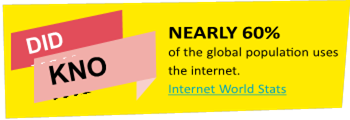
3. For animal welfare: Consuming ethically can help improve conditions for animals in a number of ways. For example, many cosmetics companies still test on animals, but you can buy from brands that refuse to test on animals. You can also consider choosing products where companies have protected welfare in your animal products..
4. Balance your shopping: Do you really need that new pair of shoes or clothes? Is it really necessary to upgrade your smartphone again? Reducing consumption can help save money and the planet.
5. Re–use: Fixing, up–cycling, reusing and buying second hand is a great way to reduce waste.
6. Shop from local, independent retailers: it is a great way to boost the local economy and help small businesses thrive.
[Adapted from https://www.ethicalconsumer.org/how– to–shop–ethically]
TIP!
 Is someone acting out of order on an instant messenger, chat room or online game? If you are on your phone screenshot it using the side buttons. On a computer, use the Print Screen button to take a screenshot of the messages, then open a paint programme, paste the screenshot and save it as evidence.
вдосконалюємося, тренуючись або здобуваючи нові знання, ШІ покращує свої результати, обробляючи інформацію, виявляючи закономірності та роблячи прогнози або приймаючи рішення на основі того, чого він навчився.
Хоча ШІ може допомогти вирішувати проблеми, спрощувати завдання та робити життя зручнішим, важливо використовувати його з розумом і не покладатися на нього сліпо. Ефективність ШІ

Види ШІ: слабкий ШІ проти сильного ШІ
ШІ буває різних видів. Дві основні категорії — це слабкий ШІ та сильний ШІ.
• Слабкий ШІ, також відомий як вузький ШІ, — це тип штучного інтелекту, створений для того, щоб дуже добре виконувати одне завдання. Він може виконувати інструкції, навчатися на даних і приймати рішення — але лише в межах завдання, для якого його було створено. Вона насправді не розуміє речі так, як це роблять люди, і не може думати чи діяти поза межами своєї конкретної мети.
|
30 mins Результат: Учасники ознайомляться з основами функціонування штучного інтелекту та різними його видами. Вони зможуть у цікавій та зрозумілій формі розрізнити слабкий та сильний штучний інтелект. Матеріали: • Картки з персонажами, що уособлюють різні види штучного інтелекту • Плакати «Ліги штучного інтелекту» • Кольорові наклейки, етикетки або магніти для розміщення персонажів на графіку. |



• Сильний ШІ, також відомий як загальний ШІ, — це ідея створення машини, яка може думати, навчатися та розуміти так само, як людина, — не лише для виконання одного завдання, а для будь-чого. Вона зможе міркувати, вирішувати проблеми та навіть мати власні думки чи свідомість.
Що відбувається:
1. Почніть з короткого обговорення теми «Що таке ШІ?» та двох ключових понять:
• Слабкий ШІ проти сильного ШІ
2. Представте завдання: кожна група — це команда в
«Ліга ШІ», якій потрібно класифікувати різних «персонажів» ШІ.
3. Роздайте картки з персонажами ШІ та попросіть кожну команду:
•Визначити, що робить ШІ
• Вирішити, чи це слабкий, чи сильний ШІ
4. Кожна група по черзі розміщує свого персонажа на великому плакаті Ліги ШІ.
ПІДСУМОК:
Слабкий ШІ (вузький ШІ): Існує вже сьогодні. Дуже добре виконує конкретні завдання..
• Слабка ШІ (вузька ШІ): Існує вже сьогодні. Дуже добре виконує конкретні завдання.
Наприклад, вона може рекомендувати фільми на Netflix, передбачати наступне слово, яке ви наберете, або фільтрувати спам-листи. Приклади: Siri, Google Maps, алгоритми Instagram, що визначають, що ви побачите першим.
• Сильна ШІ (загальна ШІ): ще не існує. Вчені та інженери все ще працюють над створенням сильної ШІ, але це пов’язано з великими етичними, безпековими та технічними викликами. Більшість прикладів походять із наукової фантастики.  Підіть далі
Запропонуйте учасникам створити власного персонажа «ШІ майбутнього» з тими рисами, які вони хотіли б бачити (або яких хотіли б уникнути). Попросіть їх класифікувати своє творіння на плакаті «Ліги ШІ».
5. Групи можуть оскаржувати або обговорювати результати один одного. Перевірте, чи правильні результати, використовуючи пошукову систему, наприклад Google, або чатбота на базі штучного інтелекту, наприклад
ChatGPT чи Gemini, щоб уточнити свої відповіді
6. Завершіть заняття рефлексією:
• Які типи штучного інтелекту найчастіше зустрічаються у вашому повсякденному житті?
• Що ви помітили щодо персонажів із «сильним штучним інтелектом»?
Хоча штучний інтелект може допомогти вирішувати проблеми, спрощувати завдання та робити життя зручнішим, важливо використовувати його з розумом і не покладатися на нього сліпо. Ось чому вивчення штучного інтелекту — це не лише розуміння того, як він працює, а й уміння використовувати його розумно та відповідально.
ПОРАДА!
 Додайте елемент фізичної активності, перетворивши плакат AI League насітку на підлозі тазапропонувавши учасникам розміщувати своїх персонажів ШІ, пересуваючись по ній.
|
Слабкий AI |
Сильний AI |
|
|
|
|
|
|
|
|
|
|
|
|
|
|
|
|
|
|
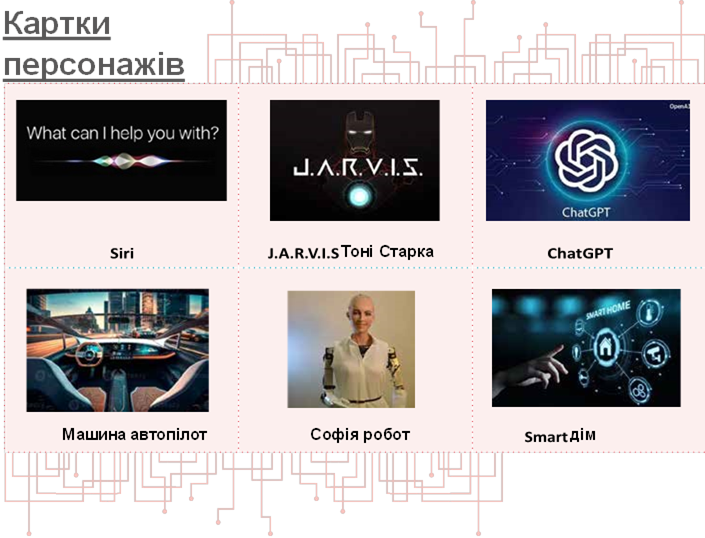
 20 mins
OUTCOME:
Explore how information and posts online can change when shared
MATERIALS:
Paper, pencil
WHAT HAPPENS:
Everyone gets a slip of paper and sits in a circle. The first person whispers a word to their neighbor, who draws a picture of what they hear and passes it to the third person, who whispers what they see to the next person and so on with the message alternating between words and pictures. Is the message the same when it gets back to the beginning?
Start with simple objects or phrases then make the message more complex.
Play again. This time secretly select someone in the circle who will change one word of the message. Can anyone work out where it changed?

 DISCUSS: How can messages change online? When you’ve shared information digitally, how much control do you have over it? Have
you ever read something and found out that some part of the information was missing or was untrue? How did that make you feel? Is there a way to avoid or control the damage done? What can you do to avoid having your posts or messages altered?
Once something is online we have no control over it, especially when done in public digital spaces.
Messages and photos can be photoshopped, videos cropped, articles edited to serve a purpose different than intended.
When personal information, data, photos etc are taken out of context or altered it can make us feel powerless and violated.
There are some things you can do if this happens:
• If you know who changed something you posted, ask them to take it off the internet.
• Use the report button that websites provide to report the altered message/photo/video etc.
• Remember it is not your fault. Try to always think twice before posting anything online, especially personal information.
|
OUTCOME: Explore how fast information spreads online MATERIALS: Small pieces of paper and pencils, enough for all participants BE PREPARED: Differentiate one of the papers from all the others by marking it with a symbol on the back |


– eg. a flower.
WHAT HAPPENS:
1. Give each participant a small piece of paper and a pencil.
2. Ask all the participants to pretend that the pieces of paper are their smartphones. Although they are connected to the internet, they still have no contacts on them.
3. They should now go around and get 2 other participants to write their names on their ‘smartphone’, making sure that they have written their own name on at least 1 other ‘smartphone’. When finished, each participant should have 2 names on their ‘smartphone’.
4. Once they are again seated, ask participants to turn over their ‘smartphones’. The person that has the flower on the back has decided to send a snapshot, a photo or an article to the two contacts on their ‘device’. Feel free to make the content more specific depending on what you think is more appropriate for the members of your group. The participant reads their names and they stand up to show they have received the snapshot. .
5. Then they have to send it to their two contacts, so those people should stand up. After all, someone you know sends it to you, so it must be OK to forward! 6. Continue the process until almost everyone in the group is standing up. If the names are repeated, it just goes to show how content can be sent more than once.

(Continued)
DISCUSS:
• What are some ways and digital platforms you can spread information with?
• Messages, images and any type of information can spread very quickly online. Do you think this is a good thing or can it have a negative impact?
• How can you be sure that what you share is true?
And if it is not, are there any negative consequences?
• Is there anything wrong with having images or photos public for everyone online to see? What if someone didn’t like what you posted?
• Is it possible to spot the person responsible for starting a rumor or sending a message online?
• Are there ways to stop the spread of inappropriate, fake or misleading content?
Information, messages, photos and any type of digital content can spread very quickly online.
That can mean that important content can reach almost every part of the globe fast.
But misleading content can spread in the same way giving false information to people.
If your own content is available for everyone to see, anyone can take it and share it online, just as it is or altered.
|
|



You can help stop the spread by not sharing inappropriate, fake or misleading content and by reporting it as such. Any reaction, comment or share, boosts the spread of the content.
 Depending
OUTCOME:
Experience the connection & learn to keep safe during live video conferences
MATERIALS:
Digital device with microphone and camera, paper, pencil, any other material necessary
WHAT HAPPENS:
Live streaming gives us a chance to be a creator, a presenter and to be seen and heard.
From a birthday message to loved ones, to a quizz or a talent showcase, there are endless opportunities to connect for fun, important, or exciting moments.
All you need is a device with internet, like a smartphone or tablet, and a platform (such as a website or app) to live stream from.
Some live streams can be private. For example, video conferencing, like Skype or Zoom, uses live streaming technology to allow you to talk to people you have invited.
Are you planning virtual meetings?
 Girlguiding UK have created a handy guide of available platforms, while the Catholic Guides of Ireland have released a set of tips about hosting an online meeting.
Think of the different ways of getting in touch online: email, online phone, video calling, social media, online messaging. With the help of your leaders get in touch with a group in a different part of your country or in another country. Invite them to an online video conference for both groups. Before you connect:
1. Come up with a simple timeline for your video call and/or any fun activities you can incorporate. You can also put together a list of things you would like to know to find out what you have in common. For example your favourite activities' camping trips, uniform, the Promise, or any other things you can think of.
2. Think and research about how to keep safe when joining an online video call and make sure you set safety rules in place. You can find information below. Make sure both groups are aware of them before you connect.
3. GET VIDEO CONNECTED
(Continued)
 SEARCH RESULTS
Before connecting online you need to consider how to be safe! When video chatting remember:
1. Keep the same dress code as in person, no matter if you are home, or outside. If you are connecting as a Girl Guide or Girl Scout, you could consider wearing your uniform..
2. Use devices in public spaces. Video chatting should not take place in a private space, like the bedroom or bathroom.
3. Everything can be recorded and shared – often without the other person knowing. Never say or do anything on video that you wouldn’t be comfortable with others seeing. Live videos can also be recorded by others to be kept.
4.
Everything can be recorded and shared – often without the other person knowing. Never say or do anything on video that you wouldn’t be comfortable with others seeing. Live videos can also be recorded by others to be kept.
5.
 |
Don’t accept requests to chat in private from people you don’t know. Be wary of people you meet online who want to chat away from other people.
6. Don’t fall into a false sense of safety with familiar people. If you would like to chat with adults (such as family, teachers, coaches and facilitators) make sure your parents or carers are aware.
7. Check the camera and microphone settings in advance. They may be on by default when you join a video conference, so learn how to mute yourself or turn off your camera if you need to.
8. Leave personal details out of video chat profiles and consider using video apps designed for kids and teens such as Facebook Messenger Kids or JusTalk Kids Video Chat App.
9. Use passwords and/or unique ID numbers for each meeting. These shouldn’t be shared with people you don’t know. Other tools may be available to limit access to your video conference, like the ability to approve each participant before joining.
|
OUTCOME: Learn more about the ways you can live stream and how to keep safe. MATERIALS: Cardboard screen frame, live broadcast scenarios (See Tool below), other material to be used for the presentations BE PREPARED: Create a big screen frame from cardboard (for example a simple mobile phone screen or an |


Instagram, TikTok, YouTube or Facebook screen.
WHAT HAPPENS:
Live streaming gives us a chance to be a creator, a presenter and to be seen and heard.
In groups discuss:
• What makes live broadcasting fun? Why do you think people like to do and to watch live videos? • Can you name any platforms where you can do live videos?
• What is the difference between a private live stream and a public live stream?
• What are some things that could pose a safety risk?
From a birthday message to loved ones, to a quizz or a talent showcase, there are endless opportunities to broadcast fun, important, or exciting moments live. All you need to be able to live stream is a device with internet, like a smartphone or tablet, and a platform (such as a website or app) to live stream from.
Some live streams are public. For example Instagram, TikTok, YouTube and Facebook allow you to go live and your broadcast might be watched by hundreds or even thousands of people.
There are some simple tips to follow in order to remain safe that have to do mostly with the privacy settings you can set.
Each group gets one of the scenarios and gets 5 minutes to prepare. Then the groups take turns acting out a 2– minute live video stream, while on the screen frame. The rest of the group acts as the audience and tries to identify the rules that the broadcasters are demonstrating. Are there any other rules you might consider to keep yourself safe?
4. GO LIVE (Continued)
 SEARCH RESULTS
Before going live you need to consider how to be safe! When live streaming remember:
1. Keep the same dress code as in person, no matter if you are home, or outside. If you are going live for Girls Guiding/Girl Scouting purposes think about wearing your uniform.
2. Use devices in public spaces. Live streaming should not take place in a private space, like the bedroom or bathroom.
3. Everything can be recorded and shared – often without the other person knowing. Never say or do anything on video that you wouldn’t be comfortable with others seeing. Live videos can also be recorded by others to be kept.
4. Be respectful of others’ wishes & privacy. Who is in the video? Make sure to ask permission to include others in a live stream as some people, young or old, may not want to talk or be shown on video. Never push friends to do something they don’t want to on video.

5.
Don’t accept requests to chat in private from people you don’t know. Be wary of people you meet online who want to chat away from other people.
6. Check privacy and safety settings. Go through the privacy and safety settings with the help of a grown– up you trust. If possible, ask trusted friends and family you know offline to view your online profiles and videos.
7. Protect your personal information: Live broadcasts can’t be edited; you can’t erase what people have already seen. Things said during the stream, things shown on camera or even in the background can give out personal information.
8. Who will see your live video? We recommend using a friends–only setting to ensure you know who is watching.
9. Practice and prepare. Before you go live, practice what you will say. This will minimise the risk of errors, or off–script activity.
10. Support and reporting. You can report anything that makes you uncomfortable through the reporting tool. You can also report and block senders of abusive comments. And you can always speak to an adult you trust if you need support.
11. Most streaming services require users to be over the age of 13 to live steam. Check the age restrictions of each provider before going live. If you are under the appropriate age, make sure you tell an adult.
(Continued)
 TOOLS
TOOLS 
Live broadcasting scenarios:
1. Do a live broadcast to talk about your favorite video game. You will broadcast from your bedroom making sure you mention or show in some way the name of the game and your name. Also call a friend who will not be aware they are on live broadcast.
2.
 |
Pretend you are on a trip and live stream your visit to a tourist attraction. You are using the friends–only setting, but you are actually broadcasting your guide and other bystanders.
3. While in class you take out your phone and start
publicly live broadcasting a fight between classmates.
4.
 |
You own a public profile which is fashion related. You live broadcast your visit to a local shop to buy a
dress and go in the dressing room to change. After the broadcast is over you get a request for chatting in private which you immediately ignore.
5. You own a public profile which is fitness related.
While returning home from your daily run, you decide to go live and inform your followers about it. In the background it is clearly visible the name of your street and the facade of your house.
6.
|
You are part of your school’s music band. You are
about to go on stage and decide to go live and say a couple of words to your followers. Someone sends you a really offensive comment that upsets you. You immediately reply back.
TIP!
 Before live broadcasting remember to practice and check your privacy settings.
OUTCOME:
Explore social media’s impact in our lives and well–being.
MATERIALS:
Paper, pencil, depending on the type of presentation
BE PREPARED:
To facilitate discussion, check the Search Results below, about the positive and negative
aspects of social media.
WHAT HAPPENS:
Social networks have always been part of human life. Our first ever social network is our family, friends and our school community.
There are other networks to which you might belong: It can be your Girls Guiding or Girl Scouting community, your musical team, your neighborhood etc. Every network affects you differently and shapes your beliefs, activities, worldviews, likes and dislikes.
Look at social media and you will see that you also have a social network there made of the people you know, which extends to the people your contacts are connected to. There are also the pages, groups and products you might follow. Social media is also a network and just as every other, it affects our lives, beliefs and well–being.
Although there are important risks using social media, we can also acknowledge that they can be used in positive ways to benefit our lives.
To be able to get the best out of them, we need to reflect on how we use them, what aspects of our lives are affected and how we can avoid negative impact or turn it into a positive outcome.
In groups, discuss how using social media touches and affects your life. Create a table with the following topics (you can add more if you like):
• Skills and learning barriers or opportunities
• Support & mental well–being
• Relationships
• Social issues & active citizenship
• Personal image & self–esteem
• Other risks or opportunities
Next to each topic try to think about any risks or negative effects of keeping a social media account. Write them down.
Then discuss and write in another column any benefits there are, as well as ways you could get the best out of your social media use. What do you have to do to make sure that it stays a positive and beneficial experience?
Narrow down your positives list to the 'Top 5 ways to make social media positive' to share with your group, your family or your school. You can create something by hand or with an online or computer tool.
5. GETTING THE BEST OUT OF SOCIAL MEDIA (Continued)
SEARCH RESULTS
Here are a few points to facilitate discussion during this activity:
|
Topic Risks/Negative effects of social media Benefits/Positive use of social media |
||
|
Skills & learning |
Can hinder life skills such as interpersonal and communication skills, assertiveness and empathy, which can be refined and mastered through real life interactions, trial and error. Can lead to a decline in the ability to develop, grow, and succeed in important social arenas (work life, intimate relationships, and friendships). |
Exploring and experimenting on social media can help you build digital knowledge and skills to enjoy online activities and avoid online risks. It can be a collaborative tool to share educational content, either informally or in formal school settings. Also, it is a means to find trainers and train in different skills (glass painting, plumbing, cooking, dress designing, carpentry etc.). You can learn about world events and current affairs outside of your immediate environment. You get in touch with different perspectives and worldviews, broaden connection and understanding of the world. |
|
Support & mental well–being |
Studies have found a strong link between heavy social media use and an increased risk of depression, anxiety, loneliness, self–harm, and even suicidal thoughts. A study at the University of Pennsylvania found that high usage of Facebook, Snapchat, and Instagram increases feelings of loneliness. |
Social media can provide a place to seek support when we are going through something that we cannot talk to those close to us about. Support networks that you could turn to may be based on shared interests – for example, for people with a disability or medical conditions, who are same–sex attracted, or from particular cultural backgrounds. |
|
Relationships |
Real relationships need one–on–one time: extended use of social media can make us reduce real world interactions and connections with people and natural environments. |
Social media removes boundaries to develop connections: bonds with family and friends can grow stronger thanks to social media, especially when apart for long periods of time. |
|
Social change & active citizenship |
Social media has been accused of creating ‘slacktivists’: people desensitized to the social issues of our times who tend to be more informed and ‘like’ the causes, but never take action to make change happen. |
By connecting with others on social media, you could be better equipped to be an active citizen in society. You can use it to campaign for social good and raise awareness of a particular cause that is important to your local or global community. It can be a great first step before calling to action in real life. |
5. GETTING THE BEST OUT OF SOCIAL MEDIA (Continued)
 SEARCH RESULTS
|
Topic Risks/Negative effects of social media |
Benefits/Positive use of social media |
|
|
Personal image & self–esteem |
Being constantly exposed to unattainable beauty standards & the image myth, damages self–esteem and gives us a twisted perspective of how we ‘should’ look. |
Taking part in local and global online communities can help you explore your identity, give you a sense of connection and belonging and can make you feel represented and heard. |
|
Other risks/ Opportunities |
Inappropriate, upsetting or distressing content. Can leave you open to online harassment, like cyberbullying. Risk of sharing personal information with strangers – for example location. Sometimes data or personal images are being used without our knowledge by organizations or other people. |
Can be used as an extension of our offline and face–to–face interactions. Removes the boundaries of meeting and staying in touch with people and forming bonds beyond borders. |
 TIP!
TIP!
 Age restrictions online are there to stop you seeing something you really don’t want to see. If a page says '13+' or '18+', log off and tell your parent/carers.
 45 mins
OUTCOME:
Explore the positive and negative aspects of online video games.
MATERIALS:
For each group newspapers or a mat, 4 cups or cones or bowling pins, 4 small balls.
BE PREPARED:
To facilitate discussion, check the Search Results below, about the effects of gaming online.
WHAT HAPPENS:
There is an intergalactic battle happening! All astronauts get ready for action!
1. Participants form groups of maximum 5 astronauts and get a 'spaceship' which can be made out of newspapers or a mat. The space ships are placed in a circle.
2. Each group gets 4 cups or any other object that can be knocked over. The cups are placed at the 4 corners of the spaceships. These represent the spaceships turbines.
3. All the astronauts except one stand inside the spaceship. They are not allowed to step out of the spaceship into 'space' as there is no oxygen. They are holding one ball each. They have 5 minutes to knock over as many of the other spaceships’ cups with the balls as they can.
4.
One astronaut of each team stands outside the spaceship. These astronauts move in 'space' collecting the balls to give back to their group, but they are not allowed to throw balls at their opponents. If a team loses all their cups before the time is out, they leave the game by sitting down on their spaceship. 5. The team left with the most cups at the end of the 5 minutes, wins.
DISCUSS: Did the team collaborate and what did each individual member do in order to aim better at their target? Would
you like to have played longer?
Video games and especially massively multiplayer online (MMO) games sometimes resemble these types of collaborative, target games. They are fun and sometimes we want to play non–stop. Has that happened to anyone?
Everything we do affects us in different ways. More than this, any activity that dominates our life, may have a negative effect on our life. However if we are able to use it in a balanced way, it has a positive impact.
Video games can also affect us in a positive or negative way, depending on their genre and the time we spend with them.
Some actions taken while playing video games can be associated with positive or negative effects in our everyday life, our personality, our skills etc. There can be skills that you gain but also things that you miss.
(Continued)
|
playing video games and how they affect your skills and your body. Try to include the name of the games you usually play, the things you do to advance in the game (aiming, talking to others, solving riddles etc), |
How many have you found? Present your list to your group or your family to spark a discussion on the subject. |
 In small groups or individually, think but can potentially leave you open to bullying through the and create a list of things you do while chat when not enough resources are collected.
the benefits and the negatives these things can have in
By now, many dozens of studies have examined psychological correlates of and consequences of video For example: You might enjoy playing Minecraft. That gaming, and, taken as a whole, the results overwhelmingly means that you probably Build with blocks which increases support the idea that video gaming produces many of the
your life, personality, body, skills etc. “
which on the plus side helps you build collaborative skills, ” creativity. Or you might collect resources with others, same kinds of benefits as other forms of play.
SEARCH RESULTS
Massively multiplayer online games (MMO) are online games with large numbers of players, often hundreds or thousands, on the same server. They include a variety of gameplay types some of which are: Role–playing, First–person shooter, Strategy, Simulations of sports or racing or others, Music etc.
Here are some of the effects that video games can possibly have on our skills and our body. Remember that the amount of time spent on video games is of importance to which effects the games could have on us.
|
Type of effects Positive |
Negative |
|
|
Cognitive |
• perception, • top–down attention, • spatial cognition, • multitasking • cognitive flexibility |
• declines in verbal memory performance • detrimental school performance (as video game usage increases, engagement with schoolwork decreases) |
|
Emotional |
• emotion regulation (dealing with fear and anger), • stress management |
• increase in emotional disorder symptoms |
|
Social |
• interaction online and in life, • teamwork, • group management skills |
• behavioral disorder symptoms • family interaction problems • exposure to cyberbullying, sexism and gender– based harassment |
|
Physical |
• increased visual sharpness & cognition • accelerated acquisition of some motor skills |
• body ache or discomfort • reduced amounts of slow–wave (REM) sleep • modifications in visual selective attention |
|
Creative |
• creative thinking, • flexibility, • problem solving |
|
|
Motivational |
• persistence |
|
[Adjusted from the Addiction Blog and Psychology Today]
 30 mins
OUTCOME:
Learn what 'screens' are and how to handle screen time.
MATERIALS:
List of activities & tokens (See Tool below), pencils for each team .
WHAT HAPPENS:
Any time spent watching television, using the computer or internet, texting using a cell phone, playing handheld games, and other electronic devices and generally surfing the internet, is considered screen time.
Examples: cell phones, televisions, movie screens, screens in arcades, handheld games, computers, and screens in cars.
Split into small groups. Each group gets the opportunity to plan how they want to spend their ideal afternoon.
1. Choose the activities to do from a list.
2. You can ‘buy’ the activities from the ‘shop’ with tokens. Each token represents a 30–minute activity and each team gets 5 tokens to use.
3. Take 5 minute with your group to study the list and decide what you want to buy. One representative from each team visits the ‘shop’ to ‘buy’ the activities.
4.
The facilitator sets up ‘shop’ and exchanges the activity pictures for tokens. Make sure to stock the ‘shop’ with lots of screen time activities and fewer of the others, without the groups knowing about it. This way when the final groups come up, only screen time activities are left to buy.
Once everyone has finished ‘shopping’, discuss what screen time is and try to name any screens you might have at home. Then make a point that the groups were given the opportunity to choose between ‘screen’ and ‘non–screen’ activities. Go around in groups and share the activities you have chosen and why.
• Did everyone choose some screen time? What do they enjoy about it?
• What about non–screen activities? What is it that makes those enjoyable?
• How did the groups who could not buy many non– screen time activities feel? Would they have preferred a more balanced day?
Studies suggest that too much screen time can have health consequences, and impact the quality of life including:
• Making it hard to sleep
• Raising risks of attention problems, anxiety and depression
• Raising risks of gaining weight
• Leaving less time for active, creative play and communication


(Continued)
(Continued)

TAKE IT FURTHER 
 Are you up to the challenge? For the next week try to spend no more than 2 hours a day in front of a TV, computer, smartphone, tablet, or video game screen – except for homework.
TOOLS
You get 3 tokens per day, each one representing 30
minutes of screen time. Every time you use a token, make TOKENS sure you write on it what day it was used and what for. Put
Print and cut out the screen time tokens
the used tokens aside. That way you will create a record.

 At the end of the week discuss with your group whether it was hard to keep the limit. What did you learn? What did you do instead of screen time? Would you have coped with less screen time?
(Continued)
SCREEN TIME LOG BOOK
Print or recreate the screen time log book.
|
SCREEN TIME LOG BOOK |
|||
|
For the next week log each day how you have spent each of your 30 minute screen time tokens, by gluing them to the respective squares. |
|||
|
Day |
Token 1 |
Token 2 |
Token 3 |
|
Sunday |
|
|
|
|
Monday |
|
|
|
|
Tuesday |
|
|
|
|
Wednesday |
|
|
|
|
Thursday |
|
|
|
|
Friday |
|
|
|
|
Saturday |
|
|
|
From voice assistants to social media feeds, artificial intelligence plays a big role in how we connect and communicate online. Sometimes it makes things easier—like helping us talk to someone in another language or making content more accessible. Other times, it creates challenges—like recommending biased content or replacing real friendships with chatbots.
|
|
|
|
|

1. AI LIFE HACKS LAB 
 40 mins
OUTCOME:
Participants will explore how AI can enhance or complicate communication and relationships online. They'll evaluate real tools and develop their own “AI for Good” concepts.
 MATERIALS:
• Access to devices (tablets or phones with internet) or printed examples of AI tools
• Prepare short demo tasks using:
* Translation tools (Google Translate)
* Accessibility tools (text-to-speech, voice assistants)
* Chart paper, markers, post-its
• “Two Sides of the Coin”
• Warm-Up Discussion: In pairs, participants discuss: “How has AI helped or hurt your online experience?”
• Tool Stations: In small groups, participants rotate through 3 hands-on stations:
a. Station 1: Translation and Accessibility tools
b. Station 2: Feed Curators – How AI customizes what you see
 Station 1: Translation & Accessibility Tools
GOAL: Help participants experience how AI tools can overcome language barriers and support diverse users.
Tools Needed:
• Smartphones, tablets, or laptops
• Internet access
•
Google Translate app or website
• Text-to-speech (TTS) and speech-to-text (STT) apps (e.g., Voice Typing in Google Docs, Microsoft Narrator)
Step-by-Step Instructions:

 Open Google Translate: Try Translating:
a. On your browser: translate.google.com a. Type a simple sentence in your language
|
b. Or download the Google Translate app. |
(e.g., “I love learning new things.”) b. Translate it to at least two other languages. |
 Test Pronunciation:
  Try Text-to-Speech:
|
a. |
Click the 🔊 speaker icon to hear it read aloud. |
a. |
Use your phone’s built-in reader (e.g., iPhone’s Speak Screen or Android’s Select to Speak) |
Review a Mock Feed:
a. Look at a printed or digital example of a “For You” feed.
b. Notice the suggested videos, ads, and friend requests.
Think Back:
a. Reflect on your actual social media feed.
b. 
Do you know why you’re seeing certain things?
Highlight Patterns:
a. Use sticky notes or markers to label repeated themes (e.g., makeup, football, funny cats).
Create a Feed Persona:
|
|
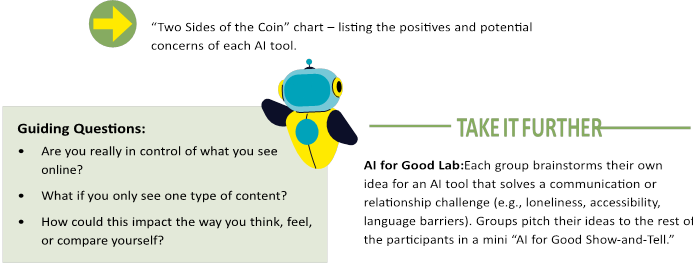
a. Based on the content, what kind of person does the AI think you are?
1. AI LIFE HACKS LAB
(Continued)
TIP!
•  For younger participants, simplify tool examples and focus on AI helpers like voice assistants.
|
AI Tool/Feature What’s Good About It? |
What’s Worrying About It? |
|
|
Translation Tools |
|
|
|
Accessibility Features |
|
|
|
Feed Algorithms |
|
|
• Encourage cross-group collaboration when developing AI ideas
TWO SIDES OF A COIN CHART
TAKE IT OFFLINE 
Instead of showing apps online, use printed screenshots of translation tools, accessibility features, and fake social media posts. Groups move between stations to try things like reading translations or pretending to talk to a voice assistant.
These days, you can chat with AI like it’s a person. Some AI chatbots are made to help you with homework, give advice, or even cheer you up when you’re feeling low. But here’s something important to think about:
Can a chatbot truly understand how you feel? Or is it just guessing based on patterns and data?
Sometimes chatting with AI can feel helpful, especially when you need quick advice or just someone (or something) to listen. But AI has limits. It doesn’t have real emotions or life experience, and sometimes it might give answers that are confusing, insensitive, or even harmful—especially if you’re talking about serious problems like mental health.
This is why learning to use AI wisely is part of digital respect. We need to know when AI can help—and when it’s time to reach out to real people who truly care and can support us safely.
2. AI BUDDY CHATBOT 
40 mins
OUTCOME:
Participants will design an AI Buddy chatbot that promotes positive, safe, and meaningful online interactions for young people. They'll explore how AI can support friendships, learning, and emotional well-being while considering ethics, privacy, and online safety.
MATERIALS:
• A printable AI Buddy Persona Template
• Flipcharts/Paper
•  Markers, sticky notes “Two Sides of the Coin”
2. AI BUDDY CHATBOT
(Continued)
WHAT HAPPENS:
1. Warm-Up Discussion: If you could create your own AI buddy, what would you want it to do?
Possible examples to spark ideas:
• A study buddy who helps you revise for exams
• A mood booster who sends kind messages when you feel down
• A language buddy who helps you practice new words
2. Participants work in small groups to create their own AI Buddy persona. They will brainstorm the following;
• Name of Your AI Buddy
• Purpose / Mission
•
Personality & Tone
• Do’s
• Don’ts
• Safety & Ethics
Use the AI Buddy Persona Template and be creative in creating a presentation.
3. Each group presents their AI Buddy concept to the rest of the participants. They should share:
• The Name & Purpose of the chatbot
• An example of how the chatbot would respond in a conversation
• How it promotes positive, kind, and safe online spaces
4. Reflection: Two Sides of the Coin Each group discusses:
• Positives of Your AI Buddy: How will this chatbot help young people? What makes it a safe, helpful tool?
• Potential Concerns: What could go wrong if the chatbot is misused? How can we prevent harm or confusion?

 Roleplay: Pair up and act out conversations as if one person is the chatbot and the other is the user. Test different scenarios (supportive, challenging, confusing).
|
Name of Your AI Buddy What is your chatbot’s name? Does it sound friendly, funny, or cool? |
|
|
Purpose What does your AI Buddy help with? (Examples: cheering people up, helping with homework, making friends, giving ideas.) |
|
|
Personality & Tone How does it sound? Is it funny, calm, supportive, or playful? |
|
|
Do’s What good things will your AI Buddy do to help people? |
|
|
Don'ts What things will your AI Buddy never do? (Examples: never ask for personal info, never be rude.) |
|
|
Safety & Ethics How will your AI Buddy keep people safe and protect privacy? What will it do if someone uses it the wrong way? |
|
Create Conversation Flows: Use diagrams to map out possible conversations the chatbot might have, including positive guidance and safety reminders.
 20 mins
OUTCOME:
Learn how to create strong passwords
MATERIALS:
Paper, pencils, enough for all participants.
WHAT HAPPENS:
A good password uses a mixture of letters, numbers and symbols. It should be hard for someone to guess but easy for you to remember.
Take turns choosing a memorable object or a favourite phrase or saying, such as a line from your favourite book or film. Each person then thinks how to turn this phrase into a hard–to–guess but easy–to remember password with at least eight characters, using a mixture of letters, numbers and symbols. To help, draw a grid with two rows and as many columns as there are different letters in your password. If using a phrase, use the first letter of each word. Write the letters in the top row and a corresponding symbol or number below it.
For example, here the easy–to–guess word 'butterfly' becomes 'B@++3rf1Y', which is a much better password.
|
B |
U |
T |
T |
E |
R |
F |
L |
Y |
|
B |
@ |
+ |
+ |
3 |
r |
f |
1 |
Y |
Write a few passwords using this code, then give your passwords to a friend and see if they can decipher them.
DISCUSS: Can you think of any other ways to make a complicated password easy to remember? Where should you keep your passwords?
 SEARCH RESULTS
The key to a good password is finding a balance between something you can
remember and something nobody else can guess. To be sure you’ve got a good password:
DO…
• Keep your password at least eight characters long.
• Use a mixture of upper and lower case letters, numbers and symbols.
• Use a different password for each account. Keep unique passwords for really important accounts like your email and social network.
• Log out when you have finished with an online service.
1. PERFECT PASSWORD
(Continued)
•  Add a two factor authentication to your online accounts for an extra layer of security! That means that apart from entering your password, you receive a randomly–generated code to your mobile phone, which you have to provide to enter your account.
• Check your password strength by using tools such as The Password Meter, Kapersky Password Checker and All things Secured Password Checker
DON’T…
• Only use words you can find in a dictionary.
• Include personal information such as your name or birthday.
• Use something obvious like '12345678', 'letmein' or 'password'.
• Enter your password into online forms or send it in emails. If you get an email from a website you use asking for your password, it’s probably a phishing attempt and isn’t really from that website. You can learn more about phishing and other security threats on page 58.
•
Share your passwords with your friends. It doesn’t mean you don’t trust them, it’s just good practice.
• Keep your passwords on display. If you need to write them down, keep them somewhere safe and out of sight, such as giving them to your parents. Don’t keep them stored on your computer.
 TAKE IT FURTHER
BUILD THE STRONGEST
 Paper & pencils for each team, signs or marks, digital device
WHAT HAPPENS:
Form small teams. Each team makes up their own You can then confirm the strength of the password using password and the opposing teams try to guess its tools such as The Password Meter, Kapersky Password strength. For example, the first team says ‘bubble2007’ Checker and All things Secured Password Checker. You and the other team guesses whether it’s very weak, weak, can play as many rounds as you like. The team that comes good, strong or very strong, by running to respective signs closer to guessing the strength of the most passwords, or marks on a line along the ground. wins!
 15 mins
OUTCOME:
Understand how an updated security software protects the user.
MATERIALS:
Blindfold, objects for obstacles.
BE PREPARED:
Set up an obstacle course using things like logs, stones, chairs, boxes, hoops, ropes etc.
WHAT HAPPENS:
 Two team members are blindfolded and have to walk from one end of the obstacle course to the other. Each member has a ‘guide’ walking with them but the guide can only help with their voice. How easy is it to navigate the course without touching the obstacles?
Repeat the game one more time, but now ask the guide in secret to guide the team member half of the time, while they give false directions the rest of the time. What happens then?
This game is a bit like going online; the blindfolded person is like someone using the internet who can’t always see the security risks around them. The guide represents security software that can help the user navigate the web safely. However, security software cannot do everything on its own. The blindfolded person has to cooperate and be careful, using their other senses and not running ahead. Even if the user has every sense heightened and is extra careful they need an updated trusted security software, to avoid things they don’t know are potential risks. When the security software is not updated, you might be careful, but you are left navigating the web alone. Therefore, when using the internet, you need to be as smart and careful as you can be. That, combined with good security software, will help keep you safe online.
 2 hours (flexible)
OUTCOME:
Learn to recognize scam strategies that are used to access private information.
MATERIALS:
Voice recording device
WHAT HAPPENS:
Split into smaller groups and research an internet security threat – malware, phishing, scam emails or illegal downloading. You can use the information provided below under Search Results.
Then each group plans and records one or a series of short podcasts informing people about these threats and what to do about them by using different ways to make the topic interesting and entertaining (mock interviews, top tips and news stories). Once finished, present podcasts to the rest of the group.
 If possible, watch this fun video 'This is what happens when you reply to spam email' talking
about internet scams, and then discuss your thoughts about what happened in the video. While the video is having a bit of fun with scams, note that they are very serious and we have to try and avoid getting caught up in them.
 SEARCH RESULTS
Cybercrime
Cybercrime is the name given to the actions criminals take online.
Types of cybercrime include:
• Damaging your computer by deleting information or damaging software.
• Stealing private information from your computer or home network, such as your email address or bank details.
• Persuading you to send money, often using false stories about investment opportunities, winning prizes or someone you know being in trouble overseas and needing money.
• Confirming your email address is real so more spam mail can be sent to you.
TIP!
 Never click on a pop up, even if it says 'close' or 'cancel'. Always use the red cross to get rid of it.
• Using your email account (often without your knowledge) to forward spam in order to find out the email addresses of your friends and family.
• Identifying you – with enough personal information cybercriminals can take advantage of you in real life, such as by approaching you at a place they know you visit, or can pretend to be you online.
• Deliberately upsetting or frightening someone.
REMEMBER, cybercrime is as illegal as offline crime. If you come across something you don’t think can be trusted don’t respond – block it and tell an adult you trust.
3. SPAMCAST (Continued)
 Phishing and email scams
Email scams are messages that try to talk you into giving out information or sending money to someone you don’t know. They generally tell a tempting or dramatic story and try to get you to react emotionally so you follow their instructions without thinking.
Phishing is the name given to a scam that is trying to steal information from you by pretending to be a message from an organization you trust. It often happens by email, but you can also get phishing phone calls and text messages. The messages may be trying to get you to do something harmful such as opening an attachment that contains a virus, going to a risky website, or giving out personal information.
To protect yourself from scam emails and phishing attempts, look out for:
• Emails from people you don’t know or you’re not expecting.
• Emails from someone in your address book but written in a way that doesn’t sound like your friend, or giving you instructions that seem strange, like 'I’ve found this great offer' or 'click here to see the video'.
• Messages that aren’t addressed personally to you, such as calling you 'Dear Customer' instead of using your name.
• Messages that use dramatic language or tell unlikely stories.
•
Any email that tells you to enter your password or other personal information, verify your account or click on a link.
• Attachments you weren’t expecting, or with strange names and programme file types, such as file names ending with '.exe'.
It can be quite hard to spot a phishing attempt, so to be safe try following these basic rules:
• Never click on links in emails. Instead, type the link address directly into your browser.
• If you suspect an email might not be genuine, don’t react or reply to it. If it says it comes from a friend, contact them directly by some other means and check if they sent the email.
• If in doubt, hit delete!
Malware
Malware is the name given to the tools cybercriminals use that can damage the information on your devices, trick you into taking actions you don’t want to take, and steal your private information. To learn more about some common types of malware look up spyware, computer virus, trojan horse and computer worm in the glossary.
How can you protect your computer from malware?
• Check that your security software is switched on and updates automatically.
• Keep a firewall turned on as well as your antivirus software.
• Watch out for spam email and suspicious websites.
• If you don’t trust it, don’t click it.
• Check with a parent/carer before downloading anything. Downloads can contain malware that could mess up your computer.
3. SPAMCAST (Continued)
OK to download?
Streaming and downloading media like movies and music is a big part of online activity, and there are lots of websites that give you easy access to great new material. Unfortunately, it’s not always legal. It’s all about copyright. If you create something original, you own it and have the right to control who can use it, change it or copy it. Artists make their living through royalties, which is the money they are paid every time someone buys a copy of their work – whether it’s a CD/DVD, tickets to a concert or movie showing, or a digital version. If you download something illegally, you’re taking a copy without the owner’s permission. So you have to make a choice. Where do you get your media, and what will that decision mean for you?
Some thinking points:
• The risk of getting malware on your computer is much higher if you download illegal files.
•
It’s true that companies that manage artists, such as record labels, often earn a lot more than the artists themselves. However, these are agreements between the artists and the companies, and have nothing to do with our decisions around paying for the content we want, or trying to get it for free.
• Lots of artists are very unhappy to think that what they worked hard to create can be picked up for nothing. When people download pirate copies of an artist’s work, they don’t consider how the creator feels about it.
• If you use illegal services, you are breaking the law. You might think the chance of getting caught is really small but if you are one of those who gets caught and charged, the consequences can be really big: huge fines, internet bans, a criminsal record, even jail time. It could really affect your future.
• Some people say that copying something isn’t the same as stealing it because they haven’t actually taken it away from someone. But that’s like saying that a song or film isn’t a product to be bought. If that were true, there wouldn’t be new songs or films anymore, because artists, and the industries that surround them, wouldn’t be able to make a living.
• Pirate copies are often much lower quality than what you get if you purchase it legally.
|
OUTCOME: Knowing what information is safe to share online. MATERIALS: One large piece of paper, a marker, a long rope or a chalk |

WHAT HAPPENS:
There are a lot of things that describe you and can tell someone who you are. Most people enjoy sharing personal information. It is a fun way to connect with others by exploring the things we have in common.
As a group, think and come up with information that you think is personal. Write all ideas on a large piece of paper.
Personal information creates your identity: Your name, face, age, family, favorite color, address, the school you go to, hobbies, personal beliefs, athletic teams, favorite movie character, scouting/guiding group, the route you walk to go home, your favorite online game, phone number, your parents’ or carers’ workplace, password, salary or allowance etc.
Think about whether all personal information is OK to share.
Some of your personal information can be used to identify you personally. This is called private information and should be kept to yourself.
Private information is anything that is unique to you and that you do not have in common with many people. Your school, scouting/guiding group, the route you walk to go home, phone number, password, parents’ or carers’ workplace, password, salary or allowance.
If possible, watch the video 'Private and Personal Information' to learn more.
How can you tell which information is private though? Here is a simple question you can ask yourself: 'Are there a lot of other people that can give out the same information as me?'
For example: Are there lots of other people living on ‘5, Western Road, Apartment 9’? Is the character Elsa from the movie Frozen famous and loved by other kids? It is clear that I can talk about the Ice Queen online, while it is safer to keep my address to myself!
Play the following game to bring home the idea:
1. The group stands up and forms a line.
2. Using the rope or a chalk create a straight line from the beginning to the end of the group line.
3. Read out–loud each item on the list created. Each time something which you consider private come up, the participants should stand on the left of the line, while when something is safe to share, they should stand on the right side. Remind the participants to ask themselves the question 'Are there a lot of other people that can give out the same information as me?'.
TIP!
 Split younger participants into smaller teams to facilitate discussion
4. Every time you come across an item which is private information, circle it to make it stand out.
4. SHARE IT OR KEEP IT?
(Continued)
 AFTERWARDS DISCUSS:
• Were any items harder to distinguish as personal or private?
• Could a picture we share online mention private information and in what ways?
• What are some of the dangers of sharing private information online?
Pictures and videos you share online might give away private information, through location tagging or signs in the background. Check carefully before posting.
Sharing private information online means that anyone can see it, especially if you are sharing in public. There are people who might want to take advantage of you, such as scammers or groomers, so make sure you keep private.
If you are over 13 years old. and use social media, you might have experienced that sharing interests with other people can make us feel included and part of a wider community. But what makes the social media community different to groups you share things in real life, for example to your Girl Guiding/Girl Scouting group? What are some things that can be used against you when shared on social media?
If possible watch the video 'Think before you share | UNICEF'.
 TAKE IT FURTHER
 Do activity 'Who is it?' that you will find in this section
 20 mins
OUTCOME:
Understand that anyone can be hiding behind an online account and they don’t always want to be our friend.
MATERIALS:
A large non–transparent sheet (e.g an old bed sheet)
BE PREPARED:
Make a hole on the sheet at face level, large enough for the nose to come through, and hang it.
WHAT HAPPENS:
Can you guess who is behind the sheet?
1. Split into 2 teams.
2. Have the first team go behind the sheet. The team now decides silently which of its members will put their nose through the hole.
3. The team on the other side tries to work out whose nose it is and the team playing should give an answer. Then the opposite group has a go.
4.
Continue with an eye, an ear, a cheek, forehead, you can even do the same with hands and feet if you feel comfortable, by creating a second bigger hole on the sheet. Try doing also a couple of rounds without confirming who is hiding behind the curtain.
TIP!
DISCUSS:
• How easy was it to guess who was hiding behind the sheet each time?
• The sheet is like the computer screen and the internet – anyone can be hiding behind it showing us or giving us any information they want about themselves. This is called a fake profile. Can you think of any reason someone would want to lie about their identity?
• Can you think of any online places where someone might approach you with a fake profile?
|
Always use a nickname online instead of your real name, and don’t give out your real name if someone asks. |
•  What should you do if someone you don’t know talks to you online?
(Continued)
Most of us talk to people online – it’s a great way to stay connected. It can even be a good way of making new friends sometimes. But it’s really important to understand the dangers of talking to someone you don’t know.
Online texting is convenient and easy, but there is some danger to it, especially if you are chatting with people you don’t know in real life.
The person on the other end of the conversation might not be who they claim to be. They could even claim they are friends of friends to convince you to respond..
These people might approach you seeking to take advantage of you, regardless of your age, your gender, or any other personal features.
Every online platform that can be used to text or message someone, can be used to approach you: gaming, social media, instant messaging applications (apps) etc.
|
WOULD YOU TEXT BACK?
Confirm with a leader beforehand which of the suggested scenarios are more appropriate for the |


If someone you don’t know talks to you online, don’t respond. If they insist you can either block them or talk to an adult you trust.
group or seek their help to create your own.
WHAT HAPPENS:
It is difficult to know who is behind each online profile and sadly not everyone is your friend. There are people who will try to ‘groom’ you.
Online grooming is when someone builds an online relationship with a young person and tricks them or pressures them into doing something sexual. Anyone can groom another person. They might be old, or young. And they can be male or female.
Online groomers are really good at lying about who they are.
It can be difficult to know if someone is an online friend, or
if they’re trying to get you to send them sexual images or videos.
The ‘groomer’ makes an emotional connection with you to try and make you do things like:
• have sexual conversations online or by text messages
• send naked images of yourself, which is sometimes called sexting
• send sexual videos of yourself
• do something sexual live on webcam
• meet up with them in person.
5. WHO IS IT?
(Continued)
Think about all the different online platforms where you can chat with people online. Write them down on a list for everyone to see. Some answers include your favourite social media platforms, texting apps, or online games. Sometimes strangers will try to talk to you on these platforms, aiming to build an online relationship with you and trick you or pressure you into doing something sexual.
If possible watch the video ‘#BeInCtrl – A Short Film on Online Grooming’ before proceeding.
Next you are going to explore some scenarios of online grooming. Form groups of 2–4 people. Give each group a scenario. They have 5 minutes to discuss it while walking around the meeting area.
DISCUSS your scenarios as well as the following:
• What should you do if someone you don’t know approaches you online?
• What are some red flags you can detect from strangers?
• What strategies might you use in case you encounter this type of approach?
TIP!
Meeting up with an online friend can be risky. If you really want to meet, speak to an adult and be sure they go with you.
SEARCH RESULTS
Signs of grooming
Groomers often will:
• Find things in common with you
• Make you feel special (flirting language)
• Offer gifts, favours, money and/or game credit
• Ask to meet face to face
• Send you lots of messages in lots of different ways, for example through Facebook, text messaging and chat rooms.
• Ask you to keep your conversations secret
• Try to find out more, for example which room your computer is in, to find out if they could get caught by your parents or carers
• Start sending you subtle sexual messages. They could start to say nice things about your appearance or your body or ask things like. 'Have you ever been kissed?'
• Get you to share personal information, such as secrets about yourself or where you live or go to school.
• They might try to persuade you to send sexual images of yourself by saying they’ll be hurt or upset if you don’t. If you’ve sent images of yourself already, they could threaten to post your images online or show them to people you know if you don’t send them more.
If you think you are being groomed, here is how to respond!
• Understand what is happening
Groomers can approach you on any usual online texting app: Social video games and/or social media such as Messenger, Viber, Twitter, TikTok etc. Remember: if you don’t know them in real life then they are a stranger. But groomers might also move offline, so if someone you already know, makes you feel uncomfortable it is still not OK.
• Ask them to stop or ignore
If you want to try and deal with the situation yourself first, you could start by asking the person to stop – tell them you don’t feel comfortable. If that doesn’t work remember, you don’t have to answer – just leave
5. WHO IS IT? (Continued)
the platform or ignore them. Don’t accept free gifts, favours, or game credits. They might use them to pressure you into doing something you don’t want to do. Leave the conversation.
• Tell an adult you trust
If they keep talking to you, it may be best to tell an adult you trust or report them. Telling someone can seem really scary and you might feel like you’ll get in trouble. It could also feel embarrassing. But telling someone can really help you start to get out of a bad or uncomfortable situation. You can talk to a parent, carer, or someone else in your family; friend’s parent or carer, or a neighbor; teacher, Girl Guide/Girls Scout leader, sports coach or a member of staff at your school; doctor, school nurse or a school counsellor; religious leader, for example a priest, imam or rabbi.
• Report it
Most social platforms have a ‘report’ button. With the help of a parent or carer you can also report to the police if an adult or stranger sent you a sexual message, asked you to send them a sexual message, sent anything that makes you feel uncomfortable or asked you to meet up with them. Finally, if you’re under 18 and someone posts an explicit or nude image online you can also report them to the Internet Watch Foundation (IWF). They can contact the website to try and remove it without getting anyone involved.
• Self care
Nobody should blackmail or pressure you into doing something sexual online. If someone is doing this, you’re not alone and you haven’t done anything wrong. Even if you have responded, it’s OK to make mistakes. We all do – just be sure to get help if you feel worried or upset about anything online. You might feel scared, violated or upset. Talk to an adult you trust or speak to designated national hotlines or programs.
TOOL 
Grooming scenarios
We suggest you decide beforehand which of the suggested scenarios you find appropriate for your group. You are free to create your own depending on the needs of your group.
 Mary has been talking online to a girl named Carla for a few days now. Mary has told Carla where she lives, how old she is, where she goes to school, and what she looks like.
Julie asks Cindy what school she goes to. Is it OK for Cindy to tell her? (What else shouldn’t Cindy tell Julie?)
 Muhammed is online talking to his friend from school, Ahmad. They are working on their homework together and studying for a test. Muhammed says they should meet before class to review for the test. Is this OK? (Should Muhammed also ask a parent just to make sure?)
Jennifer has just received a message online from someone named Lisa saying 'Hey, I know your friend Shawn! You are really pretty!' They have been exchanging messages for the last hour and Lisa is showering her with compliments and making her feel very special. Should Jennifer continue the discussion? (What should she do?)
Peter is talking to a friend online who he met on the internet. The friend offers to help him with his homework and asks for Peter’ s phone number. Is it OK for Peter to give it to him, since it has to do with homework? (What should Peter do?)
Jeanette met Aisha on the internet and has been talking to her online for several months. Aisha says she is the same age as Jeanette and lives nearby. Aisha wants to meet Jeanette in the mall to go shopping. Should Jeanette go meet her? (What should she do?)
(Continued)
TOOL
Grooming scenarios
 Mary met Jeff online a few weeks ago. They seemed to have the best communication, they fell in love and he helped her by giving her game credit for her favourite online game. After that he asked for a video in her underwear in return for the favour and she sent it. Now he wants more and is threatening to post the video online. She thought she could trust him. Should she send more? (What should she do?)
 |
Sandra gets an online message from a man who says his name is Mr. Phillips and he tells Sandra that he is a physics teacher. Mr. Phillips wants to know what school Sandra goes to and what her teacher’s name is. Should Sandra tell him? (What should Sandra do?)
|
Paul met Anna online, she told him they are the same age and they have been talking for several months
now. They have also confessed their love for each other a few days ago. Today Anna asked for Paul to send her a naked picture, since they are so in love. What should he do?
 |
Mark gets a message saying he won a free Xbox! He just needs to send in his address and phone number so it can be mailed to him. Should he give the information? (What should he do?)
 Flexible
OUTCOME:
Learn what cyberbullying is and how to tackle it.
MATERIALS:
Depends on the type of survey and reporting you chose to do.
 DISCUSS with your group:
• Why do you think people might be unkind to each other online?
• Have you ever read any mean comments online about you or others? Would that ever happen in real life?
How does it happen, and what could you do to stop it?
Explore what cyberbullying is like and how to stop it. You can find some information below. You may also find with the help of your group’s leader some videos to watch on the subject.
Then conduct a survey about cyberbullying in your school or community group to gather the opinions and experiences of your peers. You can ask questions such as:
|
in 30 countries said they have been a victim of online bullying, with one in five reporting having skipped school due to cyberbullying and violence. U–Report / UNICEF, 2019 |

•
Have they experienced cyberbullying?
• How did they handle it? Did they ask for help and from whom?
• Which do they think the most effective ways to tackle it are?
• Anything else you can think of.
Make sure to ask separately the experiences of girls and boys and compare them. How are they different?
Turn your findings into a poster or infographic and try to get your report published by your school and/or local community, either online, offline or both in order to raise awareness about cyberbullying.
TIP!
 If someone harasses you or bullies you online: screenshot – block – report! Here are 2 handy guides you can use offered by websites such as Internet Matters and SaferInternet.org
6. CYBERBULLY
(Continued)
SEARCH RESULTS
What is cyberbullying?
When someone uses technology to deliberately and repeatedly be cruel to someone else, it’s called cyberbullying. Often, it’s not meant badly – it might just be someone passing around a joke. But if it hurts someone, it’s wrong. It can happen to anyone, and leaves people feeling alone and unsafe. It can include:
• Excluding people from online conversations.
• Tagging images inappropriately.
• Sending mean text messages, comments or emails.
• Putting unkind images or messages on social networking sites.
• Imitating other people online.
Nobody likes to be treated unkindly, whether face to face or online. Cyberbullying can be particularly upsetting because it can happen at any time or place – it reaches its target whenever and wherever they access the internet. If it takes place in a public space, like a social network, lots of people can be involved, and the person who starts it can feel anonymous – and safe – because it can be very difficult to know where an unkind action started..
What if it happens to me?
• Don’t respond. Change your privacy settings and block the person responsible.
• Save copies of the emails, texts and conversations.
• If there is a 'report abuse' button, click it.
• Find someone you trust, such as a good friend or family member, and talk to them about it.
• Don’t assume nothing can be done. Cyberbullying is a crime in many countries, and a bully can often be prosecuted by law.
• If the person being mean to you goes to your school or is sharing cruel messages with classmates, speak to a teacher you trust for advice. The school may have a policy and tools to help you.
What if I witness someone being cyberbullied?
• Whether it is a friend or not, if you are aware that someone is being cyberbullied, you can help.
• Don’t take part. Forwarding unkind messages or pictures makes you part of the act even if you didn’t start it.
• Talk to the person being cyberbullied and make sure they know you support them and that they aren’t alone.
• Speak out to a trusted adult and report what is going on.
|
OUTCOME: Define sexual harassment, how it happens online and understand ways to protect yourself. MATERIALS: Statements on sexual harassment offline and online (See Tool below) BE PREPARED: • Make sure you read through the activity to assess if it is appropriate for your culture, contexts and your group. • Revisit your #bravespace agreements before you begin so that everyone feels comfortable to actively take part. • Some of the participants might feel uncomfortable during the activity. Let them know they can |

take a break.
WHAT HAPPENS:
Explain to the group that this session is about sexual harassment which is a form of violence against girls and young women.
1. First you are going to explore what sexual harassment is.
• Ask everyone to stand up.
• Label one side of the space ‘always’ and the other side of the room ‘never’ and the middle ‘sometimes’.
• The group should listen to the statements that you read out, and consider whether they are examples of sexual harassment.
• Move to the side that represents their answer. Ask participants why they have chosen that position and encourage people to move if they hear and agree with a different point of view.
Participants might congregate in the middle as they think that there are different scenarios when it is sometimes acceptable and sometimes not. Explain that all of the

statements are a form of sexual harassment. Many people do not notice or they think it is ‘just a normal part of life’, but it does hurt people and it should not be considered normal.
Try as a group to give a general definition of what sexual harassment is.
Sexual harassment is unwanted and unwelcome sexual behaviour which interferes with your life. Sexual harassment is behaviours that you do not like or want. For example when you are:
• Seated in a bus next to a man and he starts touching and caressing you.
• Passing by a group of men or boys who make inappropriate sexual comments.
• In a long queue and the boy or man next to you starts caressing your bottom.
4This activity has been adapted from the WAGGGS Voices Against Violence Middle Years Leader’s Handbook.
7. STAND UP TO SEXUAL HARASSMENT
2. Ask the group if they think that sexual harassment can happen online. What type of behaviors might you encounter and in which platforms? Do you think it affects boys or girls more?
Then spread the statements on online sexual harassment around the room.
Have participants go around and read them. They should rate each of the statements from 0 to 3 depending on how serious they think the harassment is. Discuss any thoughts.
Explain that all of the statements are a form of online sexual harassment and it is always very serious. Online sexual harassment can make you feel threatened, exploited, coerced, humiliated, upset, sexualised or discriminated against, just as when it happens offline. Any of the actions can be really hurtful and impactful on the person experiencing them. Although it can happen to anyone, it affects girls and women more.
Try as a group to give a general definition of what online sexual harassment is.
Online sexual harassment is any unwanted sexual conduct on any digital platform.
It is recognised as a form of sexual violence and includes a wide range of behaviours that use digital content (images, videos, posts, messages, pages) on a variety of different platforms (private or public). (Source UK Safer Internet
Centre)
(Continued)
For example when someone:
• Makes sexualised comments (e.g., on photos) or 'jokes’ of a sexual nature
• Sends you sexual content (images, emojis, messages) without your permission
• Shares sexual images/videos of you taken without permission
• Harasses or pressures you online to share sexual images or engage in sexual behaviour or threatens you sexually online (e.g., rape threats)
• Bullies you because of your gender and/or sexual orientation
• Posts online gossip, rumours or lies about sexual behaviour naming you directly or indirectly
DISCUSS:
• How can I stop online sexual harassment? Are there any tools provided by platforms?
• Are there any actions I should take before reporting?
• Who can I talk to about it?
• Are there any laws against online sexual harassment?
7. STAND UP TO SEXUAL HARASSMENT
SEARCH RESULTS
What can you do if you have experienced online sexual harassment?
1. Talk to an adult you trust: You are not alone. Speaking to someone in your family, your Guiding or Scouting group or your school will provide comfort and can help you deal with the situation.
2. Document: With the help of a parent or carer save emails, voicemails, and texts. Take screenshots and copy direct links whenever possible.
3. Block-Mute-Report: You can block accounts and you can sometimes mute accounts or even specific posts or words. You can report to the platform any abuse that violates terms of service to try to get a post taken down or an account suspended.
4. Law enforcement: Depending on the extend of the harassment, your parents or carers might consider reporting to law enforcement.
5. Secure your accounts: make accounts private, change passwords, check what personal information you have made public online.
6. Practice self-care: Remember, this is not your fault. Online sexual harassment can make you feel afraid or ashamed. It is exhausting and demoralizing. It can have an impact to your mental, emotional, and physical health. Ask for support to deal with your feelings.
[Adapted from https://hbr.org/2020/06/youre–not– powerless–in–the–face–of–online–harassment]
(Continued)
TOOLS
Sexual harassment statements:
Is this sexual harassment?
• Making inappropriate comments of a sexual nature
• Spreading sexy images of someone online or via a mobile
• Pinging someone’s bra strap
• Groping a boy’s bottom
• Groping or touching a girl’s body without her permission
• Pinching someone’s bottom
• Lifting up someone’s skirts as they walk past
• Staring at someone suggestively or in an intimidating and sexual manner
• Whistling at someone in the street
• Shouting out something about a girl’s looks as she walks by, in a way that makes her uncomfortable
Online sexual harassment statements
Rate the following actions from 0–3 based on how serious you think they are:
• Recording sexy videos of someone with their permission and sharing them online.
• Asking a girl for a money for not posting sexy images online
• Spreading rumours online about a boy’s sexual activity
• Commenting on a photo of someone in their bathing suit in way that makes them uncomfortable
• Sharing online a boy’s profile and calling others to sexually harass him
• Revealing publicly online someone’s gender or sexual orientation
• Creating an online poll to rate how attractive the girls in your class are
• Sexually commenting on your photos online
• Taking a photo under a girl’s skirt without permission and sharing it online
• Asking someone repeatedly to send explicit photos or videos
 20 mins
OUTCOME:
Understand how ads try to sell us products.
MATERIALS:
Advertisements and sponsored articles (See Tool below)
BE PREPARED:
Hide all the ads, sponsored articles and news articles around the meeting area.
Що відбувається:
Реклама буває різних видів: на телебаченні, YouTube, у мобільних додатках, на радіо, на білбордах, у журналах, газетах, кіно, в Інтернеті, у рекламних іграх, у текстових повідомленнях, у соціальних мережах тощо. Реклама завжди намагається спонукати вас щось купити. Вона намагається вплинути на ваше мислення або змінити вашу думку щодо чогось. І вона завжди прагне представити свої товари у вигідному світлі, можливо, навіть кращим, ніж вони є насправді.

У рамках цього завдання ви ознайомитеся з інтернетрекламою.
Якщо є можливість, спочатку перегляньте відео
'How ads on the internet work: What does the ad say?'
Тоді граймо в «Знайди рекламу»!
1. 1. Розділіться на невеликі команди.
2.
У визначеній зоні команди шукають фрагменти інформації. Ви можете включити стільки, скільки захочете.
3. Але будьте обережні: там також ховається багато реклами та дезінформації! Чи зможуть команди відрізнити одне від іншого?
4. Перемагає та команда, яка знайде найбільше фактів.
SURF SMART 2.0
Обговоріть:
Чи ускладнюють рекламні оголошення та дезінформація пошук достовірної інформації або роблять його більш виснажливим?
• Які відчуття у вас викликали ці рекламні оголошення/дезінформація? Що мається на увазі в цих рекламних оголошеннях?
• Як зображуються дівчата та жінки в рекламі? Як це може вплинути на те, як вони сприймають себе?
• Крім статей та веб-сторінок, чи є ще якісь місця, де може ховатися реклама (фільми, відео, музика)? Іноді реклама, щоб продати нам товари, грає на наших комплексах. Дивлячись на рекламу, ми іноді можемо відчувати себе неповноцінними, ніби нам чогось бракує, або що нам потрібно бути чи мати те, чого ми не маємо. Наприклад, реклама може натякати, що жінки мають бути стрункими, вродливими чи покірними. А чоловіки — агресивними, сильними чи розумними.
8. SPOT THE AD (Continued)
Цікаво подивитися на рекламні оголошення та спробувати зрозуміти, які саме повідомлення вони несуть:
•Краса та фігура
• Харчування
• Спосіб життя
• Стать
• Сім’я
• Культурне розмаїття
• Добробут та справедливість
Вони можуть бути приховані на очах у всіх або ретельно вбудовані в статті, публікації, музичні кліпи, фільми тощо. Або ж самі ці товари можуть виступати в ролі реклами. Наприклад, вихід нового фільму часто супроводжується маркетинговою кампанією, пов’язаною з іграшками, фастфудом або одягом.
Результати пошуку
Види інтернет-реклами:
• Реклама в соціальних мережах: Facebook, Instagram,
Pinterest, TikTok, Twitter, Snapchat, YouTube — усі вони містять спонсорований контент. На цих платформах також можна зустріти те, що ми називаємо маркетингом через інфлюенсерів.
«Інфлюенсери» — це популярні знаменитості або користувачі з великою кількістю підписників, яким іноді платять за просування товарів через їхні платформи. Такі публікації повинні бути чітко позначені як «спонсоровані».
• Нативна реклама: Бренди платять онлайн-новинним сайтам та видавцям за створення публікацій та відео, щоб вони стали вірусними. Вони також платять їм за поширення цього спонсорованого контенту серед їхньої величезної аудиторії через соціальні мережі та їхній вебсайт.
• Медійна реклама: Банери та спливаючі реклами часто мають на меті обдурити інтернет-користувачів, змусивши їх натискати на оманливі реклами під час перебування на вебсайті чи платформі.
SURF SMART 2.0
Інструменти
Реклама та спонсоровані статті
Ви можете скористатися матеріалами, наведеними тут, або ж знайти приклади на своїй мові, ввівши в пошукову систему запити «приклади інтернет-реклами», «приклади натив-реклами», «приклади маркетингу через інфлюенсерів» або переглянувши матеріали місцевих онлайн-ЗМІ. Використовуйте інструмент Snipper, щоб обрізати фото.

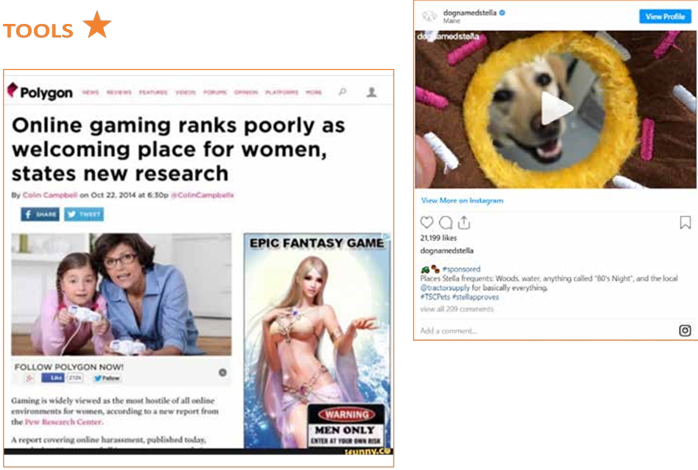
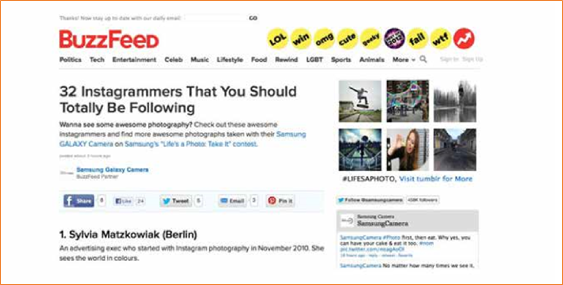
SURF SMART 2.0
8. SPOT THE AD (Continued)
 TAKE IT FURTHER
INFLUENCERS
MATERIALS:
Digital device
Що відбувається:
Відвідайте YouTube-канали улюблених знаменитостей. Якщо вам виповнилося 13 років і ви маєте акаунт у соціальних мережах, ви можете замість цього зайти на профілі своїх улюблених публічних осіб. У світі маркетингу людей, які мають багато підписників в Інтернеті, називають «інфлюенсерами», і їм іноді платять за рекламу товарів.
 Перегляньте їхні дописи та вкажіть на все, що є рекламою. Знайдіть хештеги, які вказують на спонсорований допис, наприклад #ad, #sponsored, і спробуйте визначити, який саме контент є спонсорованим. Чи це просто? Чи знали ви, що якщо ви рекламуєте товар у соціальних мережах, ви повинні чітко про це зазначити?
Перегляньте відео 'Social Star – Ads in Disguise' і дізнайтеся більше про те, як інфлюенсери рекламують товари.
 Exposure of children to digital marketing, Source: Children and Digital Marketing: Rights, risks and responsibilities Discussion
Paper, UNICEF, 2018 Штучний інтелект (ШІ) — це потужний інструмент, який допомагає нам у багатьох аспектах: він блокує спам, фільтрує шкідливий контент і забезпечує безпеку наших облікових записів. Але, як і будь-який потужний інструмент, його можна використовувати й у небезпечних цілях. ШІ може створювати фейкові відео, писати неправдиву інформацію, імітувати реальних людей і навіть намагатися обдурити вас, щоб ви розкрили особисті дані.
У цьому розділі ви дізнаєтеся, як розпізнати різницю між тим, що є справжнім, а що було створено ШІ. Ви також потренуєтеся виявляти шахрайство, фейкові новини, діпфейки та інші
 20 mins
OUTCOME:
Participants will learn to spot signs of AI-generated or manipulated content (like deepfakes, fake news, and misleading AI posts) and make smart judgments when navigating digital information. Порада!
 MATERIALS: • Заохочуйте групові обговорення. Люди помічають різні підказки!
• A set of Fact or Fake Cards containing AI generated images
• Звертайте увагу на деталі: руки, очі,
• Clue cards or paper дивні фрази, граматичні помилки або
• Pens or markers надмірно емоційний стиль висловлювання.
|
Картки |
|
|
|
|
|
|
|
|
|
|
|
|
|
|
|
|










Що відбувається:
1. Працюйте в парах або невеликих групах.
2. Ви отримаєте набір із двох схожих цифрових або друкованих карток із зображеннями, створеними штучним інтелектом, та реальними зображеннями
3. Для кожного набору карток вирішіть:
• Це справжнє зображення?
• Чи створене штучним інтелектом?
4. Запишіть щонайменше дві підказки, на які ви спиралися, приймаючи рішення. Наприклад: «На зображенні 3 руки» або «Зображення виглядає деталізованим»
Штучний інтелект тепер здатний створювати зображення, які виглядають дуже реалістично. Іноді навіть експерти не можуть відрізнити їх від справжніх. Зверніть увагу:
• Не дивуйтеся, якщо учасникам буде важко відрізнити справжні зображення від створених штучним інтелектом.
• Мета цього завдання — дізнатися, як може виглядати справжній штучний інтелект, а не визначити, що «правильно», а що «неправильно». • Заохочуйте учасників ставити запитання та проявляти цікавість, а не зосереджуватися лише на відповідях. Це нормально, якщо межа між ними здається розмитою — у цьому і полягає суть завдання 

Шахраї та шкідливі боти постійно вигадують нові хитрі способи обдурити людей в Інтернеті. Деякі використовують штучний інтелект, щоб писати фейкові повідомлення, видавати себе за твого друга або влаштовувати шахрайські розіграші. Але не хвилюйся — у рамках цього заняття ти дізнаєшся, як розпізнавати тривожні ознаки, уникати шахрайства та що саме слід повідомляти. Ви вирушите у розслідувальну подорож серед підозрілих повідомлень і, спираючись на власний розсуд, вирішите, що є безпечним, що — підозрілим, а про що слід повідомити. Після цього саме до вас звертатимуться інші, коли їм знадобиться допомога у забезпеченні безпеки в Інтернеті!
2.КІБЕРДЕТЕКТИВИ

 30 mins
OUTCOME:
Participants will learn how AI is used in online scams, phishing, and data misuse, and practice how to spot, avoid, and report suspicious activity online.
 MATERIALS:
• Scenarios
• Score sheet
• Pens, stickers, or stamps
Що відбувається:
1. Учасники читають повідомлення/сценарій і вирішують:
a. Чи це безпечно? ✅
b. Чи слід цього уникати? 🚫
c. Чи слід про це повідомити? ⚠
2. Вони відмічають свій вибір у таблиці оцінок і вказують одну причину свого вибору.
|
1. Ви отримуєте голосове повідомлення, в якому, судячи з голосу, ваш друг просить ваш пароль для входу. |
2. У рекламі в TikTok знаменитість пропонує студентам безкоштовні гроші — достатньо лише ввести номер телефону та банківські реквізити |
3. В онлайн-тесті запитується: «Яка професія підходить вашій особистості?» Там потрібно вказати своє повне ім’я, дату народження та назву школи. |
|
4. Один із однокласників ділиться посиланням на веб-сайт із ШІ для допомоги у виконанні домашніх завдань, який входить до переліку рекомендованих інструментів вашої школи. |
5. У спливаючому рекламному вікні написано: «Спробуйте цей новий додаток із фотофільтрами на базі штучного інтелекту. Увійдіть, вказавши свою електронну адресу та пароль». |
6. Канал на YouTube, де публікуються огляди додатків для створення мистецтва за допомогою штучного інтелекту та надаються безпечні посилання для завантаження з офіційних магазинів додатків |
|
7. У повідомленні стверджується: «Завантажте цей чат-бот на базі ШІ, який надає відповіді на всі шкільні іспити — вчитися не потрібно!» |
8. Ви читаєте шкільний блог, у якому розповідається про те, як ШІ застосовується в дослідженнях кліматичних змін, і який поділився ваш вчитель природознавства. |
9. Ви отримуєте електронного листа, який начебто надіслано від вашого навчального закладу, але в ньому вас просять надати ваш студентський квиток та розклад занять. Адреса відправника виглядає незвично. |
БЛАНК ОЦІНКИ
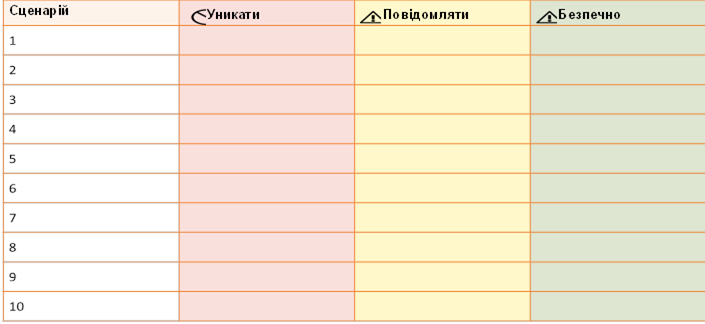
Ключ
No. Сценарій Дія Чому?
Ви отримуєте голосове повідомлення, яке Це може бути клонування голосу за
1 звучить так, ніби ваш друг просить вас ⚠ Повідомити допомогоюНіколи не повідомляйте штучного інтелекту свої паролі. , навіть
надати пароль для входу. якщо голос здається вам знайомим.
У рекламі в TikTok знаменитість пропонує Ймовірно, це шахрайство з використанням контенту ,
2 студентам безкоштовні гроші — достатньо лише 🚫 Уникати створеногоабо редагування за допомогою за допомогою технології ШІ. Ніколи «діпфейк не »,
ввести номер телефону та банківські реквізити. надавайте особисту або фінансову інформацію.
В онлайн-тесті запитують: « Яка професія підходить Ці опитування збирають особисті дані,
3 вашій особистості?» Там потрібно вказати своє повне 🚫 Уникати які можуть бути використані ім’я, дату народження та школу. зловмисно або продані.
Один із однокласників ділиться посиланням на веб-сайт із Це перевірено вашим навчальним
4 
штучним інтелектом для допомоги у виконанні домашніх ✅ Безпечно закладом і безпечно для використання з завдань, який вказаний у списку рекомендованих метою академічної підтримки. інструментів вашої школи.
У спливаючому рекламному вікні написано: «Спробуйте Вхід на невідомі сайти цей новий додаток із фотофільтрами на базі штучного Уникати може призвести до викрадення даних
5 🚫
інтелекту. Увійдіть, вказавши свою електронну адресу та або злому облікового запису. пароль».
Канал на YouTube, де оглядають додатки для створення Він перенаправляє вас на надійні
6 мистецтва за допомогою штучного інтелекту та надають платформи для завантаження додатків, безпечні посилання для завантаження з офіційних ✅ Безпечно такі як Google Play або Apple App Store магазинів додатків.
Це
У повідомленні йдеться: «Завантажте цей чат-бот сприяє обману та може
7 на базі штучного інтелекту, який дає відповіді на всі ⚠ Повідомити міститиабо пастки шкідливе, створені програмне штучним забезпечення інтелектом. шкільні іспити — вчитися не потрібно!» Повідомляйте про такі неетичні інструменти.
Ви прочитали шкільний блог, у якому розповідається про
Це навчальний матеріал від те, як штучний інтелект використовується в дослідженнях
8 авторитетного навчального закладу. кліматичних змін, посилання на який поділився ваш ✅ Безпечно Чудовий спосіб навчатися відповідально! вчитель природознавства.
Ви отримуєте електронного листа, який начебто надіслано Ймовірно, це фішинг, створений за з вашого навчального закладу, але в ньому вас просять допомогою штучного інтелекту.
9 ⚠ Повідомити Перш ніж відповідати, зверніться до
вказати номер студентського квитка та розклад занять.
Адреса відправника виглядає незвично. адміністрації вашого навчального закладу.
 15-20 mins
OUTCOME:
Participants will co-create a set of cyber safety best practices and pledge to protect themselves online using simple, memorable tips
MATERIALS:
• Large poster or chart paper
• “Cyber Safety Checklist” template
• Markers, stickers, or thumbprint ink
Що відбувається :
1. Груповий мозковий штурм (5–7 хв): Що можна зробити, щоб забезпечити свою безпеку в Інтернеті за допомогою ШІ? Учасники пропонують поради. Запишіть 6–8 рекомендацій.
2.
Усі учасники разом складають перелік заходів для забезпечення своєї безпеки в Інтернеті за допомогою інструментів ШІ стастратегій підвищення обізнаності:
•Надійні паролі (ШІ може вгадати слабкі паролі!)
• Використання двофакторної аутентифікації (2FA)
• Вміння розпізнавати діпфейки та фейкові новини
• Повідомлення про фішинг або підозрілу активність
• Кожен учасник підписує свій перелік як особисте зобов’язання.

 ПІДІЙДІТЬ ДАЛІ
3. Створіть плакат «Щит проти ШІ» (5 хв):
Назвіть список «Наш щит проти ШІ» або «Зобов’язання щодо кібербезпеки».
Запросіть учасників підписати або поставити відбиток великого пальця на знак підтвердження зобов’язання. 4. Групове фото (за бажанням): Зробіть фотографію зобов’язання, щоб поділитися нею, або прикріпіть її на стіну як нагадування.
Учасники можуть створити версії плаката з обіцянкою у Canva, щоб опублікувати їх у цифровому форматі
 40 mins
OUTCOME:
Learn what digital divides are and how they can affect the lives of children – and girls in particular.
MATERIALS:
Sweets/biscuits or stickers, information bubbles about digital divides (see Tool below), flipchart or board, pens or markers.
BE PREPARED:
Prepare and display the information bubbles around the meeting area. If participants are still
learning to read, you can read them out loud.
Що відбувається:
1. Розподіліть серед учасників різну кількість цукерок/печива/наліпок. Дехто повинен отримати багато, дехто — трохи, а дехто — взагалі нічого. Придумайте причину, якою ви керувалися під час розподілу, наприклад, місяць народження, колір очей або зріст. Це одразу викличе обурення: «Це несправедливо!».
Коли всі сядуть, задайте питання: «Чи це справедливо?». Заохочуйте до обговорення. Як учасники ставляться до кількості цукерок/печива/наліпок, які вони отримали? Чи слід перерозподілити цукерки/печиво/наліпки за іншим принципом? Можливо, на основі рівності?
 Обговоріть
визначення нерівності, наприклад: «несправедлива ситуація в суспільстві, коли одні люди мають більше можливостей, грошей тощо, ніж інші» (джерело: Оксфордський словник), і запишіть його.
2. Попросіть учасників подумати про ті сфери, в яких люди можуть стикатися з нерівністю. Серед можливих відповідей можуть бути: матеріальний стан, ставлення,
відповідальність, можливості, гендерні, расові, етнічні та вікові аспекти, доступ до освіти, охорони здоров’я та цифрових можливостей. Поясніть групі, що саме цифрову нерівність та цифровий розрив ви й будете обговорювати під час цього заняття.
Для деяких із вас доступ до цифрової інформації та комунікаційних технологій може здаватися цілком природним. Але це не так для всіх людей у світі чи навіть у вашій власній країні. Розрив між тими, хто має доступ до Інтернету та можливостей, які може запропонувати цифровий світ, і тими, хто такого доступу не має, називається «цифровим розривом».
3. Попросіть учасників пройтись по приміщенню для зустрічі та ознайомитися з інформаційними картками про цифровий розрив, які ви розвісили. Ці твердження допоможуть вам направити розмову на цю тему.

1. DIGITAL DIVIDES (Continued)
 SEARCH RESULTS
Gender equality refers to the enjoyment of equal rights, responsibilities and opportunities of girls, boys, men and
women. Equality does not mean that women and men will become the same but that women’s and men’s rights, responsibilities and opportunities will not depend on whether they are born male or female. Gender equality is a human right.
In most societies there are differences and gender inequalities between women and men in responsibilities assigned, activities undertaken, decision–making opportunities, access to and control over resources. These inequalities prevent women and girls from enjoying their human rights.
Gender inequality can result in violence against girls and women. Here’s how they are linked:
• 
Men and boys are less likely to respect women and girls if they are not encouraged to treat them as equals.
• Women and girls are less likely to realise that they are experiencing violence if they are used to being treated differently because they are female.
All around the world, more men than women use the internet and associated technologies[3]. The main reasons behind this divide are social norms, lack of access to education, lack of confidence, gender wage gap, financial dependency on spouses and male relatives, geographical isolation and poor technological infrastructure.
To be unconnected in a digital world is to be deprived of educational resources, employment and business opportunities, access to global information, online opportunities for learning and exploring new friendships. Inequality in digital access undermines girls' and women’s human rights to freedom of expression, religion and association and public affairs[4].
Learn more about gender based violence, its cause and your rights through the ‘Voices against Violence’ curriculum.

INFORMATION BUBBLES[5]
• ‘If the world was just 10 people then 5 of them would not be using the internet’.
• ‘If only 10 people used the internet, then just 1.5 of them would have access to high speed internet – meaning a connection that is always available, affordable and accessible on demand’
• ‘If the world was just 10 people then 4.9 of them would be women. Only 2 of them would have access to mobile internet'
• ‘Half of the women and girls living in South Asia do not have digital access’
• ‘Girls in some rural areas may face restrictions on their use of digital devices solely because of their gender’
• ‘Half of all the learners worldwide (826 million) do not own a computer at home, while 4 out of 10 learners worldwide (706 million) do not have internet at home’
• ‘1 out of 3 of the world’s schoolchildren – 463 million children globally – were unable to access remote learning during the COVID–19 pandemic’
• ‘All over the world, people who live in cities are more likely to use the internet, where incomes, educational levels, and digital access are highest. Rural areas are typically underserved.’
• ‘In most countries, racial and ethnic minorities have less access and use of the internet than majority groups.’
•
‘All across the world, young people are more likely to use the internet than are the elderly. But in many countries the elderly is experiencing the most rapid increases in rates of internet usage.’
• ‘Less than 3 out of 10 people use the internet in Sub– Saharan Africa and Afghanistan. In countries such as North Korea, Chad, Niger, and Eritrea, less than 3 out of 100 people has Internet access’
• ‘In India, only 3 out of 10 internet users are female. Globally, 12% more men than women access the internet’
For younger participants, consider using the following adjusted version of the information bubbles.
• ‘If the world was just 10 people then 5 of them would not be using the internet’.
• ‘All around the world, more boys than girls use the internet.’
• ‘If the girls all around the world were only 10 girls, then 4 of them would not have internet on their mobile phone’
• ‘Almost half of all the students around the world do not have a computer or even internet at home’
• ‘All over the world, people who live in cities are more likely to use the internet, than those who live in rural areas’.
• ‘All across the world, young people are more likely to use the internet than are the elderly.’
• ‘In most countries, it is less likely to have access to the internet if you belong to a racial and ethnic minority.’
• In some countries, most of the people do not have access to the internet at all.
|
20 mins OUTCOME: Learn to tell facts from opinions as a way to fight misinformation. MATERIALS: Fact and Opinion statements (See Tool below), beach ball, permanent marker. |

 BE PREPARED:
Write 'Fact' and 'Opinion' all over the ball.
WHAT HAPPENS:
Let participants know that you will give out 2 statements and they should try and understand which statement is true and which one is opinion:
'Cats have fur and can purr.' – 'I believe that cats make the best pets.'
Let the group tell you what they think. How can they tell that the second statement is something that is just your opinion?
Some statements are a fact, which means they can be proven true or false, while others are an opinion, meaning that we might agree or disagree with them, but we cannot prove or disprove them; they are a person’s or a group’s belief, thought or feeling.
Play the following game with the ball to bring home the idea:
1. Participants form a circle. One girl stands in the centre and holds the ball.
2. Give out one of the statements. She listens to it and has to identify it as Fact or Opinion.
3. Then she calls out the name of another participant and throws the ball up in the air. The girl whose name has been called has to run in the middle and catch the ball before it falls to the ground.
4. Read out one more statement.
5. Continue until everyone has had a go.
DISCUSS with the group:
Sometimes, we may see online videos, news or pictures that convey messages by other people.
• Why is it important to tell which of these messages are facts and which are their opinions?
• What are some things that make fact and opinion different?
Although hearing or reading other people’s opinions is important and can also be useful to helping you make up your mind, it’s important to understand that it is opinion!
Being able to distinguish between fact and opinion develops our critical and analytical skills. Whether on the news, in advertising, or a history book, opinions can be used to mislead us.
Telling the difference is important to avoid being manipulated. We can then learn new things that are true and form our own opinions. It can be difficult sometimes to tell between the two, but taking a closer look at the language used is a good indicator (See below).
Play again but now each time a girl catches the ball, she looks which word – Fact or Opinion – is under (or closest to) her right thumb and has to come up with that type of a statement. Players are invited to identify if the statement was correct or not.
 SEARCH RESULTS
|
Signal words for Fact |
Signal words for Opinion |
|
Numbers |
Believe, think, feel |
|
Names |
Best, worst |
|
Evidence |
Favorite |
|
Dates |
Probably |
|
Times |
Point of view |
TOOL 
Fact and opinion statements
|
Fact |
Opinion |
|
The sun is hot |
Broccoli is yummy |
|
The earth is round |
I think tomorrow will be sunny |
|
Sunday is the day before Monday |
My favorite season is the summer |
|
5 is a bigger number than 3 |
I believe that elephants are dangerous |
|
The sea is made of water |
Roses smell nicer than any other flower |
|
Ice cream is cold |
Math is the hardest subject |
|
Today is … (example: Monday) |
Pizza is delicious |
|
Lollipops are sweet |
Dogs and cats cannot be friends |
 30 mins
OUTCOME:
Learn to spot misleading content and fake information.
MATERIALS:
Fake articles and pictures (See Tool below). Nice to have: digital device for the video.
Що відбувається:
«Фейкові новини» — це вигадані новини, які подаються як справжні. Це не просто новини, з якими ви не згодні. Часто їхня мета — зашкодити репутації людини чи організації або заробити гроші за рахунок доходів від реклами. Розділіть учасників на невеликі групи та роздайте кожній групі одну або кілька фейкових статей та зображень. Попросіть групи ознайомитися з ними: чи можуть вони визначити, справжні вони чи фейкові?
Попросіть їх відзначати все, що здається їм підозрілим або, навпаки, достовірним. Якщо у вас є доступ до Інтернету, вони можуть спробувати перевірити, чи це правда чи вигадка, або ж самостійно знайти приклади підозрілих статей чи зображень.
 Якщо можливо перегляньте відео ‘Helping Students
Identify Fake News with the Five C’s of Critical Consuming’ щоб дізнатися про інші способи виявлення фейкових новин, або перегляньте інформацію нижче у розділі «Результати пошуку».
• Чи має значення, якщо ми не можемо
Фейкові новини намагаються нав’язати вам свою думку. Але ви, як і всі інші, маєте можливість сформувати власну думку, якщо володієте справжніми фактами. Справжні новини допомагають робити правильний і безпечний вибір.
Якщо ви виявили фейк, є одна річ, яку ви можете зробити, щоб зупинити його поширення: повідомте про нього. Не діліться, не ставте лайки, не коментуйте – навіть з сердитим смайликом. Будь-яка з цих дій змушує алгоритм вважати, що новина важлива, і показувати її більшій кількості користувачів.
 Інформація, що вводить в оману, покликана викликати емоційну реакцію, яку потім легко поширити в соціальних мережах. Вона може мати вигляд:
• сатиричних новин
• щоденних клікбейтів у наших стрічках соціальних мереж
• новин, що демонструють яскраво виражену упередженість
|
відрізнити справжні новини від фейкових? • Які ознаки вказують на те, що інформація, на яку ми натрапляємо в Інтернеті, є фейковою або клікбейтом? • Як ми можемо в цьому переконатися? • Що ми можемо зробити, щоб запобігти її поширенню? ЗВЕРНІТЬ УВАГУ: хоча існує кілька способів відрізнити фейкові новини від справжніх, все одно можна потрапити на обман. DISCUSS: SEARCH RESULTSS |
• відверто вигаданих новин
3. REAL OR FAKE? (Continued)
П’ять ознак фейкових новин/клікбейту:
• Низька якість. Епатажні заголовки, що містять такі слова, як «шок», «жахливо», «круто», «неймовірно», а також слова, написані великими літерами, з граматичними помилками, великою кількістю знаків оклику або обурливим змістом.
• Автор. Якщо ім’я автора не вказано або якщо у розділі «Про нас» немає інформації про те, хто стоїть за новинним веб-сайтом, то варто задуматися, чому вони не є прозорими. Зверніть також увагу на незвичайні URL-адреси або назви сайтів, зокрема ті, що закінчуються на «.co» –– це не є легітимними новинними сайтами.
• Дата публікації. Якщо вона не вказана, а ви бачите розпливчасті слова, такі як «вчора», «позавчора», «нещодавно», то, можливо, ви маєте справу з фейковими новинами.
• Джерела. Чи наводить стаття факти? Чи джерела та докази є розпливчастими щодо того, хто що сказав, коли щось сталося тощо? Це все ознаки вигаданих новин.
• Ознаки клікбейту. До них належать надмірна кількість спливаючих вікон, банерної реклами або прохань поширювати чи купувати товари.
|
Хтось поширює неправдиву інформацію? Ось що ви можете зробити: 1. Говоріть ввічливо. Не звинувачуйте цю людину 3. Запропонуйте альтернативу. Порадьте їм в поширенні неправдивої інформації. Натомість надійні та достовірні джерела. вкажіть їй, що публікація чи порада, якою вона 4. Задавайте питання щоб допомогти іншим поділилася, не виглядає так, ніби походить з надійного проаналізувати власні аргументи та джерела, АБО що вона не є цілком точною. перевірити, чи витримують вони критику. 2. Зверніться приватно.Можливо, спочатку варто 5. Зрозумійте, що деякі люди не хочуть звернутися до них приватно — особисто або через змінюватися, незалежно від фактів. приватне повідомлення. Вони швидше будуть 6. Якщо дискусія загострюється і ви починаєте сприйнятливі, якщо не відчуватимуть публічного сорому .злитися, просто зупиніться. |
•
Сильні емоції. Клікбейт і фейкові новини націлені на екстремальні реакції. Якщо новина, яку ви читаєте, викликає у вас гнів або страх, це може бути ознакою того, що вона вигадана.
4 цифрові стратегії, щоб перевірити, чи правда те, що ви прочитали:
• Знайдіть оригінал і перевірте джерело.
У соціальних мережах поширюється багато публікацій. Важливо знайти першоджерело, щоб ви могли вирішити, наскільки йому можна довіряти. Здійсніть пошук в Інтернеті, щоб дізнатися, чи вважають інші люди або групи, що цій інформації можна довіряти. • Перевірте інші джерела.
Шукайте інші надійні, основні ЗМІ, які повідомляють про ті самі новини. Якщо вони цього не роблять, це не означає, що це неправда, але це означає, що вам слід копати глибше. Надійні джерела новин — це ЗМІ, які наймають досвідчених журналістів, докладають зусиль для перевірки інформації та є незалежними.
• Перевірте свої упередження. Чи затьмарюють ваші переконання або побоювання ваше судження?
• Звернітьсядоджерел, яким ви довіряєте: проконсультуйтеся з експертом, авторитетом у певній галузі, офіційними джерелами, веб-сайтами з перевірки фактів, такими як Snopes.com & FactCheck.org, скористайтеся функцією зворотного пошуку шокуючих зображень у таких пошукових системах, як Google. com and TinEye.com або просто введіть твердження в пошук Google і додайте слово «hoax».

 Інструменти

Ви можете скористатися наведеними тут прикладами або знайти фейкові новини своєю рідною мовою, ввівши в пошукову систему «Приклади фейкових новин» або «Скріншоти фейкових новин» і скориставшись пошуком за
 ПІДІЙДІТЬ ДАЛІ
Дізнайтеся, як інформація може поширюватися між користувачами, за
допомогою вправи «Суперпоширення» з розділу «Зв’язуйся… позитивно в Інтернеті».
 40 mins
OUTCOME:
Learn to identify conspiracy theories.
MATERIALS:
Conspiracy theory example, components of conspiracy theories & pieces of information (See Tool below), papers and pencils for the groups, 4 containers or bowls
BE PREPARED:
Select an example of conspiracy theory, that is interesting for your group. Have the theory and the components written for everyone to see.
Group the pieces of information separately and put them in the 4 containers.
WHAT HAPPENS:
1. Start by letting the group know that you have something important to tell them that not many people know. Use a low voice and a meaningful tone to share the example theory with them.
Ask the group what they think about it and then let them know that it is not true, it was a conspiracy theory. What do they know about conspiracy theories?
DISCUSS: What do you know about conspiracy theories? Why do you think conspiracy theories emerge?
When big events happen in our society, they might make the world seem uncertain, unsafe or chaotic. Often our human spontaneous response to these kinds of extraordinary situations is to assume there can only be extraordinary explanations.
For example it is hard to digest that a disaster was just an accident. Or that a deadly virus emerged naturally and became stronger through natural selection. We tend to think 'How can something so important be accidental or have such a simple explanation?'.
That is when conspiracy theories tend to arise: 'to explain an event or set of circumstances as the result of a secret plot by usually powerful conspirators' (Definition by the Merriam– Webster dictionary).
They are so appealing to us because they fundamentally proclaim: nothing happens by accident, nothing is as it seems, and everything is connected.
2. But how can we actually tell? Explain that usually conspiracy theories are formed by 4 components. They mention:
i. A group (maybe one that is different than ‘ours’ in terms of religion, ethnicity, culture, sexual orientation etc.), all governments in the world… ii. Is acting in secret, …have secretly agreed with big tech companies to put chips in medical masks… iii. Trying to change ‘our’ institutions/take the power/ hide the truth, …which send subconscious messages for obedience…
|
8Source: Adapted from Tower Hamlets’ Secondary School Prevent resources, ‘Conspiracy Theories Lesson’ |
iv. At the expense of ‘our’ group, another group or the common good, …to anyone who might have different political views.
4. BUILD A THEORY
(Continued)
3. Then split into smaller groups. Have each group choose 1 piece of information from each bowl of components:
1. a group, 2. a public figure or entity they are meeting in secret with, 3. what they are trying to do and 4. at whose expense?
With these 4 pieces of information and 10 minutes to prepare, the group that can come up with the most convincing theory, wins. They can add some evidence to back up their theory – maybe something they have heard about or if possible by searching online.
Present theories. Which one was the most convincing and what were some of its strengths and weaknesses?
DISCUSS: what are some risks from spreading conspiracy theories?
Conspiracy theories can promote feelings of helplessness, disillusionment, mistrust, suspicion, and fear leading to the destabilization of the whole of a society. Even among people who don’t believe it, the conspiracy theory can damage trust to government services, institutions, organizations, groups of people etc.
TOOL
CONSPIRACY THEORY EXAMPLES
Select one of the following conspiracy theories to open this activity. You can use other conspiracy theories you know that resonate with your group:
1. 'Big bread' industry paid toaster manufacturers to put in a setting that is too high so that people would burn their toast, meaning that they sell more bread.
2.
The recommended food pyramid, that is created by the Food & Drug Administration and shared in most parts of the world, is actually created by the food industry that funds them. So it is not based on a well– balanced diet but it is made in a way that it promotes the food industry’s products and they get simple people to spend their money on them.
3. All government secretly experiments on the mentally insane because no one will believe someone with that kind of medical history. Experiments are mostly physical but also mental.
4. Scientists and NASA tell people the earth is a spinning sphere hanging in space, to make people feel small and helpless. But the truth is the earth is flat and immobile.
5. Smartphone batteries: Phones used to have removable batteries and now almost none of them does. This is because law enforcement agencies want to make you think that your phone is powered off when in reality it's just displaying a black screen. That way they can still track you, listen to your conversations and take pictures.
Pieces of information per component
We recommend reviewing these and making any necessary changes in order to include things and people that your group is familiar with.
1. a group: Google, a local or international news agency, the government, Amazon, the food industry, an international airline, teenagers
2. meeting in secret with a public figure/entity: Beyonce, Jacinda Arden, Robert Baden–Powell, pharma industry, Bill Gates, video game industry
3. trying to: get rich from…, take the power from…, hide something…, make use of something..., change…, make a group do something they wouldn’t otherwise do.
4. at the expense of: children, businesses, vegans, family men, our nation, our religion/beliefs
|
OUTCOME: Understand what a digital footprint and a digital impression is and how to keep it safe. MATERIALS: Digital device, paper, pencil, Digital footprint & Log Book (See Tool below) |


WHAT HAPPENS:
Every time you go online on a computer, phone, tablet, 'smart' TV, game system, or other device that stream or share content you leave traces of your online information, data and actions: that is your digital footprint.
If you use the internet you are certain to have a digital footprint.
Can you think of any activities or actions that you do using the internet? Write them down on the Footprint template to create your own digital footprint. How many can you think of?
Why do you think it is important to be aware of and take care of our digital footprint?
Yourdigital footprint follows you everywhere you go on the internet. Every time you sign up for something, create a new account, comment/like/dislike other people’s photos, comments or videos, upload a photo or join a social media network, browse a website, share your location, e–shop, you are adding one more thing to your footprint. Anything you share online might stay there for a really long time, unless you, or someone else, deletes it, and even then, it is not sure it will disappear completely. Learn what information is safe to share online in activity ‘Share it or keep it’ on page 60.
If your profile on social media or online games is set to ‘public’ – it means that anyone can see it. And that can be unsafe as it leaves you open to whomever might want to take advantage of you. For example, tagging your location in public posts can inform someone you don’t know about where you are.
For the next part of the activity you can pair with someone you trust – a friend, a sibling, a caregiver. Each one goes online and searches the other one’s name to see what comes up on a web search and on specific social media. Make sure you are signed out of your personal account on all social media sites.
|
|
To make your search more effective, you can add some information next to your name, like the city you live in. Look for content including achievements, hobbies, language in comments (slang, formal language typos, swear words, offensive language), photos, any controversial or illegal activity, and your personal information (address, phone number, location etc). Every time you find something note it down on your Log Book. delete or any app settings that you can change to make your account more secure? Make the necessary changes.
• What could you do differently from now on, in order to create a positive digital impression and keep your profile as safe as possible? Think about 5 key actions.
• When setting up a social network profile, don’t use your full name.
• Check your privacy settings before posting. If your posts can be accessed by everyone you know, don’t post anything that you wouldn’t want everyone you know to see.
• Remove any personal information from your profile or the posts that could be used to identify you, such as full names, ages, locations, phone numbers, or the name of your school.
• Remember that once something is posted online, it cannot be taken back. Even if you delete a post, its content could have been copied. Individuals who want to know more about you can learn a lot by searching for you on the internet – so be careful how much you share!
• If anything makes you feel uncomfortable, such as others making comments you don’t like, speak to an adult you trust.
Share your experiences with your group.
 Your digital impression is what others think of you through how you act online, and unlike something you might say out loud, the internet doesn’t forget the things you post. How do you want people to view you? You are in control of that.
Be positive, avoid the negative. Consider what someone you respect might think if they saw your post or uploaded photo.
• Make sure you think twice before tagging your location – it can show strangers where you are.
• If a photo or video, or a tag of you has been posted online and you feel uncomfortable, it is your right to ask the person who posted it to take it down.
• You should always ask for permission before posting a photo or video of someone else on social media.
• Ask a trusted adult to follow your profile and keep an eye on what is posted there.
• If you are worried about something you have put on the internet, talk to someone face to face. If you do mess up, act fast to set things straight. Information travels so quickly that if you want to limit the consequences of that nasty post or embarrassing photo, delete it as quickly as you can. Do you owe someone an apology? It looks a lot better if you take responsibility for your mistakes.
• Create safe and positive content about yourself online, so you can encourage positive search results.
(Continued)
TOOL
DIGITAL FOOTPRINT
LOG BOOK
|
Activity found |
Where did I find it? |
What was it exactly |
Positive footprint |
Negative footprint |
Do I need to change something? |
|
Example: Post congratulating friends |
|
Public post |
yes |
|
Set posts to private on privacy settings |
|
Example: Photo of birthday celebration |
|
Tagging location |
|
Yes |
Turn off location information |
|
|
|
|
|
|
|

 TIP!
TIP!
 Setting up your profile on a social network or chat room? Create an avatar or an emoji instead of using your photo. There several free tools to use, some of which are Bitmoji or Avatar Maker
 40 mins
OUTCOME:
Understand that the image we see online sometimes is not real.
MATERIALS:
Paper & pencils for each participant, tape, digital device
WHAT HAPPENS:
1. Each participant gets a piece of paper, a pencil and a piece of tape to hang the paper on the wall. 2. Ask the person next to you to draw the outline of your head and shoulders. Think and write around your ‘selfie’ some of the things (characteristics and qualities) that make you who you are. For example: loves pizza, ballet dancer, experienced camper, cracks jokes, hates bugs etc.
3. When finished everyone presents their ‘selfies’. If you come across any qualities written negatively, try as a team to find a positive way to re–write them. Eg ‘terrible singer’ could change to ‘loves music’.
|
... According to a U–Report poll, the biggest body image problems for girls were unattainable body standards and pressure from social media, with 27% U– Reporters mentioning the first and 24% choosing the second. Take a look at the report to know more. |

DISCUSS: Did anyone write exactly the same things on their selfies? How would it be if we were all exactly the same? Why is it
important to embrace how each one of us is unique?
Magazines and advertisements often use airbrushing to create a ‘perfect looking’ image of models and celebrities, an ‘image myth’.
The Image Myth is the society’s idea of what the ‘perfect’ girl or boy should look like. This is a myth (i.e. a false, made–up concept) because it’s impossible for anyone to achieve, and of course it’s not true that there is only one way to look beautiful.
Even celebrities, film stars and pop stars don’t always actually look like the pictures you see of them. This is because of computer airbrushing.
Airbrushing is when we digitally alter or conceal a photograph or a detail in one, by using digital tools.
On the same note, social media influencers often use filters in the pictures or videos they upload on Instagram, YouTube or TikTok. Have you heard about that?
In social media some people use filters to reshape and refine their features and body, not only in pictures but also in live or pre–recorded videos they post. This isn’t what they really look like.
6. THE PERFECT SELFIE (Continued)

 Brainstorm with the group different ways that this image editing is used. For example, for promoting products/ advertisement, for getting likes/followers, to feel good about ourselves etc.
 Then watch any or all of the following videos:
• ‘Dove evolution’ demonstrates how an image can change through editing.
• ‘Should we edit our selfies?’ shows how those perfect photos we see online aren’t always what they seem.
•
‘Selfie Harm’ by @rankinarchives of teenagers editing & filtering their images until they felt the image was ‘social media ready’.
DISCUSS:
• What did you think about what you saw in the videos?
• How realistic or unrealistic is the outcome of these techniques? Is the outcome achievable?
• Are girls and women affected by this 'perfect looking' image that the media and celebrities create?
• Going back to the ‘selfies’ activity, reflect if this 'perfect looking' image contributes to celebrating our differences.
By having one look that gets put forward as being beautiful, it leaves everyone feeling left out because nobody really looks exactly like fairy tale princesses in real life. The picture– perfect images and lives portrayed on social media are having a worrying impact on our self–esteem and mental health as it is impossible to achieve them.
 1 week
OUTCOME:
Learn how cookies work to show us ads and sponsored posts.
MATERIALS:
Digital device, notebook, pencil, notepad (See Tool: Example of Notepad below)
WHAT HAPPENS:
Computer cookies are small pieces of data that help websites keep track of your visits and activity. They also give advertisers insight into how you use the web. For example: when you click a link on Facebook or Instagram or search for a product on Google, these sites analyze your behavior — even after you’ve left those sites and are several clicks along on your internet journey. Marketers use this information to get their content and products in front of you and other people that could be interested.
Try this to understand how they work:
1. Select one or more of your social accounts. Go through your feed looking for advertisements. Note them down: what kind of products come up? Which brands?
2. Then, consult with your leader to think of something that you need to buy for your meeting place or a place you might want to visit with your group.
3.
Conduct an online search on Google or any other search engine for it. Make sure you click on more than 5 results that come up and once again note the brands that you looked at, names/types of products etc.
4. For the next week notice and write down what type of ads come up on your social feed after this research. Have the ads changed since the first time? Are the ads appearing related to the online research you did?
5. Is there a way to delete cookies? Try to find out how.

 Watch the video ‘Cookies and Your Online Privacy’ to learn more about the way Cookies work.
DISCUSS with the group your thoughts and how you felt about any changes in the ads that appeared.
The computer cookie helps the website keep track of your visits and activity. This isn’t always a bad thing. For example, when you shop online cookies keep track of what you put in your shopping cart. Cookies are also used to record login information or online web history. But sometimes cookies can hide security concerns, which is why a setting that controls or limits tracking them can help protect your privacy setting while still making it possible to carry on with your activities.
To manage your cookies open your browser and find where cookies are stored. Every browser gives you a range of options for enabling or deleting cookies. You can find more information for each browser here.
(Continued)
TOOL
Example of Notepad to keep track of your findings:
|
Date/action |
Social account |
Products |
Brands |
Thoughts/feelings |
|
1/3/2021 – My feed |
|
Electric guitars |
A, B, C |
... |
|
TikTok |
... |
... |
... |
|
|
4/3/2021 – Research |
|
|
|
|
 TAKE IT FURTHER
 Learn more about advertisement online, through the activity ‘Spot the ad’ in section Protect… yourself from online risks.
AI isn’t just about technology — it’s about people, too. The way AI is created and used can reflect the biases, stereotypes, and unfair treatment that exist in society. For example, some AI systems have been found to show fewer women in leadership roles or to respond differently based on skin tone or gender.
This section is about learning how to recognize bias in AI, understand how it happens, and explore what fairness really means in a digital world. You'll take part in hands-on activities that make these issues visible and relatable — and you’ll be empowered to advocate for better, more inclusive technology.
This is your space to ask: Who decides what’s fair in AI? And how can we help make it better for everyone?
1. BIAS IS IN THE EYES OF THE BEHOLDER 
 40 mins
OUTCOME:
Participants will understand how bias can appear in AI-generated images and learn to critically reflect on stereotypes in technology.
MATERIALS:
• Access to a free AI image generator (e.g., ChatGPT, Bing Image Creator, Canva AI Image Generator)
• Internet access on individual or shared devices Worksheet or notebook to record reflections
 TIP!
TIP!
•  For younger participants: Pre-select prompts and generate images in advance, so the focus is on reflection, not tech setup.
• For older participants: Encourage them to try comparing image results across different AI tools.
1. Option 1: Using Craiyon (no account needed)
• Go to https://www.craiyon.com
• In the text box, type a prompt (e.g., CEO,” “nurse,”
“scientist”)
• Click “Draw”
• Wait 1–2 minutes for 9 AI-generated images to appear
• Right-click or long-press to save an image if needed
• Repeat with a different prompt to compare
2. Option 2: Using Bing Image Creator (Microsoft account required)
• Go to https://www.bing.com/create
• Sign in with a Microsoft account
• Enter a descriptive prompt (e.g., CEO,” “nurse,”
“scientist”)
• Click “Create”
• View and analyse the images generated • Click an image to enlarge or download

a. Spot the Bias
• What do you notice about the people shown?
• Are there more men than women in certain jobs?
• Are certain races or skin tones missing?
• Do the images reinforce stereotypes?
b. Group Discussion or Journal Reflection • Why do you think the AI made those choices?
• How do our own assumptions affect the AI systems we build?
• What would you change to make it fairer?
 TAKE IT FURTHER
Continue with the Fair AI Prompt Challenge! Create new prompts that include diversity:
TAKE IT OFFLINE 
|
AI Prompts and Bias: Why Prompts Matter in AI
What Is an AI Prompt? An AI prompt is simply what you type or say to an AI tool to get a response. What you put in affects what you get out—so prompts are powerful! AI learns from people, so if our instructions include stereotypes or only tell one side of the story, the AI will too. But when we learn to write better prompts, we can help create AI responses that are more inclusive, respectful, and balanced. That’s why fairness starts with the prompt. |

Give participants printed AI images of different jobs like “CEO,” “nurse,” or “scientist.” They look for patterns, write what they notice on worksheets, then discuss as a group.
 TIP! How to Write a Good AI Prompt
1. Be Clear and Specific: AI isn’t a mind-reader. The more specific you are, the better the answer will be. Instead of: “Tell me about digital safety,” Try: “Give me 3 facts about digital safety.”
2. Use Natural Language: Talk to AI like you would to a person. Keep it friendly and conversational. Avoid confusing slang, but don’t be too formal either.
3. Give Background or Context: Help the AI understand what you need by giving it a little story or setup to help it understand more.
For example: “I’m writing an invitation for my patrol’s camp meeting. Can you make it sound exciting and fun?”
4. Provide Examples: Show the AI tool what you’re going for by giving it an idea of what you want.
5. Focus on One Thing at a Time: If you ask too many questions in one prompt, the AI might get confused. Break it down step by step.
6. Improve as You Go: If the first answer isn’t right, change your prompt and try again. It’s normal to go back and forth until the AI gets it right.
7.
Watch Out for Bias: Ask yourself:
• Are my prompts fair to everyone?
• Am I leaving anyone out?
For example, if you ask for an image of a “scientist” and only get pictures of men, that’s a problem. Try adding: “Show different scientists of different genders and backgrounds.”
Quick Checklist: Writing Better AI Prompts
✅ Did I give clear instructions?
✅ Did I add specific details?
✅ Did I explain the task?
✅ Did I use simple language?
✅ Did I give an example of what I want?
✅ Did I check for spelling errors?
✅ Did I think about fairness and inclusion?
We can use better prompts to help fight bias in AI. Remember that AI reflects the people who teach it. That starts with us.
Better prompts = better, fairer technology for everyone.

OUTCOME:
Participants will learn how AI-generated images are shaped by the prompts we give and how changing the wording can challenge bias and promote fairness.
They’ll practice writing inclusive and diverse prompts, observe how AI responds, and reflect on why this matters.
 MATERIALS:
Internet access and devices (phones, tablets, or laptops) Access to a free AI image generator:
• Craiyon (no account needed)
• Bing Image Creator (Microsoft account needed—can use free Outlook or Hotmail accounts) Chart paper, whiteboard, or shared digital space to display images
|
WHAT HAPPENS: |
1.  Start by reviewing the last activity, “Bias is in the Eyes of the Beholder.” Discuss:
• What patterns did you notice when you used simple prompts like “scientist” or “pilot”?
• Did the images show real diversity, or were there stereotypes?
2. Challenge the group to write fair, bias-busting prompts that show people from all kinds of backgrounds in different roles. Examples:
• “A female pilot with curly hair flying a plane.”
• “A Black woman scientist working in a lab.”
• “A male nurse caring for a patient.”
• “A person with a disability teaching a science class.”
• “A group of friends of all skin tones and body types hanging out together.”
Encourage creativity! The goal is to create prompts that include gender, race, disability, and diverse life experiences.
3. Option 1: Craiyon (No Login Required)
a. Go to https://www.craiyon.com
b. In the box, type your prompt (e.g., “A Black woman scientist in a lab”)
c. Click Draw
d. Wait about 1–2 minutes for 9 images to appear
e. Right-click (or long-press on a phone) to save your favourite image if needed
f. Try a different prompt and compare the results
Option 2: Bing Image Creator (Microsoft Account
Required)
1. Go to https://www.bing.com/create
2. Click Sign In (top right corner)
3. Use a Microsoft account (Outlook, Hotmail, or
Xbox accounts work)
a. If you don’t have one, you can create a free account at signup.live.com
TAKE IT FURTHER 
Create a digital poster or collage that compares the images from the “Bias is in the Eyes of the Beholder” and your fair images.
TAKE IT OFFLINE
4.
Enter your fair prompt in the text box (e.g., “A male nurse caring for a patient in a hospital”)
5. Click Create
6. View the images. Click an image to enlarge it or download it
4. Each person or group:
• Picks their favourite “fair” image
• Shares why they chose it
• Explains how the wording of their prompt changed the result
Reflection:
• Why does it matter to write prompts that include everyone?
TIP!
•  For younger participants: Use pre-written prompts and focus on the reflection part if tech setup is tricky.
• For older participants: Encourage testing other AI tools to compare
Use printed pairs of pictures that show unfair vs. fair outcomes.
results (prepared before). Participants write their own fair prompts on paper and imagine what pictures they’d get.
OUTCOME:
Learn where to turn to for help when encountering an online problem.
MATERIALS:
Papers, pencils and scissors for each participant, pictures of places you can turn to for help (See Tool below)
BE PREPARED:
Do some research to find out national hotlines, expert organisations, support groups or any other places young people can turn to for support on internet issues
WHAT HAPPENS:
The internet can be a great tool to use in our everyday lives: we can find information, listen to music, watch movies and videos, learn new recipes, connect with friends and family, explore science etc. Sometimes things we read or see online, technical problems, mean comments, or an online argument can leave us feeling insecure, overwhelmed or scared.
Can you think about a time when you felt like that? If you are comfortable, share your experience with the group.
When things like that happen and you need help handling the issue, there are people and places to turn to. Play this game to find out where you can go for advice!
1. Split into small groups of around 5.
2. Each member of the group draws around their own hand on a piece of paper and they cut it out.
3. The groups then lines up for a relay race, each member holding their ‘helping hand’.
4. At the opposite end of the meeting space, lay out the pictures mentioning the key people or places you can go to about an online problem and pencils.
5. On signal the first person from each team runs up, reads one and writes it on one of their ‘helping hands’ fingers. Then they run back, grab the second player
by their hand and run up together. They should now both write one thing on their ‘helping hands’, while still holding hands. Then they go back, get the third person and so on until everyone has completed their own ‘helping hands’.
6. The winning team is the one that has filled up everyone’s ‘helping hands’ first. In any case make sure that everyone gets a chance to learn where to turn to!
Complete the activity by discussing and specifying each of the key people or places you can turn to; who is a person that you trust? or what is the number of a national hotline? Each participant can write it on their ‘helping hand’ and keep it for future reference.
(Continued)
 SEARCH RESULTS
Here are some examples for each of the places you can turn to:
• People you trust and feel safe with – It could feel embarrassing, but talking will make it easier for them to help you. They can support you to get out of a bad or uncomfortable situation. They can also make sure that your phone, tablet and computer have the appropriate parental controls on them to block things that might make you uneasy or upset.
• You can talk to a parent, carer, or someone else in your family; friend’s parent or carer, or a neighbor; teacher, Girl Guide/Girls Scout leader, sports coach or a member of staff at your school; doctor, school nurse or a school counsellor; religious leader, for example a priest, imam or rabbi.
• A national helpline/hotline – They could be provided by official government services, or an association. Commonly you can call, but sometimes you can also chat online with an expert. To find them do a web search by typing in the search box 'helpline internet [& the name of your country]'.
• An expert association or a community support group – They can provide regular support if you feel that you need this. To find them do a web search by typing in the search box 'support group internet [& the name of your country]'.
• Report/block button – If you see an image or a video online that upsets you or if you are experiencing bullying, sexual harassment, hate speech or any other type of harassment online you can always use the report or block button.
• Professionals such as doctors, nurses or social workers might be trained to help you with online problems such as addiction. Visit your local health center or hospital for directions.
TOOL 

People and places you can turn for help
|
OUTCOME: Learn how to use social media for positive promotion MATERIALS: Digital device (s), paper, pencil |

becoming a social media manager! Check with your leader if your group or local troop has an online presence on social media and offer to ‘take over’ the account, with their help and guidance to put together posts about your surf smart adventures or about the activities your group does that could be interesting for people your age.
Before you get started, make sure to:
• Ask for guidance if you are unfamiliar with how the platform works.
• Think about the ways a personal social media account differs from a professional one.
• Plan how your contribution to the account will be a positive source of information online.
• Create a plan of the posts you will be putting online. You can even specify what the text will be, the photo/ infographic/video, the date of posting etc.
Keep in mind the safeguarding and child protection guidelines for your group and make sure you have everyone’s consent to use their image.
Keep notes of the progress, the difficulties and successes and share them with your group afterwards. Is there anything you would have done differently?
SEARCH RESULTS
Your personal social media profile is what you use for your personal needs, such as talking to friends and following brands, products or celebrities.
Your group or local troop probably has an online presence on social media as well. This profile is created so that they can have a presence on social media and promote Girl Guides and Girl Scouts.
Social media can be a powerful tool to help you promote your cause, get your voice heard far and wide and take more people with you. Through the use of hashtags for example, social media serves as a powerful tool for people and movements to share their stories.
Here are some quick tips:
• Create a plan with the content of your posts. You can of course decide to post something in the moment, but having a plan ready will help you be more efficient.
• Make posts visually interesting. People like pictures, so pair everything with a photo or graphic that shares or links to relevant information in the caption.
• You can share other people’s or pages content as long as you ask for permission and mention the creator.
• Watch your tone. Your posts represent Girl Guiding and Girl Scouting so they should be associated with it.
• Post regularly. You might decide to post once a day or once a week depending on what you want to achieve. If you’re too busy to post, you can even schedule posts to be automatically published, with the help of various applications (apps).
|
|
 Your Guiding/Scouting Promise does not stop at the physical world. It extends into the online world too. You can make it a better place by contributing positively through your social platforms!
digital communities are communities that rely on digital technologies to communicate, network and disseminate information. Thinkabout the following questions:
• What is it that makes them positive?
• How you can contribute with your attitudes and actions to creating a positive online space?
In recent years, UN Women has witnessed the compromise of women’s and girls’ safety and the rise of gender-based violence in online spaces. It is important to empower any and every girl to practice leadership, so they can feel and act like leaders in their lives and their communities.
WAGGGS’ Positivity Patrol invites us to combat negativity with the following challenge: Think about girls or women around you whose leadership is inspiring you, why they’re inspiring you and how they can inspire others. Post a shout out on your social media with #PositivityPatrol and #LeaderLikeYou, so their leadership can inspire girls all around the world. Please remember to ask for consent if you want to post a picture of them.
Keep track of your actions, interactions and outcome. Present to your group your findings and discuss how it worked out.
9'Online and ICT–facilitated violence against women and girls during COVID–19’, UN Women.
3. A POSITIVE ONLINE COMMUNITY
(Continued)
SEARCH RESULTS
To create positive content, consider the following guidelines when posting or commenting online:
• Will I feel good or different about it later?
Don’t post when you are angry. Take some time to calm down and check what you are about to post twice.
• Why am I posting?
Is this something you really want to post, does it really reflect your personality and values? Don’t follow the crowd or post just to gain attention, as you might not like the response you get back.
• Would I say this in person?
If the answer is no, then don’t post it online. Behind every social media account there is a real person with feelings.
• Can this be interpreted differently?
What we write sometimes does not reflect exactly what we want to say. Sarcasm and irony do not often transfer well into writing. Think about how others may read it; could it be seen as offensive?
• Am I being kind?
Treat others with the respect that you would like to receive yourself.
• Is it really private?
People often excuse inappropriate posts based on the idea that the conversation is private, as it is on a private account. Consider how many connections you have, are all these people very close friends? Can you trust that each one of them won’t share or talk about your post with others? Facebook statistics suggest that the average young user has up to 300 online friends. This private profile suddenly doesn’t seem so private at all.
• Do I have permission?
Be respectful of other people’s privacy; don’t share photos or information that will embarrass or humiliate someone.
• Would I like me?
If most of your posts are in some way critical, unkind, offensive or negative, how do you think others may perceive you?
• Is it legal?
In the eyes of the law, posting online is not the same as having an informal chat with your friends. Posting is publishing. Harassment, hate speech, threats of violence, ruining someone’s reputation and pictures or comments suggesting illegal activity can all be used against you.
[Adapted from Kidscape.org.uk]
 TAKE IT FURTHER
Want to see how positive content can affect your digital impression? Do activity ‘What do you see?’ which you will find in Section Respect… your digital rights and footprint.
 Flexible/depending on activity
OUTCOME:
Create a safer internet experience by bringing together the Girl Guides or Girls Scouts and their carers.
MATERIALS:
Depends on the activity (/ies) chosen, paper and pencils for all participants
WHAT HAPPENS:
Chances are that you have been using the internet since you were born, while your parents or carers might have experienced life without a smartphone and wi–fi.
Sometimes that might feel like a huge gap in communication and create conflict between you about the use of the internet or your devices. But being together on your digital adventures really is the safe and pro–active choice in case any of you need support.
Your parents can empower you to become a smart digital citizen in an increasingly connected world and you can show them all the cool things you can do online. Use Surf Smart 2.0 to get the family conversation started!
Invite a parent or carer to join your group for a Family Surf Smart evening.
You could organize it in 3 parts:
PART 1 – LEARN: Do one or more activities from this pack. You can do activities you have already done, or you can use this opportunity to do new ones.
PART 2 – DISCUSS: Everyone contributes with suggestions about what would be useful to agree in your home in regards to internet use and keep notes. Split into smaller groups if necessary. Some areas of interest could be online safety, privacy, texting/messaging, video chatting, social media, downloading, posting online. Everyone can have a say by adding something that would make them feel safer and/or more responsible.
|
Reporters answered their parents (37%). Take a look at the report to know more. |
 YOUNG PEOPLE TOLD US ...When we asked young people who they think is most likely to learn about internet safety, the majority of U–
A family agreement is a great way to start a conversation about how you all use the internet, and to discuss together positive behaviours when online.
It can help reduce tension around the use of the internet and of screens, can provide better understanding and can be the start of knowledge exchange.
PART 3 – PLEDGE: Ask everyone to pledge to create their own detailed agreements at home, based on the discussion. They can create their own from scratch or use thesmarttalk.org to help them out.
TIP!
 Ask your parents/carers to join you in one of your internet activities. You can create a video or a post together to have fun and put it online. It will help you start the conversation.
 1 hour or more depending on the project
OUTCOME:
Imagine a useful application.
MATERIALS:
Depends on activity chosen
WHAT HAPPENS: Notes

 The internet and smartphones give us the opportunity to use tools and applications (apps) which can make our everyday life better or easier. Is there something you can think of that would make life better for girls in your community? Imagine an online tool, website or application that would be useful for that. It could answer to specific needs in categories such as the arts, school or nature.
Prepare a short presentation for your group. It can be a video, a presentation on Powerpoint, Google slides or Prezi, or even a handmade presentation. Try to include things like:
• What the tool you imagined would actually do.

• How would it work?
• What would you need to actually build it?
TIP!
A successful application tries to answer
the following question:
 what is it that the app does that is important to the needs of the consumer?
 30 mins
OUTCOME:
Learn what the internet of things is and how it affects our lives.
MATERIALS: Paper and pencils
BE PREPARED:
You might need to provide some examples for each topic to participants.
See Tool below.
WHAT HAPPENS:
The Internet of Things (IoT) refers to electronic devices that are able to connect to the internet and share data with other internet enabled devices without human intervention.
Connected devices include laptops, smartphones, and computers, but it could be anything from a person’s blood pressure monitor, a Bluetooth connected door lock, to a garage door opener that has an IP address and can communicate over a network.
Try this to recreate how IoT works:
1. Split into groups of around five.
2.
Each person in the group names a smart device that can collect/share data in the home environment (thus creating a connectivity web of IoT at home). For example: smartphone, smart fridge, smart locks etc.
3. Each group thinks how their devices connect and tries to recreate their connectivity web for the rest of the group without using words. For example, one member may be acting as the mobile user, another might respond as the fridge and another can make a locking sound.
4. The other groups try to understand what the objects represented are.
Can you think of any other areas where the IoT can be used? Some examples include: transportation, cities, environment, agriculture, fashion, healthcare, retail, everyday gadgets.
 FINALLY DISCUSS:
• How can IoT improve our everyday lives? What are some
things that are simplified?
• Are there any security or privacy concerns with IoT? What might be done with data that is collected and/or shared through these connected devices?
• How can IoT contribute to or take away from people's safety, including gender-based violence, domestic violence, or abuse against vulnerable people.
(Continued)
SEARCH RESULTS
Here are a few points to facilitate discussion during this activity:
|
|
POTENTIAL ADVANTAGES OF IOT: |
|
POTENTIAL DISADVANTAGES OF IOT: |
|
• • • • |
Access to information: You can easily access data and information from far away, in real time. This happens because of the network of devices. Information about science, biodiversity, animals, the environment etc, can be used to bring positive change for society and our planet. Better communication: over a network of interconnected devices communication becomes more efficient. In cases where machines have to communicate with each other, the results are faster and better. Cost–effective: Better and easier communication between devices helps people in daily tasks and can save time and money. Automation: managing everyday tasks without human intervention helps businesses enhance the quality of services and reduce the level of human intervention. |
• • • • |
Privacy & security: Each and every device that we use are connected via the internet. The risk of sharing data we might not want to becomes higher. Sharing confidential information could be hacked by third parties easily. Fewer jobs: Automation reduces the need for human labour. Dependability: Technology is dominating our lifestyle, and making us more dependable to it. If the system collapses, there are high risks involved. Trying to disconnect from the IoT in the future will be increasingly difficult for those who will want to. Digital divides: The gap between those who have access to the technology and those who do not will deepen |
 IoT can have an impact on gender–based domestic violence and abuse: ‘smart’ meters, locks, and cameras could foster domestic violence and increase victims' risk further. It is important for IoT developers to consider the potential misuse of their services and devices, while guidance and help for victims from shelters or police should be made available.
(Continued)
TOOL
Here are some examples of connected devices in the home environment. These are to be used as prompts in case the groups are unable to come up with their own:
|
TOPIC |
EXAMPLES OF CONNECTED DEVICES |
|
HOMES
|
• smartphone • smart fridge • water heater/boiler • door/window locks • lighting system • windows • air conditioning system • heating system • washing machine • smart TV • pet feeder • smart vacuum • sprinklers/watering system • CCTV cameras • doorbell • sensors measuring elements like air or water quality inside the house or in garden |

 1 hour
OUTCOME:
Learn about how what we see online may affect our relationships, including sexual relationships.
MATERIALS:
Statement cards with perceptions about pornography (See Tool below), Characteristics of a positive sexual relationship split into half (See Tool below), Agree–Disagree–Unsure/Undecided signs, tape, paper, pencil.
 BE PREPARED:
This activity covers the topics of sexual relationships and of pornography. Members of your group or their family members may consider these topics inappropriate for the group to explore together. If that is the case you should consider choosing any alternative activity from this section.
Make sure you read through the activity to assess if it is appropriate for your culture, contexts and your group. Adapt if necessary.
If you think that members of your group may feel uncomfortable with this activity you should discuss it before deciding whether or not to go ahead.
We suggest that prior to doing the activity you read the Search Results section of this activity and if possible do your own research on the subject by visiting NSPCC website, or other organisations that might be active in your community. This will help you be prepared for the discussion.
There is no expectation that participants watch pornography to do this activity. Instead it is enough to explore commonly held perceptions and overheard comments from peers, TV or social media content.
Revisit your #bravespace agreements before you begin so that everyone feels comfortable to actively take part. Some of the participants might feel uncomfortable during the activity. Let them know they can take a break.
Split the positive relationships characteristics statements into half and tape each half under chairs or hide them around your meeting area before participants arrive.
7. POSITIVE RELATIONSHIPS
(Continued)
 WHAT HAPPENS:
While browsing the internet you might come across sexualized content by chance or on purpose. It is only natural to be curious. It is also important to know what is real and what is not, online. During this session, we are going to discuss online pornography. We will think about whether the messages portrayed in it are realistic and what their impact is on expectations of sexual relationships. We will also try to define what positive sexual relationships look like.
1. Begin by defining online pornography. Allow participants to contribute with their own thoughts or you may use the following definition.
Pornography is the depiction of sexual organs or activity in pictures or videos intended to cause sexual excitement. (Merriam-Webster dictionary). Online pornography is when porn content is available online in different digital formats such as images, video files, video games and streaming video.
2. Next you are going to reflect on some of the perceptions people have about pornography.
• Identify a space where participants can stand in a line or a U-shape. Place Agree and Disagree signs at opposite ends of a continuum in the space and an Unsure/Undecided sign somewhere in the middle.
•
Explain to participants that you will read some statements which show some of the perceptions people might have about pornography. Read each statement, allowing participants a few minutes to reflect.
• If participants agree with the statement, ask them to move to one side. If participants disagree with the statement, instruct them to move to the other side. If they are undecided or unsure they should stand near the middle.
• Ask participants to explain why they are standing where they are standing. Encourage them to share
their views and refer to examples when defending their position. After about three or four points of view are heard, ask if anyone wishes to move. Encourage participants to keep an open mind; they are allowed to move if someone presents an argument that alters where they want to stand on the line.
3. Use the last statement (‘Porn affects the way we behave or we treat our partner’) to spark a discussion on how porn might have an impact on the way we see sexual relationships and relationships in general. What do participants think makes a good relationship?
Then go on to focus on what makes a healthy, consensual and positive sexual relationship using the next game:
• Invite participants to look under their chair. They will find there a characteristic of a positive sexual relationship.
• Explain that although there are six sentences in total, these are split in half. They should go around the room and find the person that holds the other half and complete their sentence.
• Have each pair read their sentence out loud and pin them on the wall. You can also add anything you might come up with. Discuss which one you think is most important and why.
7. POSITIVE RELATIONSHIPS
(Continued)
• Not everyone watches pornography. •
Either because they don’t enjoy it, don’t find it interesting or think it is not
appropriate. That is perfectly acceptable
•
and they shouldn’t be pressured to do so.
• Though pornography shows people having real sex, these are actors paid to perform a role and scenario in front of a camera. They agree to do things which often aren’t what most people would agree to do when having sex with their partner. They are often not portrayed as real people with real personalities and feelings.
• Sex in pornography is often different to how people have sex in real life. It is mainly about giving men pleasure and women doing things to instantly turn men on. In reality each person’s pleasure is equally important.
• Pornography does not clearly define consent, pleasure and violence as we would in real life.
•
Consent means to give permission to someone to touch or do something to your body.
• Pornography is often violent, especially towards women and often shows women enjoying this. However, this is a performance. For most people, being hurt, threatened or humiliated is a really bad experience.
• Healthy relationships are built on trust & emotional intimacy. These can make a person feel valued, cherished, loved, cared for, listened to and appreciated. Positive relationships also value consent and both parties’ experiences.
Actors in pornography might look different than what people in real life do. In reality each person’s face, body parts, body hair, genitals etc. is unique.
The internet can be the gateway to all kinds of information. That is why people find it easier to turn to it and online pornography when they want to learn more about sex and explore their own sexuality. There are plenty other places to turn to for realistic answers, advice, support or information on the subject of sex: the sexual health education counsellor or teacher at school, friends or family, a school counsellor or nurse, or other external sexual health organisations and charities in your own country, even appropriate books and movies which you can research with the help of an adult you trust.
|
|

TOOL
Statements you might have heard or come across about pornography
• Watching pornography is OK. Everyone does it.
• What you see in pornography is what happens in real life as well.
• Pornography can help you explore your sexuality and learn about sex.
• Bodies in real life are different than those that we might see in pornography.
• Women and men in pornography are shown as equals.
• Pornography affects the way that people behave and/ or treat their partners.
Characteristics of a positive relationship
|
|
Partners respect each other |
1 |
|
|||||
|
|
and want the same things. |
|
||||||
|
|
|
|
||||||
|
|
Partners want to have sex |
2 |
||||||
|
|
and are happy with what they are doing |
|||||||
|
|
|
|||||||
|
|
Partners find each other attractive |
3 |
||||||
|
|
in lots of different ways, not just in appearance |
|||||||
|
|
|
|||||||
|
It isn’t only about sex. People feel good |
4 |
|
||||||
|
about themselves and comfortable with their partner. |
|
|||||||
|
|
|
|||||||
|
|
Partners can talk openly and honestly about what they like |
5 |
||||||
|
|
and don’t like and you listen to each other. |
|||||||
|
|
|
|||||||
|
|
Accepting that 'No means no' |
6 |
||||||
|
|
and only 'Yes means yes!'. |
|||||||
|
|
|
|||||||
|
|
||||||||
[ Adapted from NSPCC’s ‘Making Sense of Relationships’] nearly everything we see and do online. It helps suggest videos we might like, edits our selfies with beauty filters, and even offers apps to track our health and moods. At first glance, these tools seem helpful, fun, and exciting— and many of them truly are. But underneath the surface, AI is also shaping the way we think about ourselves, our bodies, our talents, and our worth.
AI and Creativity:
A Powerful Tool for Expression
AI can be an amazing creative companion. Whether you're writing stories with the help of a chatbot, generating art using image tools, or remixing sounds into songs, AI makes creating easier and faster. It can suggest colours, layouts, phrases, or even jokes.
While AI can enhance your creativity, it should never replace it. True creativity comes from trying, failing, imagining, and making something that reflects you.
AI and Mental Health:
Unseen but Strong Effects
 The more time we spend online, the more likely it is that AI is shaping what we see—and how we feel. AI decides what content appears on our feeds based on things like our likes, follows, and time spent on certain posts. That means if you spend more time on polished beauty images, AI will keep showing you more of them. Over time, this creates a digital environment that can be full of “perfect” people with flawless skin and lives that seem better than yours.
The truth is, many of these images are filtered, edited, or even completely fake. But your mind doesn’t always know that. Exposure to these standards can lead to:
• Low self-esteem and feelings of not being good enough
• Anxiety about appearance or popularity
• Pressure to constantly improve how you look online
AI-driven platforms often encourage constant engagement. Whether it’s the next video auto playing, a new trend to try, or a friend’s filtered photo that keeps you scrolling—staying online can feel irresistible. But too much screen time, especially with content that makes you feel pressured or inferior, can hurt your body and brain.
You may notice:
• Feeling tired or foggy from not sleeping well
• Spending less time moving or exercising
• Constantly checking your appearance or comparing yourself
• Having body image issues triggered by filters and
“perfect” photos
Being digitally healthy means knowing when to log off, move your body, and connect with the real world. It’s not about quitting social media—it’s about being in control of it.
How to Protect Your Digital Wellbeing
AI is everywhere—it helps decide what videos you see, what photos pop up, and even what you create. That’s why protecting your wellbeing means paying attention to how AI shapes your choices, creativity, and emotions.
Here are simple ways to take care of yourself online:
Make Time for Breaks
• Set a timer or reminder to log off regularly— even just 15 minutes away from your screen can refresh your mind.
• Avoid screens before bedtime so your brain can rest properly.
• Remember: AI is designed to keep you online, so choosing to step away is part of staying in control.
Diversify Your Feed
• Follow accounts that inspire you—not pressure you.
• Actively search for new topics so AI learns to show you a wider mix of ideas and stories.
• AI is a tool, not a substitute for your own creativity. Write your own ideas, draw by hand, brainstorm without tech sometimes—this helps you stay original and keep your imagination active.
• Use AI to support your creativity, not replace it. For example, ask for ideas, but make them your own.
• Balance tech with offline creativity: try journaling, crafting, storytelling, or creating art without digital help.
Move Your Body, Connect in Real Life
• Go for a walk, play a sport, or do something active away from your screen.
• Spend time with friends or family in person—real connections are important for mental health.
The Real Impact: Facts & Figures
AI Beauty Filters:
Changing Faces, Changing Perceptions
Beauty filters are everywhere. Some smooth your skin, make your eyes bigger, change your nose shape, and even lighten your skin tone. These filters are powered by AI that’s trained to believe certain features are more “attractive” than others—often based on narrow and biased beauty standards. Over time, people begin to feel like their natural face isn’t good enough, and the pressure to post filtered photos becomes part of everyday life.
This section will show you how to recognize when AI is altering your sense of beauty, and how to love and celebrate your real, unfiltered self. You’ll also learn how AI can carry cultural, racial, and gender biases in how it edits or presents images.
80% of girls aged 10–13 79% of people believe have tried beauty filters, and 60% AI filters have changed beauty feel upset when their real face standards, and 70% say they hurt doesn’t match their edited image. self-esteem. Among Gen Z, 72%
[Dove Self-Esteem Project (2023)] agree that filters are harmful to mental health.
[Bodytude Survey (2024)]
78% of women and 72% of Gen Z report
|
TikTok’s Bold Glamour filter was viewed over 400 AI-generated beauty often favours lighter million times in just one month—fuelling skin, slim features, and Eurocentric looks, unrealistic ideas of beauty. [Forbes Tech Report (2023)] leaving out many cultures and identities. |
 that beauty filters contribute to low confidence and comparison stress. StyleSeat Study (2024)]
a. One with a beauty filter
b. One without any filter
3. Compare the two. Ask yourself:
a. What changed?
b. Which photo do I feel more comfortable sharing?
c. Why?
Write your answers in your journal
 TAKE IT FURTHER
Interview a friend or sibling about how they feel about filters.
Start a “no filter” day challenge with your peers.
Use this as a warm-up for the next activity: designing a self-love campaign.
Individually or with friends, respond to these prompts:
• What messages do filters give about beauty?
• Do you feel pressure to use filters to be accepted or liked online?
• How do filters affect how you see yourself in real life?
• How can we redefine beauty for ourselves?
Take time to express yourself freely — through writing, voice notes, or drawings
TAKE IT OFFLINE 
Instead of filters on phones, show printed pairs of photos—one with a filter and one without. Participants write or talk about how they feel about the photos and themselves.
|
You have the power to shift the story. This section invites you to stand up against unrealistic digital standards and promote: • Self-love: Celebrating your natural face, body, and beauty • Representation: Uplifting voices and images that reflect all people, especially those who are underrepresented online • Confidence: Feeling empowered to post real photos, take digital breaks, and protect your wellbeing Together, we can reimagine what beauty, creativity, and confidence look like in a digital world. These activities will give you space to reflect, share, and create a movement where filters aren’t needed—and real people are celebrated.
|

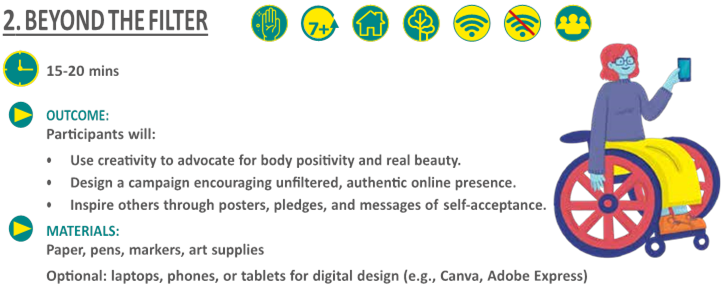
Access to free design platforms or apps
WHAT HAPPENS:
1. Write a #RealYou Pledge — a statement affirming your commitment to embracing your true self online.
Examples:
• “I pledge to love my real smile, my real skin, and the real me.”
• “I promise to post pictures that reflect who I am, not who filters tell me I should be.”
• Decorate your pledge — make it colourful, expressive, and YOU.
2. Design Your Campaign Pick one or more campaign ideas:
• A digital or physical poster encouraging self-love and natural beauty
• A hashtag (#BeyondTheFilter)
• A series of social media posts that promote body positivity
• A story or carousel of real, unfiltered images
• Work alone or with others to create a gallery or wall of real beauty.
3. Share your campaign online .
4. Invite your friends to join and use your hashtag.
 TAKE IT FURTHER
• Create your campaign offline if you prefer — posters and collages work just as well!
• For older girls, link this to mental health awareness and social media literacy.
Here are some inspiring stories of how Free Being Me is helping girls and young people around the world embrace their uniqueness and build lasting confidence:
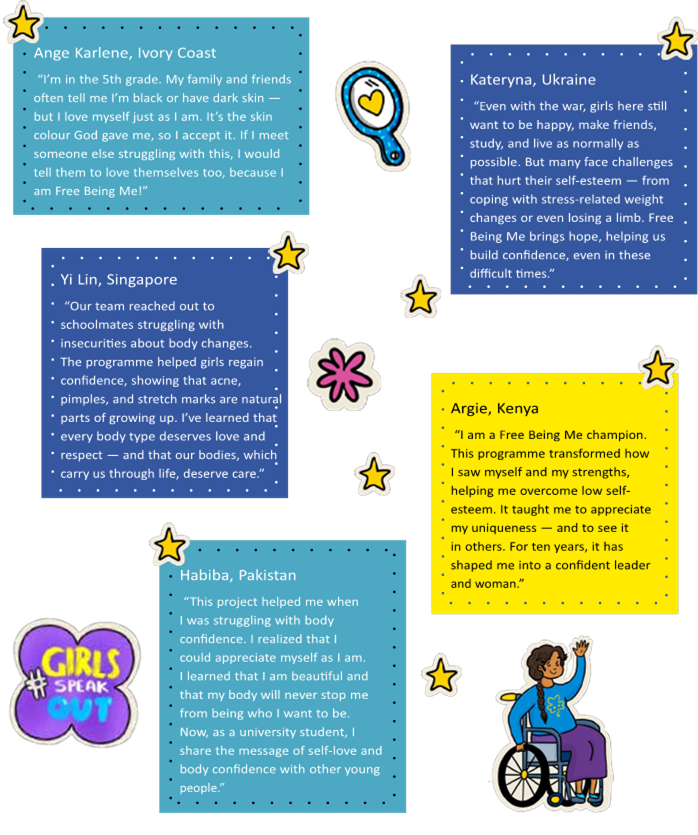
OUTCOME:
Reflect on key learnings from Surf Smart AI; design and share creative ways to promote responsible digital citizenship, safety, and awareness online.
 Technology is moving fast, and AI is shaping how we live, learn, and connect.
Now that you’ve completed Surf Smart 2.0, it’s your turn to share what you’ve learned with your family, friends, and community. Every conversation you start can help create a safer, smarter digital world
1. THINK ABOUT IT
To help you share what you’ve learned, start by reflecting on your key moments from Surf Smart 2.0,.
Reflect on three (or more) key takeaways from Surf Smart 2.0 that you feel proud of:
|
That gave me a light bulb moment. I learnt something new. |
That got me excited and I want to learn more. |
I need to stay careful — protect, report, and act responsibly. |



 2. BE RESPONSIBLE
Get creative and find a way to show your commitment!
Design a card, poster or collage that clearly shows how you will be a responsible digital citizen. Include specific actions like protecting your passwords, thinking before you share, or being kind in online spaces. Keep it colorful and creative so it inspires you — and others — to follow it.
 3. SPREAD THE NEWS
Choose one digital safety tip or an insight you’ve learned about Artificial
Intelligence (AI) and share it with at least two friends, family members, or peers.
It could be as simple as showing them how to spot a scam or explaining why it’s important to verify information before sharing.

 4. TAKE IT ONLINE
Use your social media to do good!
Post a positive message about online safety or a helpful fact about AI. Make it engaging by using a fun image or video to reach and inspire more people. Use any of these hashtags to drive engagement and awareness: #GenerationDigital
#SurfSmart2.0 #BeTheChangeOnline #AdvocacyforGenerationDigital #A4GD
5. TAKE A STAND
Show your commitment to staying safe online!
Write a short, personal promise about how you’ll protect yourself and others in the digital world. Make it fun, creative, and uniquely yours.
 Use the Take Action Template (page 160) to track your journey and show how you’re becoming a safe, smart, and responsible digital citizen.
|
Design a card, poster or collage showing your commitment to being a responsible digital citizen. |
|
Share one digital safety tip or AI insight with two friends, family members, or peers |
|
Post a positive online safety message on social media about Artificial Intelligence. |
|
Show your commitment! Write a short promise about how you will stay safe online and help others do the same. I am a responsible digital citizen. I want to stay safe online, take care of my friends and be able to enjoy using the internet. To make this happen, I promise myself I will try to.......
|



You’ve reached the final step of your Surf Smart mission. Mission Control is excited to hear how far you’ve come, what powers you’ve unlocked, and how confident you feel as a Surf Smart 2.0 Digital Explorer. Let’s complete your Explorer Debrief so you can earn your official badge and help us improve this mission for Explorers around the world!
Instructions:
• Use the same Explorer Name you used at the beginning to log-in to this mission.
• Answer each question honestly — your reflections help others.
• Ready to debrief? Click Next to begin!
 PART 1 - Explorer Check-Out
Q1. What is your Explorer Name?
(Use the same nickname you used before so Headquarters can match your results!)
...........................................................................................................................................................................................................................
Q2. Country (of your organization):
...........................................................................................................................................................................................................................
Q3. Your age (in-years)
...........................................................................................................................................................................................................................
Q4. Gender
m Male m Female
m Prefer not to say
Q5. How long has it been since you completed the Surf Smart 2.0 Badge?
m Less than a month m 4–6 months m 1–3 months m More than 6 months
Surf Smart 2.0 Digital Explorer Post-Survey (Age 5–10) (continued)
 PART 2 - Mission Checkpoints
Mission Checkpoint 1: Your Digital Habits
Q6. Do you use internet m Yes
m No
Q7. What are your favorite things to do online? (Select all that apply)
|
m Playing games m Connecting with friends and family m Searching for news and information m Attending classes / studying m Making new friends |
m Shopping m Creating online content m Using AI to make things / talk to a robot helper m I do not use the internet m Other: ........................................................................... |
m Watching videos or movies
Mission Checkpoint 2: Internet Safety Superpowers
Q8. What can you do to limit the time you spend online? (Choose only one)
m Uninstall apps I use too much m Set an alarm m Ask my friends to go offline with me
Q9. What can help you navigate the web safely? m Install a security software mTurn on location sharing m Respond to anyone online m All of the above
m All of the above m I do not use the internet
Surf Smart 2.0 Digital Explorer Post-Survey (Age 5–10) (continued)
Q10. Which of the following information is safe to share online?(Select all that apply)
|
m Avatar photo m Home address m Athletic teams I support |
m Girl Guiding/Girl Scouting group I go to m Favourite movie m Picture of a board game I enjoy playing |
m Social media password
Mission Checkpoint 3: Spotting Fake News
Q11. Which of the following is a sign of fake news? m Includes clickbait signs m Unknown author m All of the above m Low quality posts
 Mission Checkpoint 4: Asking for Help Online
Q12. Who would you ask for help if you have an online problem? (Select all that apply)
|
m Family member/an adult I trust m Friends m Teacher / School m National Hotline m Expert association / community support group |
m Health professionals (doctors, nurses) m Social workers, Police/Law officers m Netizen (other internet users) m No one m Other:...................................................................... |
 Mission Checkpoint 5: Your AI Superpowers
Q13. Have you used any AI tools (like drawing apps, talking robots, or smart assistants) in the last month?) m Yes m No
Surf Smart 2.0 Digital Explorer Post-Survey (Age 5–10) (continued)
Q14. What do you think AI can help you with? (Select all that apply)
|
m Answer questions m Make drawings or videos |
m Help me learn m Other |
m Play games
Q15. Which of these are good ways to stay safe when using AI?(Select all that apply)
|
m Ask an adult for guidance m Don’t share personal information |
m Only use AI apps I trust m Other: .................................................... |
 PART 3 - Final Log: Digital Superpower Self-Check
Q16. Rate each statement from 1 (Strongly Disagree) to 5 (Strongly Agree)
|
|
😤 Strongly Disagree |
😔
Disagree |
😐 Don't Know |
😄 Agree |
🤗 Strongly Agree |
|
The Internet is bad for me. |
m |
m |
m |
m |
m |
|
I feel safe and protected when I go online. |
m |
m |
m |
m |
m |
|
I can recognize fake information online. |
m |
m |
m |
m |
m |
|
I think carefully before I share anything online. |
m |
m |
m |
m |
m |
|
I am confident sharing messages with my friends and family about online safety. |
m |
m |
m |
m |
m |
|
I feel confident using the internet safely to take action and make an impact. |
m |
m |
m |
m |
m |
|
I feel confident using the internet to research and learn new things. |
m |
m |
m |
m |
m |
|
I enjoy learning about internet safety through Surf Smart 2.0. |
m |
m |
m |
m |
m |
|
I feel confident using AI tools safely to help me online. |
m |
m |
m |
m |
m |
Surf Smart 2.0 Digital Explorer Post-Survey (Age 5–10) (continued)
 PART 4 - Final Transmission to Mission Control
Q17. Surf Smart Curriculum helped me learn things that are useful and relevant for my life.
(1 = Strongly Disagree, 5 = Strongly Agree)
|
1 |
|
2 |
|
3 |
|
4 |
|
5 |
Q18. Overall, how satisfied are you with Surf Smart 2.0 ? (Very dissatisfied – Very satisfied)

Any other comments or messages for Mission Control?

You’ve travelled far and wide across the Surf Smart Galaxy, and your mission is nearly complete. Now it’s time for your Explorer Check-Out — your chance to reflect, share your growth, and help Mission Control understand how we can support future Digital Explorers just like you.
Instructions:
• Use the same Explorer Name you chose at the start.
• There are no right or wrong answers — just share your honest experiences.
• Once complete, you will receive your Certified Surf Smart 2.0 Digital Explorer Badge!  PART 1 - Explorer Check-Out
Q1. What is your Explorer Name?
(Use the fun name you used before to log-in to this mission — like “PixelPilot”, “SmartStar9”, or “CaptainWifi”.)
...........................................................................................................................................................................................................................
Q2. Country (of your organization):
...........................................................................................................................................................................................................................
Q3. Your age (in-years)
...........................................................................................................................................................................................................................
Q4. Gender
m Male m Female
m Prefer not to say
Q5. How long has it been since you completed the Surf Smart 2.0 Badge?
m Less than a month
m 1–3 months
m 4–6 months m More than 6 months
Surf Smart 2.0 Digital Explorer Post-Survey (Age 11+) (continued)
PART 2 - Mission Checkpoints
Checkpoint 1: Your Online Life
Q6. Do you use internet m Yes
m No
Q7. What are your favorite things to do online? (Select all that apply)
|
m Playing games m Connecting with friends and family m Searching for news and information m Attending classes / studying m Making new friends |
m Shopping m Creating online content m Using AI to create content or ask questions m I do not use the internet m Other: ........................................................................... |
m Watching videos or movies
Checkpoint 2: Security Systems Scan
Q8. What can you do when someone you don’t know contacts you online?
m Ignore them m Give them my details
m Block or report them m Ask a trusted adult for advice
Q9. Which of the following is the strongest password?
m BuTtErFly m BUTTERfly01 m B@+TerF1y m bU++ErFLy
Surf Smart 2.0 Digital Explorer Post-Survey (Age 11+) (continued)
Q10. What are your favorite things to do online? (Select all that apply)
|
m Avatar photo m Home address m Athletic teams I support m Social media password |
m Girl Guiding/Girl Scouting group I go to m Favourite movie m Picture of a board game I enjoy playing |
|
Q11. Which of the following is a sign of fake news? m Find the original source m Verify the source m Check the sources |
m Check your biases m Turn to places you trust m Other: ................................................................... |
 Checkpoint 4: Digital Support Network
Q12. Who would you ask for help if you have an online problem? (Select all that apply)
m Family member/an adult I trust m Health professionals (doctors, nurses)
m Friends m Social workers, Police/Law officers
m Teacher / School m Netizen (other internet users)
m National Hotline m No one
m Expert association / community support group m Other:................................................................
 Checkpoint 5: AI Skills & Ethics
Q13. Have you used AI tools (like chatbots, image/video generators, or smart assistants) in the last month? m Yes m No
Surf Smart 2.0 Digital Explorer Post-Survey (Age 11+) (continued)
Q14. What do you think AI can help you with? (Select all that apply)
|
m Find information m Create content (images, videos, stories) m Help with learning or schoolwork Q15. How do you check if information from AI is reliable? m Compare with trusted sources m Ask an adult/teacher Q16. Which of these is the best way to use AI responsibly? m Share AI content carefully m Don’t reveal personal info |
m Communicate with others m Other:........................................................... m Assume it is correct m Other:........................................................... m Report harmful AI outputs m Use AI to help others online |
 PART 3 - Final Log: Self-Check
Q17. How much do you agree with each statement? Rate 1 (Strongly Disagree) to 5 (Strongly Agree)
|
|
😤 Strongly Disagree |
😔
Disagree |
😐 Don't Know |
😄 Agree |
🤗 Strongly Agree |
|
The Internet is bad for me. |
m |
m |
m |
m |
m |
|
I feel safe and protected when I go online. |
m |
m |
m |
m |
m |
|
I can recognize fake information online. |
m |
m |
m |
m |
m |
|
I think carefully before I share anything online. |
m |
m |
m |
m |
m |
|
I am confident sharing messages with my friends and family about online safety. |
m |
m |
m |
m |
m |
|
I feel confident using the internet safely to take action and make an impact. |
m |
m |
m |
m |
m |
|
I feel confident using the internet to research and learn new things. |
m |
m |
m |
m |
m |
can use AI tools safely and responsibly. m m m m m
Surf Smart 2.0 Digital Explorer Post-Survey (Age 11+) (continued)
PART 4 - Final Transmission to Mission Control
Q18. Surf Smart Curriculum helped me learn things that are useful and relevant for my life.
(1 = Strongly Disagree, 5 = Strongly Agree)
|
1 |
|
2 |
|
3 |
|
4 |
|
5 |
Q19. Overall, how satisfied are you with Surf Smart 2.0 ? (Very dissatisfied – Very satisfied)
Any other comments or messages for Mission Control?
You’ve successfully completed your Surf Smart 2.0 Leader Mission Training and now it’s time to share your reflections with Mission Control.
Your feedback helps us understand how this training has grown your knowledge, confidence, and facilitation skills — and how we can improve future trainings for leaders around the world Instructions:
• Be honest — your answers guide how we support future leaders.
• Take a few moments to reflect on what you’ve learned and how ready you feel to deliver Surf Smart.
You are just one step away from being fully cleared to lead your own Surf Smart Missions!
PART 1 - Explorer Check-Out
Q1. Explorer Name (Code Name) :
(Use the same fun name you used before to log-in to this mission!)
...........................................................................................................................................................................................................................
Q2. Type of training attended:
m WAGGGS-led m MO-led
m Taster session
Q3. Country (of your organization):
...........................................................................................................................................................................................................................
Q4. Your age (in-years)
...........................................................................................................................................................................................................................
Q5. Gender
m Male m Female
m Prefer not to say
Surf Smart 2.0 Digital Explorer Post-Survey (Unit Leaders) - (continued)
Q6. How long has it been since you completed the Surf Smart 2.0 Badge?
m Less than a month m 1–3 months m 4–6 months m More than 6 months
PART 2 - Mission Checkpoints
Checkpoint 1: Your Digital Habits
Q7. What are your favorite things to do online? (Select all that apply)
m Playing games m Shopping
m Connecting with friends and family m Creating online content m Searching for news and information m Using AI to create content or ask questions
m Attending classes / studying m I do not use the internet
m Making new friends m Other: ........................................................................... m Watching videos or movies
Q8. How much time do you usually spend online each day?
m None
m Less than an hour m 1–3 hours m 4–7 hours m 8 hours or more
Surf Smart 2.0 Digital Explorer Post-Survey (Unit Leaders) - (continued)
Checkpoint 2: Security Systems Scan
Q9. When did you last change your password?
|
m Last week m Last month |
m Haven’t updated my password m I do not use the internet |
m Last year
Q10. Which of the following is the strongest password?
m BuTtErFly m BUTTERfly01 m B@+TerF1y m bU++ErFLy
Q11. Which of the following information is safe to share online?(Select all that apply)
|
m Avatar photo m Home address m Athletic teams I support |
m Girl Guiding/Girl Scouting group I go to m Favourite movie m Picture of a board game I enjoy playing |
m Social media password
Checkpoint 3: Threat Detection & Fake News
Q12. What should you do first when you spot fake news online?
|
m Find the original source m Verify the source m Check the sources |
m Check your biases m Turn to places you trust m Other: ................................................................... |
Surf Smart 2.0 Digital Explorer Post-Survey (Unit Leaders) - (continued)
Checkpoint 4: Support Network
Q13. Who would you ask for help if you have an online problem? (Select all that apply)
m Family member/an adult I trust m Health professionals (doctors, nurses)
m Friends m Social workers, Police/Law officers
m Teacher / School m Netizen (other internet users)
m National Hotline m No one
m Expert association / community support group m Other:........................................................
Checkpoint 5: AI Knowledge & Leadership Readiness
Q14. Have you used AI tools (like chatbots, image/video generators, or smart assistants) in the last month? m Yes m No
Q15. What do you think AI can help you with? (Select all that apply)
m Find information m Help with learning or research
m Create content for sessions or campaigns m Communicate with participants or groups
Q16. How do you check if information from AI is reliable?
m Compare with trusted sources m Ask a peer/mentor m Assume it is correct
m Other:...........................................................
Surf Smart 2.0 Digital Explorer Post-Survey (Unit Leaders) - (continued)
Q17. Which of these is the best way to use AI responsibly?
m Share AI content carefully m Don’t reveal personal info m Teach others to verify AI outputs m Use AI to create positive change
PART 3 - LEADERSHIP CONFIDENCE CHECK
Q18. How much do you agree with each statement? Rate 1 (Strongly Disagree) to 5 (Strongly Agree)
|
|
😤 Strongly Disagree |
😔
Disagree |
😐 Don't Know |
😄 Agree |
🤗 Strongly Agree |
|
I feel safe and protected when I go online. |
m |
m |
m |
m |
m |
|
I can recognize fake information online. |
m |
m |
m |
m |
m |
|
I think carefully before I share anything online. |
m |
m |
m |
m |
m |
|
I am confident sharing messages with my friends and family about online safety. |
m |
m |
m |
m |
m |
|
I feel confident using the internet safely to take action and make an impact. |
m |
m |
m |
m |
m |
|
I feel confident using the internet to research and learn new things. |
m |
m |
m |
m |
m |
can use AI tools safely and responsibly. m m m m m
Surf Smart 2.0 Digital Explorer Post-Survey (Unit Leaders) - (continued)
 PART 4 - Final Transmission to Mission Control
Q19. Surf Smart Curriculum helped me learn things that are useful and relevant for my life.
(1 = Strongly Disagree, 5 = Strongly Agree)
|
1 |
|
2 |
|
3 |
|
4 |
|
5 |
Q20. Overall, how satisfied are you with Surf Smart 2.0 ? (Very dissatisfied – Very satisfied)
Q21 Any other comments or messages for Mission Control?
Surf Smart is just the beginning
There are lots of other WAGGGS causes and opportunities you can promote online. You can find them all in the Resources page of our website.
Here is a short guide to help you find the one you care about!
FREE BEING ME Help empower girls to reach their full potential by strengthening their body confidence and self–esteem. We want girls everywhere to feel free to be themselves. ‘Free Being Me’, takes children and young people through a ‘body confidence–boosting journey of discovery’. Challenge beauty myths, recognise that confidence and self–esteem come from valuing our bodies, and plan ways to take action to engage your peers and share what they have learned.
ACTION ON BODY CONFIDENCE Takes girls a step further from Free Being Me to advocate for a world free from the power of the Image Myth.
 GIRL POWERED NUTRITION
The GPN promotes girl–led change through education on the importance of a balanced, healthy lifestyle and enabling girls to be agents of change at local, national and global levels in the fight to stop malnutrition continuing from one
generation to the next.
WORLD THINKING DAY World Thinking Day is celebrated by Girl Guides and Girl Scouts across the world on 22 February each year. It is a day of international friendship when our ten million members across 150 countries come together with one voice. Arguably it is the most important day in the Girl Guiding calendar. Each year a theme is chosen that encourages Girl Guides and Girl Scouts to think about the big issues affecting them, their community and the world, for example poverty, gender inequality, environmental sustainability and access to education.
YUNGA CHALLENGE BADGES Developed in
collaboration with United Nations agencies, civil society and other organisations, YUNGA Challenge Badges aim to raise awareness, educate and motivate you to change your behaviour and become an active agent of change in your local community. The resources are focused on: Biodiversity, Food Security & Climate Change, Climate Change, Ending Hunger, Forests, Nutrition, The Ocean, Soils, Water, Plastic.

RED PRIDE – Menstrual Hygiene Management (MHM) education Menstruation is a normal biological part of a young woman’s life – PERIOD. But for millions of girls around the world, managing their monthly menstrual cycle and society’s rules is a major barrier to them making the most out of their life. At WAGGGS we are working with Girl Guides and Girl Scouts through education and advocacy campaigns to empower girls and to find solutions.
OLYMPIA BADGE The Olympia Badge was launched by the Greek Girl Guides in 2004 to coincide with the first modern Olympic Games in the country for 108 years. The badge is now adapted and rolled out worldwide by the Games, host country and the World Association of Girl
Guides and Girl Scouts (WAGGGS) to coincide with the
Olympics. Through physical, mental and spiritual activities Girl Guides and Girl Scouts of all ages are engaged in sport and culture, and encouraged to reflect upon the values and ethos of The Olympic– a truly universal celebration of peace and international friendship.
Surf Smart is just the beginning
SUSTAINABLE DEVELOPMENT GOALS (SDGs) All our global programmes tackle issues identified by the SDGs as challenges that girls face in the world today – from body confidence and well–being, gender-based violence, environmental sustainability and being able to access a healthy, nutritious diet – we educate and inspire girls to make a positive difference at a local, national and international level.
Each programme is embedded with the Girl Guiding and
Girl Scouting methodology of Learn, Lead, Speak Out and Volunteer – which enables girls to better understand their rights on a range of issues and then gives them a voice and platform to change attitudes in wider society.

STOP THE VIOLENCE As the largest voluntary organisation for girls with a network of 10 million Girl Guides and Girl Scouts in 150 countries we recognised the unique role we had to reach and inspire girls to be the voice of change. All the work of STV comes under five components, designed to ensure the campaign has a direct impact on girls’ lives, as well enabling them to influence policy, and change societal attitudes at a local, national and global level: awareness campaigns, education programmes, research and policy, lobbying, national and community campaigns. 
PARTNERSHIP WITH THE UPS foundation At WAGGGS we believe every and any girl should have a chance to be part of the movement and all the opportunities it has to offer. Since 2003 through our partnership with the UPS Foundation we have been supporting our Member Organisations to engage girls in underrepresented, harder to reach communities, and improve the quality of opportunities and Guiding experience in our Member Organisations around the world. The partnership provides funding for capacity building work with Member Organisations so they can train and retain leaders; empower girls and young women to advocate in their community; support MOs to increase and diversify membership.
WAGGGS WORLD CENTRES The World Association of
Girl Guides and Girl Scouts runs five World Centres; Our
Cabana, Mexico; Our Chalet, Switzerland; Pax Lodge, UK;
Sangam, India; and Kusafiri which pops up around the
Africa Region. These World Centres offer Girl Guides and Girl Scouts the opportunity of a lifetime – an international adventure where they can make new friends and go on their own journey of personal discovery.
THE YESS GIRLS MOVEMENT The Youth Exchange
South to South (YESS) Girls Movement is our international exchange programme, funded by the Norwegian Agency For Exchange Cooperation (NOREC), a Norwegian Government Agency. It gives Girl Guides and Girl Scouts from different Member Organisations across Africa and the Asia–Pacific region the once in a lifetime opportunity to live and work in another country for six months.
INTERNATIONAL EXPERIENCES The international experiences on offer to girls when they become a Girl Guide or Girl Scout is one of the key drivers for girls joining the Movement. From attending our flagship leadership seminars to enabling girls to speak on a global platform, our ambition at WAGGGS is to reach ever more girls with the promise of adventure, diversity and new friendships.
Consent form for participating in the Surf Smart 2.0 program
Dear parents/carers,
The Mission of WAGGGS is to enable its members to develop their fullest potential as responsible citizens of the world. The internet world is an exciting place to explore, with unprecedented opportunities for learning, creating and making a difference. However, there are dangers online that we all need to be aware of and prepared for.
For this reason, WAGGGS has created the curriculum 'Surf Smart 2.0 – Generation Digital' for its members, encouraging them to explore and learn ways they can use the internet safely and wisely.
The curriculum consists of the following sections:
• Discover... internet wonders: Discover and use the positive aspects of the internet.
• Connect... positively online: Learn how to use social media and other platforms in ways that connect us with others positively and safely.
•
Protect... yourself from online risks: Learn how to navigate the web safely.
• Respect... your digital rights and footprint: Explore digital rights, learn about safe digital footprints and discover how to look at information critically.
• Imagine… a better internet: Use the internet in a positive way to spark creativity and make it more enjoyable for others.
• #TakeAction: Create a project that will bring change in the community.
By completing the necessary activities, our members will become responsible digital citizens and earn the Surf Smart 2.0 badge.
As part of this pack, children may use the internet. They will have the support of leaders at all times during sessions, and we ask that if they are using the internet at home, you provide similar supervision.
I...............................................................................hereby confirm that I allow my child...........................................................
to use the internet for the purpose of the Surf Smart activity pack, and will provide supervision for Surf Smart activities at home where necessary.
Resources
Internet safety
Childnet International online game: www.kidsmart.org.uk
Childnet International website: www.childnet–int.org
Childline: https://www.childline.org.uk/
EU Kids Online report: www2.lse.ac.uk/media@lse/ research/EUKidsOnline/Home.aspx
Canada’s Center for Digital and Media Literacy: https:// mediasmarts.ca/
Internet Matters: https://www.internetmatters.org/
NetSmartz Workshop: www.netsmartz.org
Own Your Space – eBook for teenagers http://www. microsoft.com/download/en/details.aspx?id=1522
Safety Centre by Google: www.google.co.uk/goodtoknow
Safer Internet Day, an initiative of the EU SafeBorders project: www.saferinternetday.org
Think You know: www.thinkuknow.co.uk
Videos showing you how to check some key privacy and safety settings: www.kidsmart.org.uk/skills–school/
UK Safer Internet Centre: https://www.saferinternet.org.uk Social platforms’ privacy information and settings
Learning and opportunities
WAGGGS website: www.wagggs.org
Network of youth organizations in Europe: www. eurodesk.org.uk
Council of Europe: www.coe.int/t/dg4/youth/default_en.asp
Inspiring talks on various topics: www.ted.com
Educational videos for curious kids of all ages: thekidshouldseethis.com/
Discover how different things work: www.howstuffworks.com
Google cultural institute: www.googleartproject.com
UN agency focused on gender issues: www.unwomen.org
European Youth in action: www.youthforum.org
Coding and programming for children and young people: www.code.org/frozen
Self–Organized Learning Environment: www.theschoolinthecloud.org
Interested in coding? Try http://studio.code.org/
Social Media Strategy for Beginners
Adult internet safety guidelines
'Digital Natives: Our students today are all 'native speakers' of the digital language of computers, video games and the Internet. So what does that make the rest of us? Those of us who were not born into the digital world but have, at some later point in our lives, become fascinated by and adopted many or most aspects of the new technology are, and always will be compared to them,
Digital Immigrants.'
• Digital Natives, Digital Immigrants By Marc Prensky,
There is a contrast between how children and adults typically use and understand technology. However, it is important to remember that, while children may be fearless when it comes to technology, they are still children and lack the cognitive ability to appreciate risk. Adults should not confuse a child’s apparent ‘confidence’ with an innate ‘capability’. It’s important for parents/carers to find ways to build trust with their child, so that they feel safe to turn to an adult if they are in trouble or need help.
These guidelines are aimed at parents, guardians and Guide/ Scout leaders and are intended to help you understand how you can best protect the safety and privacy of young people in your care. Certain points will be legal requirements in some countries but not others, though they can be regarded as best practice even if not legally binding.
Consider the ways you protect children in the real world. You take care to keep them from dangerous physical situations. You monitor where they are, who they are with, what they view, and how they behave. Now apply those same criteria to their internet and digital interactions and think of ways you can minimize harm and ensure that children are protected and safe. As a youth leader you should take care to self–regulate your online activities and prevent your private and public worlds from overlapping.
Email policy
We recommend following your MOs email policy at all times. If there is not one in place, here is an example of email policy you can implement.
• Create an email system for your group. Select an adult volunteer to be responsible for adding, editing and removing email addresses from the system. Set up mailing lists for parents/carers and group leaders.
• Use the 'blind carbon copy' (bcc) function when emailing groups to protect everyone’s contact details and avoid spam.
• Maintain the list for Guide/ Scout group communication only. Do not forward chain emails. Only share the list with other group leaders.
• Avoid direct private communication with children. Members below 13 years old should be contacted through their parents/carers and when emailing members over 13, their parents/carers should always be copied. Copy another adult into any message you send to a member under 18.
• Should a child directly contact you or another adult leader, discuss with other adult volunteers how to best handle this, depending on the nature of the communication. Your response may vary according to the child’s age: an older Guide/ Scout group member may interact with the group leaders although parents/ carers should be informed of this when the child joins the group. Follow your MO’s safeguarding policy if the message concerns you about their safety/wellbeing.
• Consider the content of your message, checking that language and images are appropriate for the age group, and check where the links lead.
Adult internet safety guidelines
Social network policy
• If creating a social network will benefit your group, ensure that the group you create is private.
• Invite group members of an appropriate age, and their parents, to join the group’s social network page or site. Be aware that social networks have different age policies, for example, members under 13 years should not have a Facebook account or use YouTube. Use strict privacy settings to prevent posts and photos from being seen by non–members of your group. When a member leaves, assign an adult volunteer the responsibility of removing the member and parents/ carers from the group.
• Follow your MO's policy, concerning whether or not adults and youth members can accept each other as friends on social networks. Seek parental consent before you accept a child’s online ‘friendship’.
• Define your responsibility and the appropriate actions to take should you observe a youth member posting with bad language, inappropriate images or links to inappropriate content.
Photo and video policy
• Follow your MO's policy concerning whether or not you will take photos of group activities, and obtain the signed consent of parent/carers before taking any photos of their child.
• Check whether or not your MO's policy allows sharing photos with the group members and their parents. While most parents will like having these keepsake photos and videos, some may object to having their child’s photo taken and/or shared for religious, privacy or other reasons. Should parents opt out of photo sharing, be mindful when taking photos and videos that their children not be photographed.
•
If you set up photo and video sharing pages online, they should be private and preferably password protected. Obtain consent from anyone depicted in the photos/videos before uploading them.
• Stop and think before sharing any photos or videos of young people online or naming people in images through 'tagging'. If you do want to share this content, check you have written permission from their parent/ carers before doing so.
General security online
• Secure your own computer and other devices: Make sure your personal computer and other internet – enabled devices are secured from viruses and malware by using internet security software and be vigilant about scanning for malware. In this way, you can prevent malware from spreading to other group members or gaining unauthorized access to the private member data and financial information stored on your computer or other devices.
• Use passwords to protect your devices: Children may ask to borrow or use an adult volunteer’s phone, digital camera, tablet or computer. You can prevent them from accessing specific files or programmes on these by using passwords where possible. Be sure there is no objectionable material stored on your device – if there is, you can be sure a child will find it. A password can also prevent a child from purchasing music or apps without your permission.
• Online banking: Your group’s treasurer should be required to secure their computer with internet security software and to carefully monitor who can access the group bank account, either physically or online. Avoid conducting group financial transactions on public computers or on public wireless networks that could have less secure settings than your personal network. Check the account online at least once a week to verify that transactions are all authorized. Report any strange activity to your bank immediately to minimize losses to the account.
Adult internet safety guidelines
• Storage of member registrations: Who retains the private registration forms for your group? If these include names, phone numbers, email and home addresses, health insurance data and database links, they could be valuable to an identity thief. Follow your MO's policy about how the physical and digitized copies of these forms are stored and protected.
Protecting group members
•
If a young person confides that they plan to meet up with someone they’ve met online, make sure their parent/carers know this. Recommend that if the parent/carers allow the meeting they should accompany their child and make sure it happens in a public place. While many people make genuine new friends online, there are justified concerns for meeting someone without first being able to establish that they are who they say they are.
If you find out that children under your supervision are involved in potentially dangerous online activities such as visiting adult or other inappropriate sites, using illegal file–sharing devices, or joining social network groups that promote anti–social behavior, act according to your MO's policy regarding your responsibilities towards the children, their parent/carers and the community and act accordingly. Discuss the best course of action with other leaders, to agree a policy together – if one is not in place – checking with local/national Girl Guiding/ Girl Scouting guidance.
Glossary
Airbrushing – to alter (an image, especially a photograph) using photo–editing software or other techniques in order to increase its attractiveness or conceal an unwanted part.
Antivirus – software that is designed to detect and destroy computer viruses.
Avatar – graphical images used to represent users in online spaces; they may or may not be authentic representations of the people using them.
Bandwidth – the maximum amount of information that can be transmitted along a channel, such as an internet connection.
Blogging – sharing your opinions and experiences in the form of an online journal where readers may comment on posts.
Cloud storage – a service that allows customers to save data by transferring it over the internet to an offsite storage system maintained by a third party.
Computer virus – a programme that can copy itself and spread from one computer to another, damaging the data stored on the computer and stopping it from working properly.
Computer worm – a type of virus that can travel from computer to computer on its own. It can copy itself and send out hundreds of thousands of copies, for example, to everyone listed in your email address book. Worms can be designed to give cybercriminals access to control your computer remotely, but more commonly they just use up the system memory or network bandwidth, crashing computers and internet servers.
Cookies – a small piece of data stored on the user’s computer by the web browser while browsing a website.
Cyberbullying – the use of information and communication technologies to support deliberate, repeated and hostile behaviour by an individual or group that is intended to harm others.
Cybercrime – any crime that involves a computer and a network.
Digital footprint – the sum of the information trail people leave online.
Digital reputation – what people think of you based on the information visible about you online.
Digital watermark – a pattern inserted into a digital image, audio or video file containing the file’s copyright information such as author and rights.
Downloading – transferring a file or programme from a remote system to a local computer or mobile device.
Facebook – the largest social network on the internet. It enables users to create personal profiles and make connections with their friends.
Geo data – digital data that represent a geographical location.
GPS (Global Positioning System) – a navigational system using satellites and computers to calculate the location of a receiver device. Many mobile phones contain GPS receivers. If your phone has a GPS receiver, it can receive signals from satellites orbiting the earth. The satellites send out signals and the GPS uses the distance between the satellites and the receiver (your phone) to calculate where you are.
GSM (Global System for Mobiles) – a standard for mobile communications used by most mobile phone services in the world. It can also be used to identify the location of a mobile device in relation to the mobile phone masts transmitting to that device.
Instagram – a social networking app for sharing photos and videos and interacting with other users by following them, being followed by them, commenting, liking, tagging, and private messaging.
Internet piracy – illegally uploading or downloading copyrighted material over the internet.
Location services – a service that provides the location of a device in the offline world, whether moving or fixed.
Glossary
Malware – software intended to damage or disable computers and computer systems. Malware includes spyware, viruses, trojan horses and computer worms.
Mind map – mind mapping is a technique that helps us visualise connections between many related ideas or pieces of information. The layout resembles a web: the central idea is placed in the center and then related ideas are added to it in a radial fashion.
MOS – a mobile operating system (or mobile OS) is an operating system for smartphones, tablets, PDAs, or other mobile devices. The operation system manages the device hardware and software resources and provides common services for computer programs. (Source Wikipedia). Please visit https://goo.gl/UqG35c for more information about MOS safety.
Online sexual harassment – unwanted sexual behaviour on any digital platform which can make a person feel threatened, exploited, coerced, humiliated, upset, sexualised or discriminated against. (Source UK Safer Internet Center).
Phishing – trying to acquire personal information, such as user names, passwords and credit card details, by sending a message, either online or over the phone, that pretends to be from a legitimate organization.
Podcast – a series of digital media files, either audio or video, which are released in episodes and downloaded or listened to online.
QR code – a mobile barcode readable by mobile devices, with a camera that directs the user to a website when scanned.
Security software – software that protects a computer from a range of threats.
Spyware – a type of malicious software that installs itself on your computer and collects information without your knowledge. It can be hard to find out if spyware is installed on your computer, so it’s important to have good security software to protect against it.
Streaming – a way of sending data over a computer network as a steady continuous stream, allowing content to be played back while the rest of the data is being received.
TikTok – a free social media app that lets you watch, create, and share videos, often to a soundtrack of the top hits in music, right from your phone.
Twitter – a social networking service that enables its users to send and read other users’ messages, or tweets, of up to 280 characters in length.
Tagging – identifying someone appearing in a photo or video online by attaching a virtual name label, or 'tag'.
Trojan horse – a bit like a virus except it is designed to pretend it will do something you want it to do, then secretly take an unwanted action such as copying itself, giving someone access to your computer or stealing information. An example might be a free game or screensaver. You download the file without realising it has a hidden piece of malware inside.
Video conferencing platforms – computer or mobile phone programs and platforms that enable users to set up profiles, make free phone calls, chat, video chat and share files through their computer or mobile device from any point around the world. The most popular platforms include: Skype, Zoom, WhatsApp.
[1] Global digital population as of July 2020 (in billions), statista.com
[2] Daily time spent with the internet per capita worldwide, statista.com
[3] Source: Children in a Digital World, December 2017, UNICEF
про публікацію авторської розробки
Додати розробку